Building a "complete" mesh
-
Hi,
I imported a dxf mesh file of a rock constructed from a point cloud file which turned out to be incomplete because it had a lot of surface points which did not join correctly. Thus I'm left with an incomplete mess.
My query is, is there a way or a plug-in to join all the end vertices of the current mesh to create a solid looking object in sketchup. My goal is to create a solid object and my current mesh too complex for me to manually join all of them together.
Thanks. -
You might try importing the file at a larger scale, say meters instead of millimeters. that would help you avoid any issues with very small faces. Scale the rock down after you have the faces finished up.
-
@dave r said:
You might try importing the file at a larger scale, say meters instead of millimeters. that would help you avoid any issues with very small faces. Scale the rock down after you have the faces finished up.
i wish to to connect the open edges of the images i have attached. Alternatively is there a tool to wrap around a mesh to like a drape over to create a new smooth object like a wrapper around the object.
Thank you for your reply!
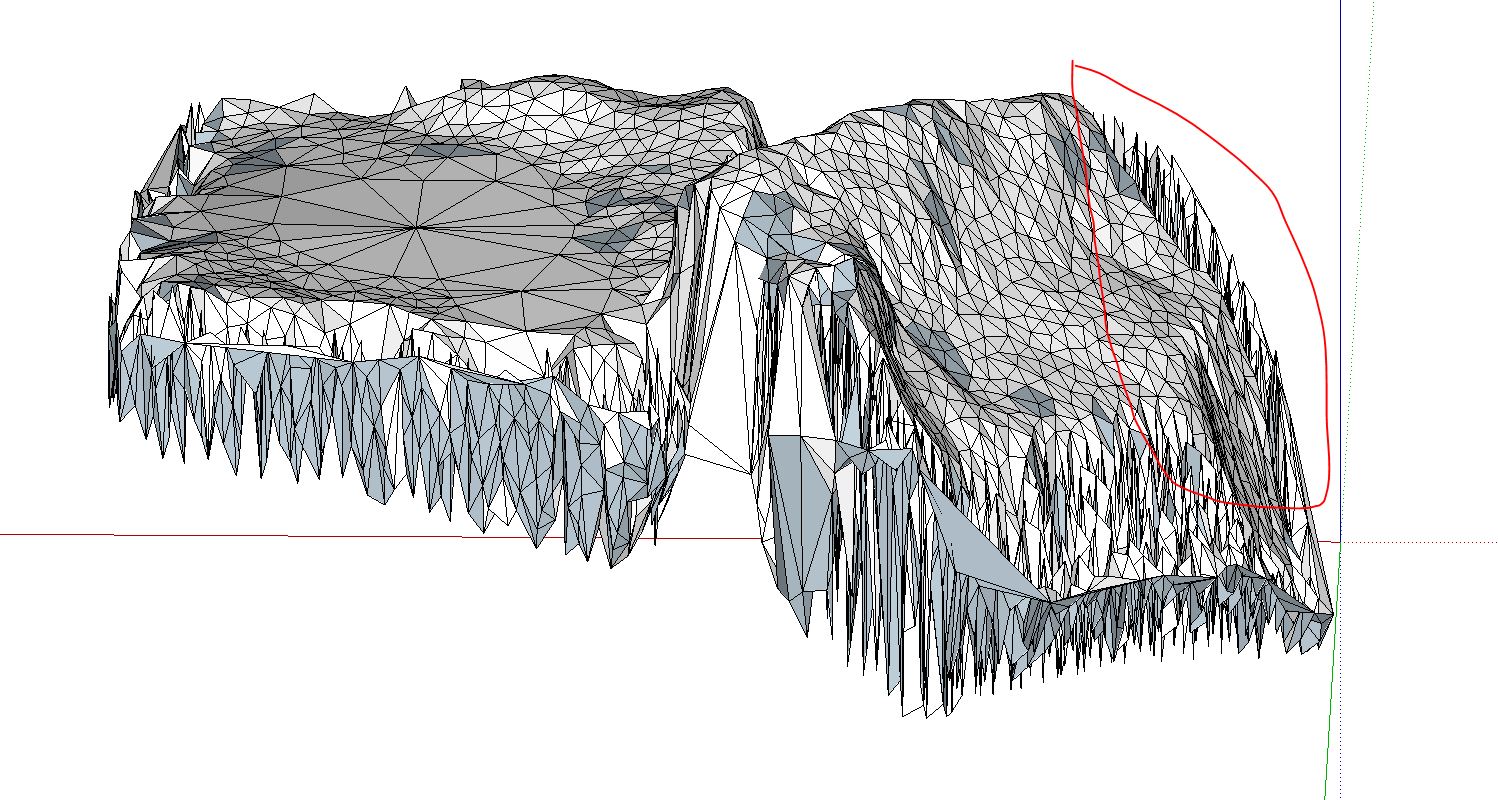
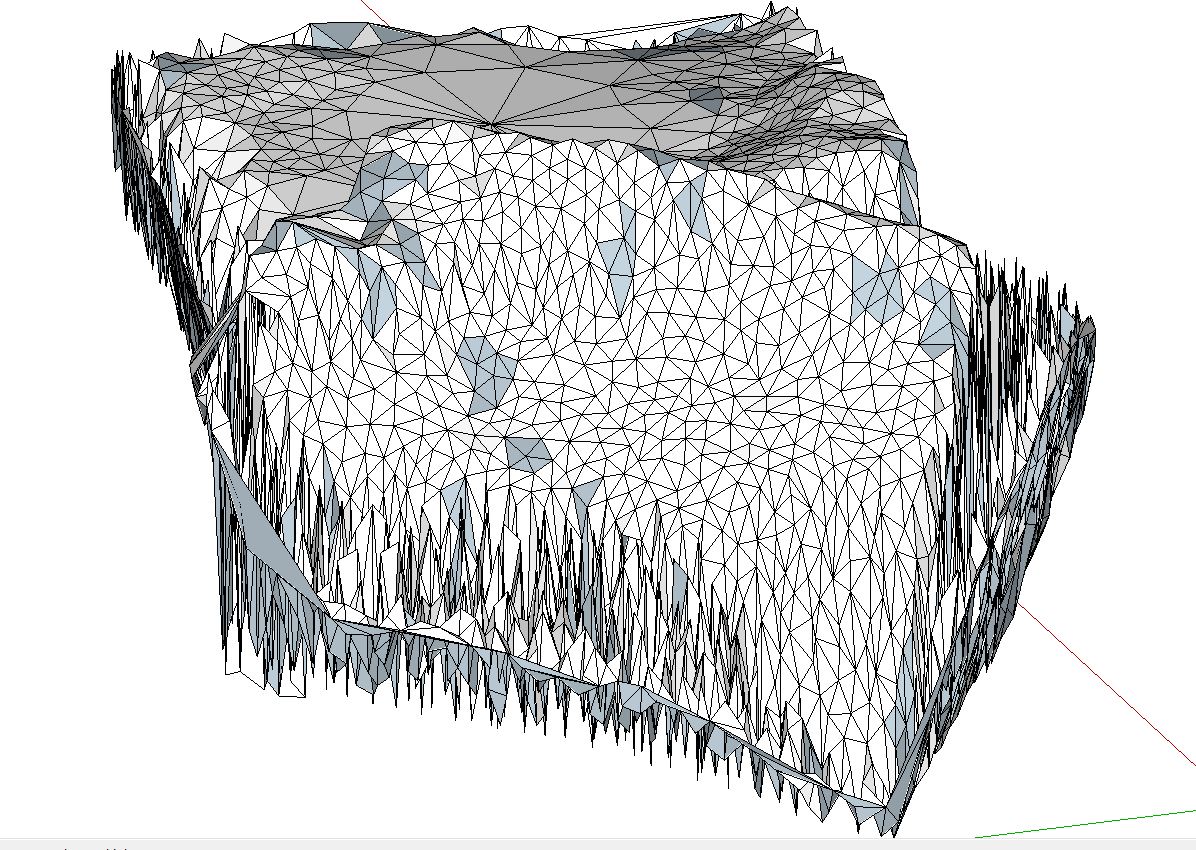
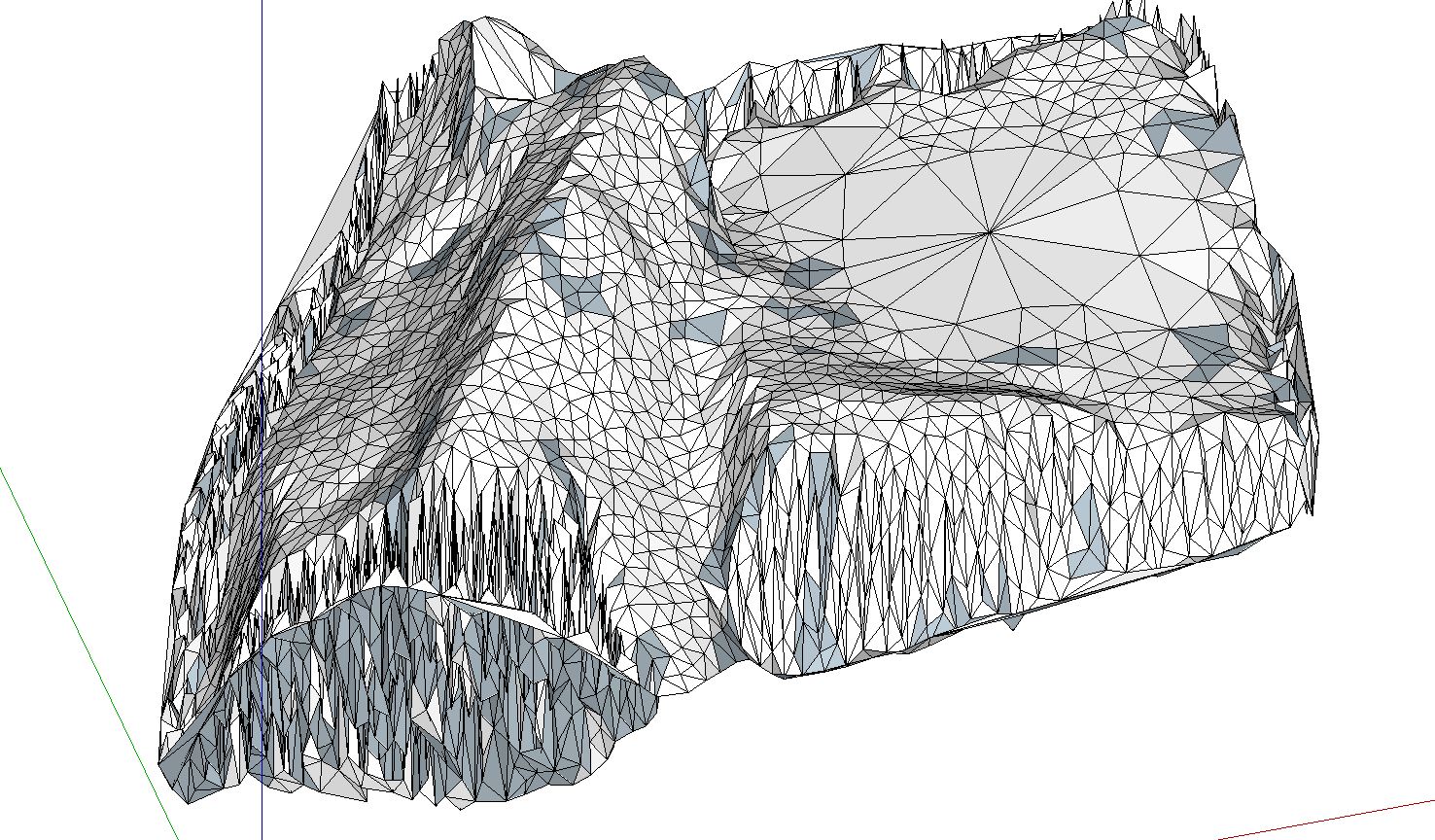
-
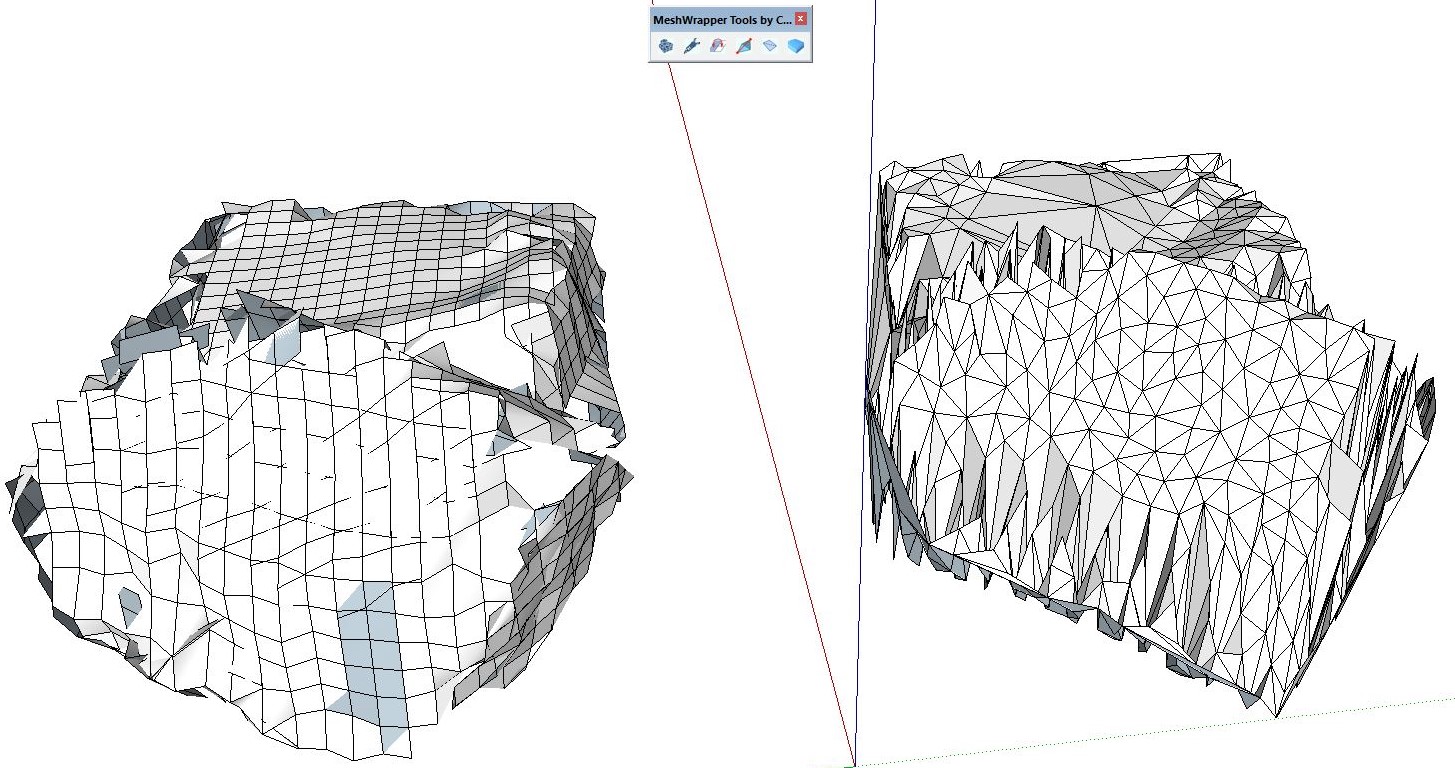
I have also tried using the MeshWrapper tool to divide it into even grids. This gives a more manageable result but still leaves open edges. Please see attached

Hello! It looks like you're interested in this conversation, but you don't have an account yet.
Getting fed up of having to scroll through the same posts each visit? When you register for an account, you'll always come back to exactly where you were before, and choose to be notified of new replies (either via email, or push notification). You'll also be able to save bookmarks and upvote posts to show your appreciation to other community members.
With your input, this post could be even better 💗
Register Login


Advertisement