Forming 3D object
-
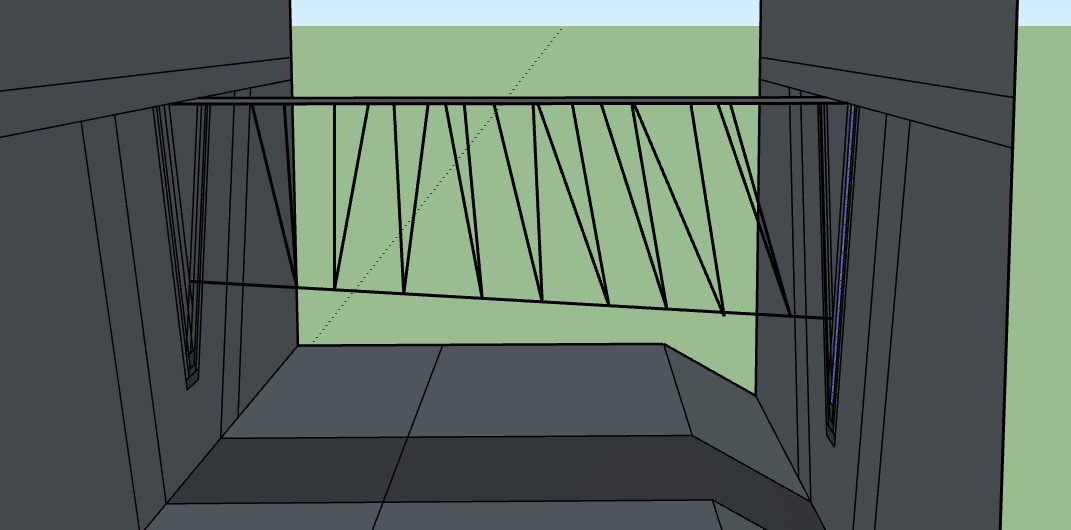
Hi, I am trying to form a triangular prism with the two triangular faces delineated in the screenshot and the space in between. Because the two triangles are noncoplanar, Sketchup won't form a face to fill in the space even when i connect the 6 points together. Does anyone know of any tricks to get SU to form me a 3D object between the two faces? SKP and Screenshots of problem provided.
-
With two triangles connect the vertices directly across (bottom to bottom etc.) from one triangle to the other with edges. Then connect a vertex of one to a different vertex of the other and so three times. This way you create triangles that should form faces. You form the shape with 6 triangles altogether. Use smooth/soften window to hide the edges you don't want to see.

Hello! It looks like you're interested in this conversation, but you don't have an account yet.
Getting fed up of having to scroll through the same posts each visit? When you register for an account, you'll always come back to exactly where you were before, and choose to be notified of new replies (either via email, or push notification). You'll also be able to save bookmarks and upvote posts to show your appreciation to other community members.
With your input, this post could be even better 💗
Register Login


Advertisement