How to make a surface comply to another surface
-
Hi all, I have a bullet shape (sharp at one end and has a circular plane at the other) I also have a geodesic shape. I want to array the "bullets" on the geodesic shape the make say a "flower" I wish to make the bullet's circular bottom comply or become co-planar with each geodesic plane, ensuring the center axis of the "bullet's" center axis is perpendicular to the plane of each geodesic segment. probably one at a time. how can I, or what plugin could I use to achieve this.
Any ideas guys?
-
Maybe this plugin can be helpful here too: http://sketchucation.com/forums/viewtopic.php?p=138042#p138042
-
You need to correctly set the axis of the bullet component so that is has the insertion point that you want.

Then you can place them manually or use a plugin like https://sketchucation.com/pluginstore?pln=clf_components_onto_faces to place them automatically.
You need to make them Glue to any.
-
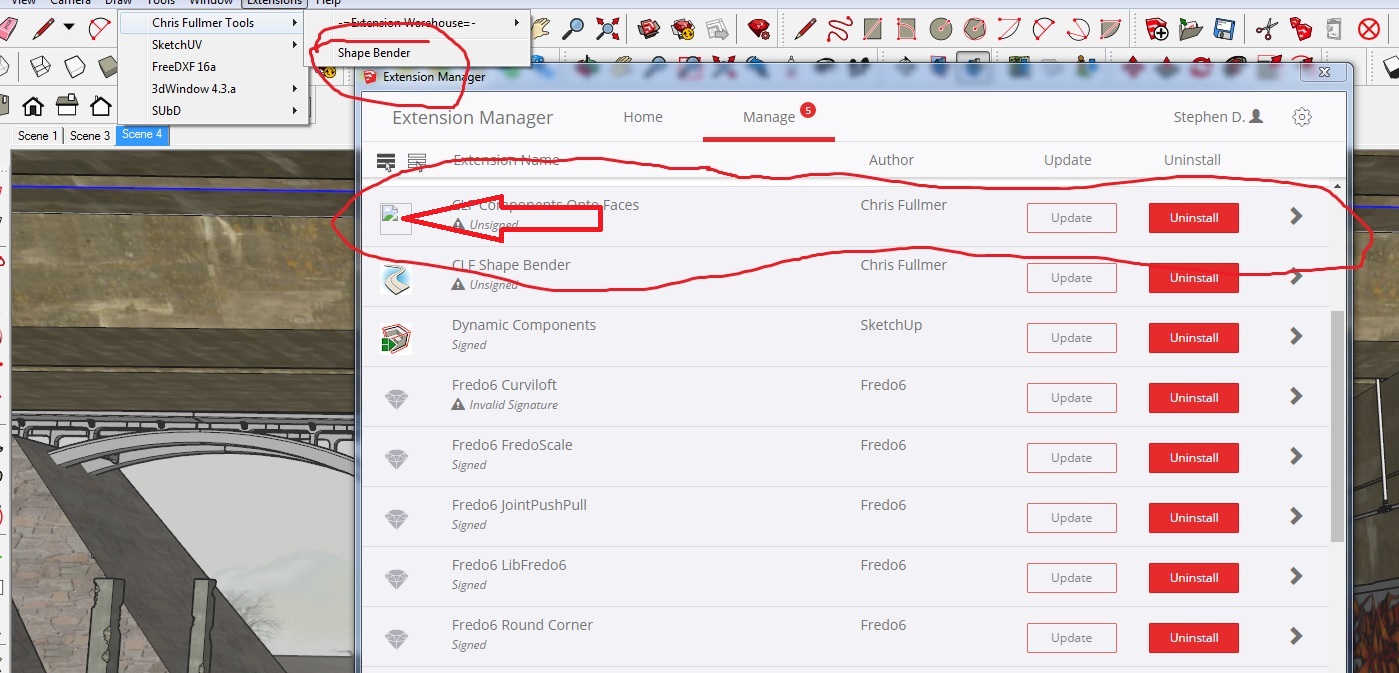 Had trouble with the plugin. Can anyone assist?
 -
Does a restart of SketchUp help?
-
Hi Cotty, I uninstalled and installed again a few times eventually got it to work (great tool BTW!) Then shape bender dissapered so I had to reload it. Now I have Shape bender and Component on face but no tool icons just in the extensions scroll down.
-
More advanced plugin for things like this https://extensions.sketchup.com/en/content/s4u-components



Hello! It looks like you're interested in this conversation, but you don't have an account yet.
Getting fed up of having to scroll through the same posts each visit? When you register for an account, you'll always come back to exactly where you were before, and choose to be notified of new replies (either via email, or push notification). You'll also be able to save bookmarks and upvote posts to show your appreciation to other community members.
With your input, this post could be even better 💗
Register Login


Advertisement