Export to 2D image but turn to line frame.
-
Hello SketchUp users,
I have problem that I never met before.But it didn't happen on my computer but on my colleague's computer. She finished one model and I asked her to export a 2D JPG image. Then she did as I said. However, the content in the exported result was a line frame. That's really weird. Could anybody here make a help? I will appreciate for it.
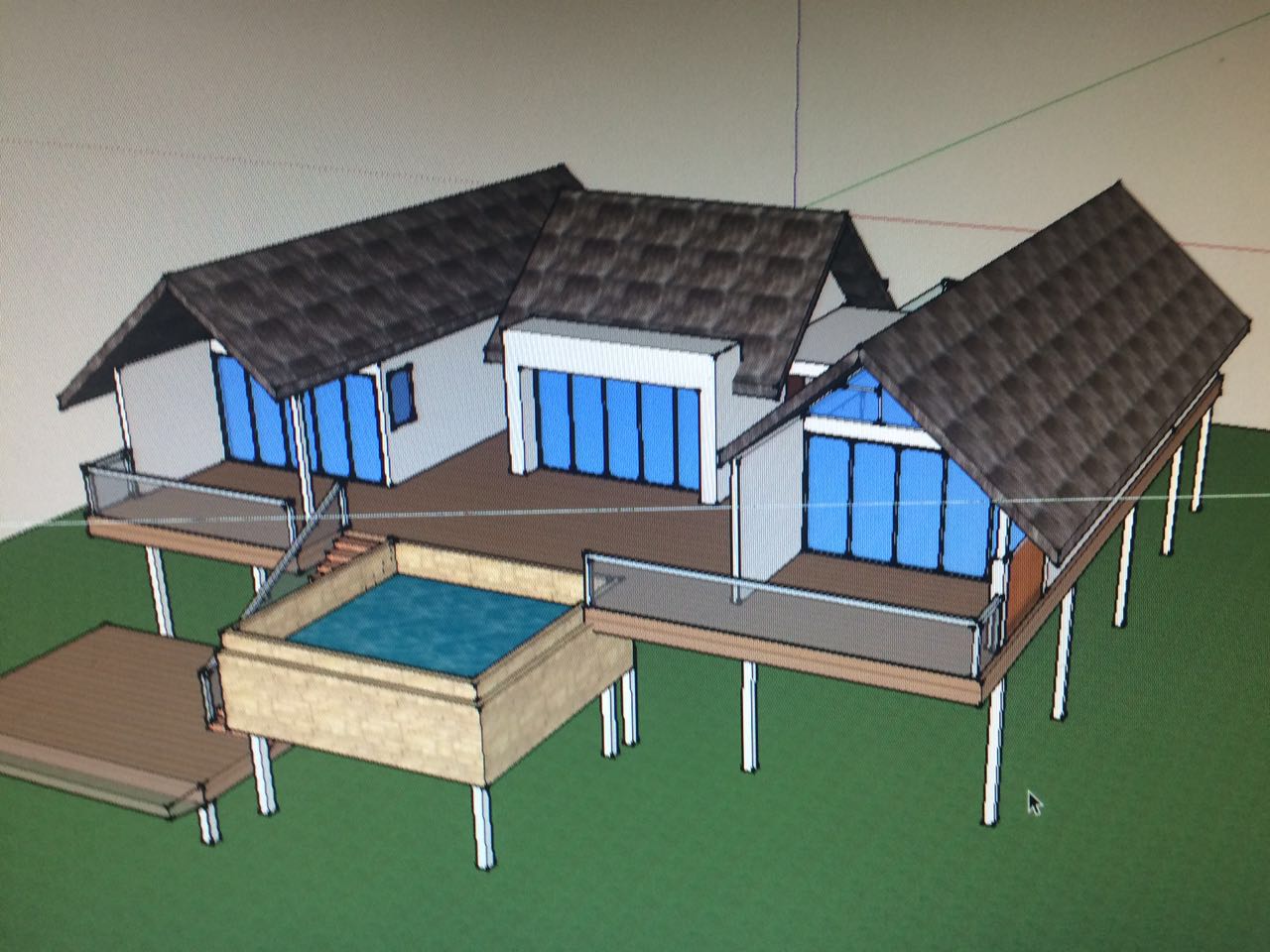
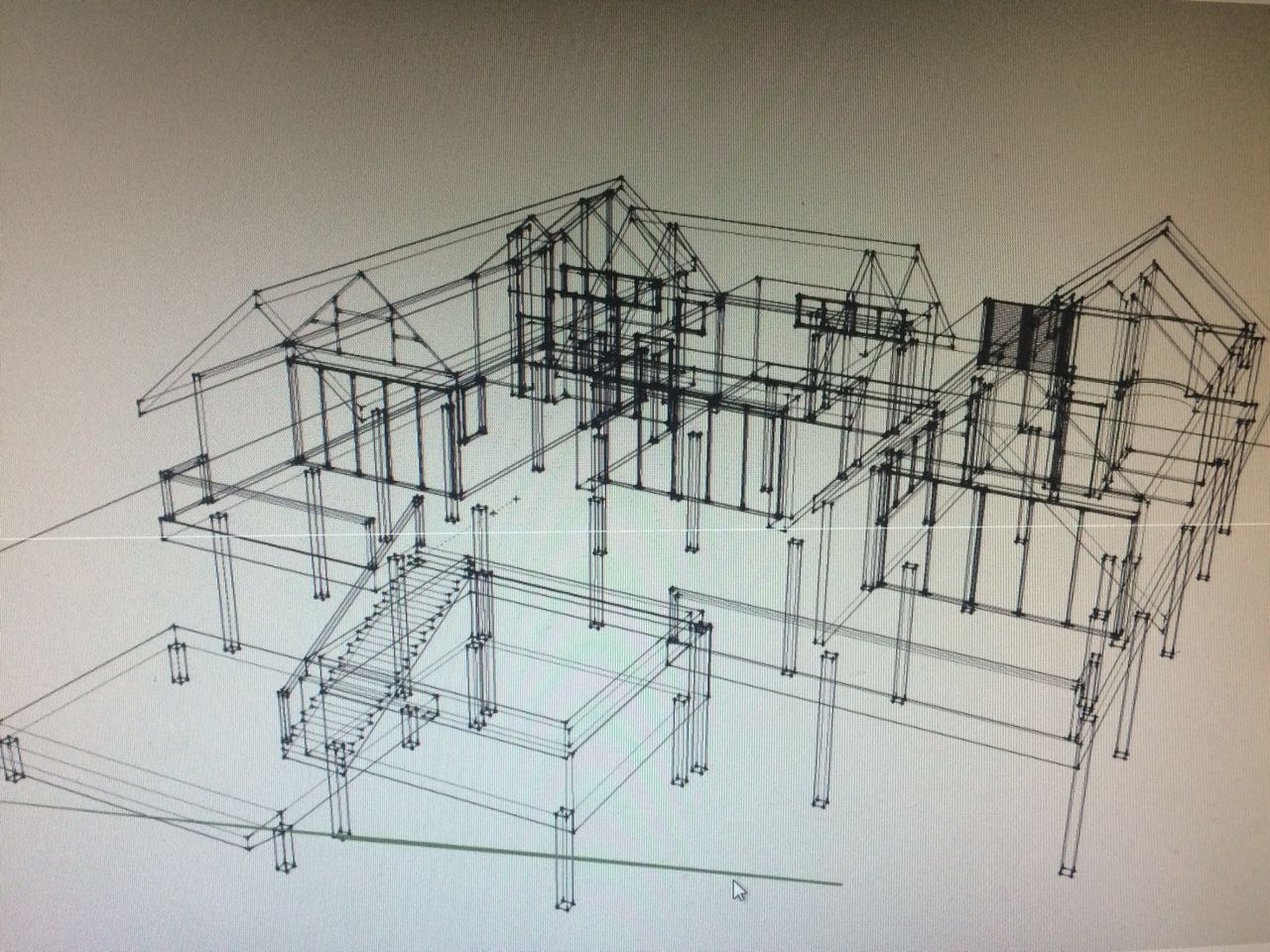
-
Menu File / Export / Graphic 2D
You can also use the key "Print screen" and import the result inside your favorite 2D prog!
You can have better image using free Simlab Composer Light (max 1920 *1080)
-
This is typical of a graphics card issue. If you search the forum for 'wireframe', you'll find other reports. What version of SketchUp is she using? If SU2016 or older, turning off Hardware Acceleration in Preferences>OpenGL will probably take care of it. What is the graphics card? She should make sure the drivers are up to date.
-
@dave r said:
This is typical of a graphics card issue. If you search the forum for 'wireframe', you'll find other reports. What version of SketchUp is she using? If SU2016 or older, turning off Hardware Acceleration in Preferences>OpenGL will probably take care of it. What is the graphics card? She should make sure the drivers are up to date.
Thanks you for your help!


Hello! It looks like you're interested in this conversation, but you don't have an account yet.
Getting fed up of having to scroll through the same posts each visit? When you register for an account, you'll always come back to exactly where you were before, and choose to be notified of new replies (either via email, or push notification). You'll also be able to save bookmarks and upvote posts to show your appreciation to other community members.
With your input, this post could be even better 💗
Register Login


Advertisement