No shadows on Photomatch
-
Hey all,
I'm using SU Pro 2016, and I've matched an aerial photo (screenshot from GE) to do some design studies. However, I cannot seem to get shadows to turn on in this scene, and didn't see anything in the help forums to suggest this feature is non functional for Matched views.
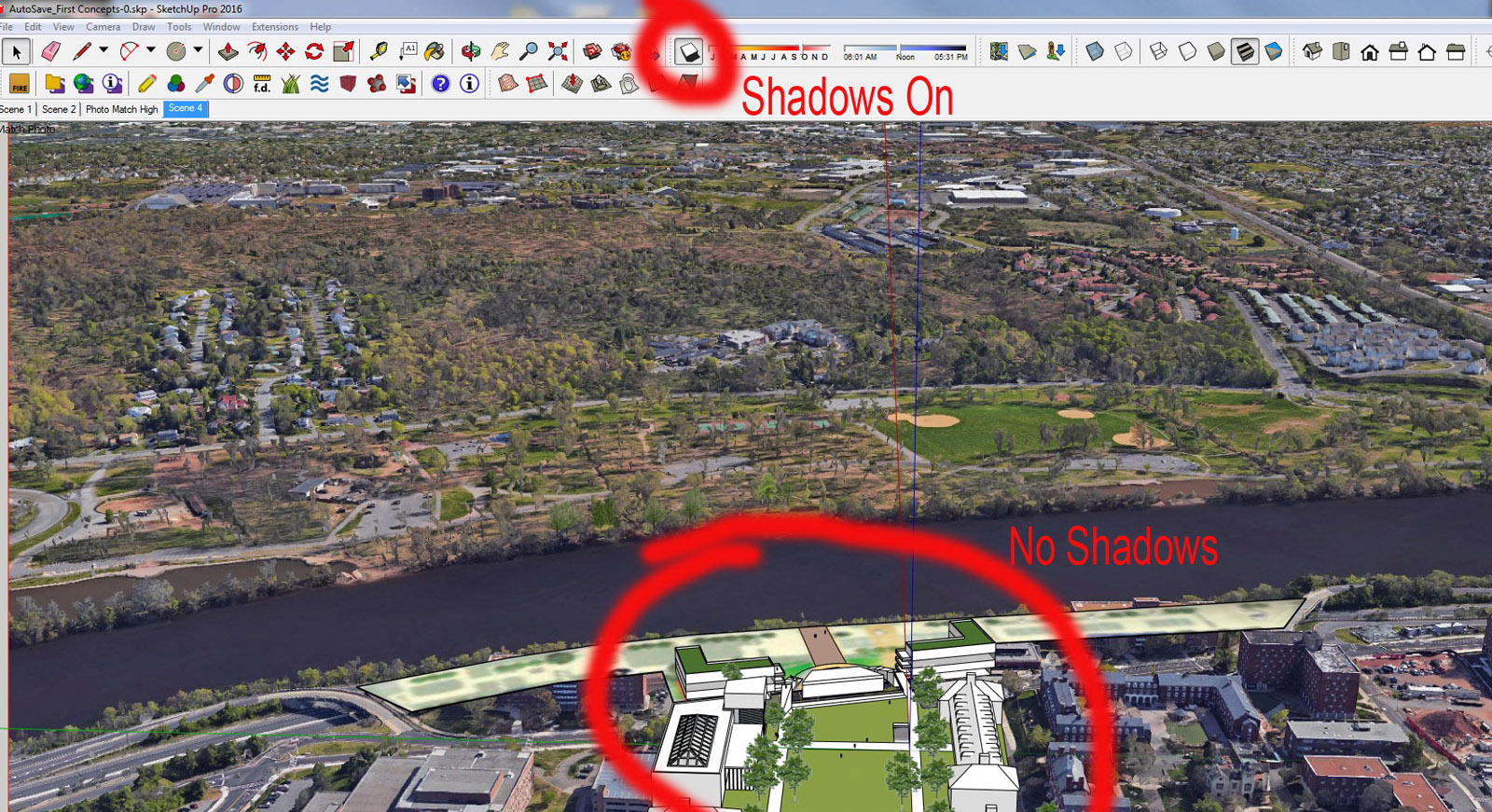
-
You should be able to have shadows.
-
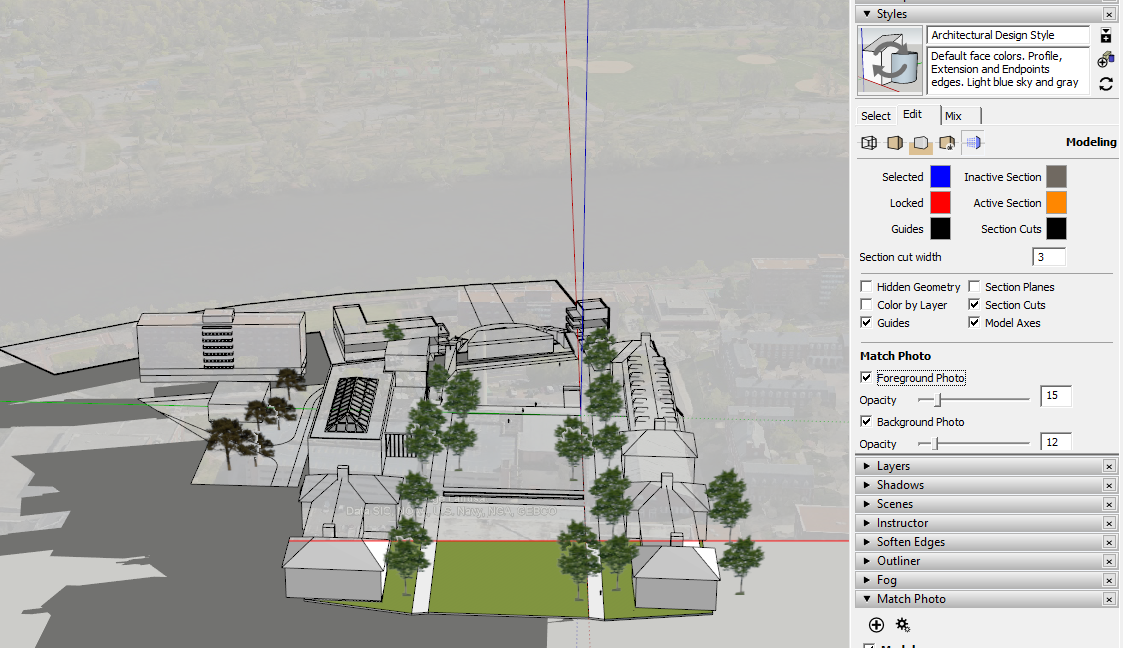
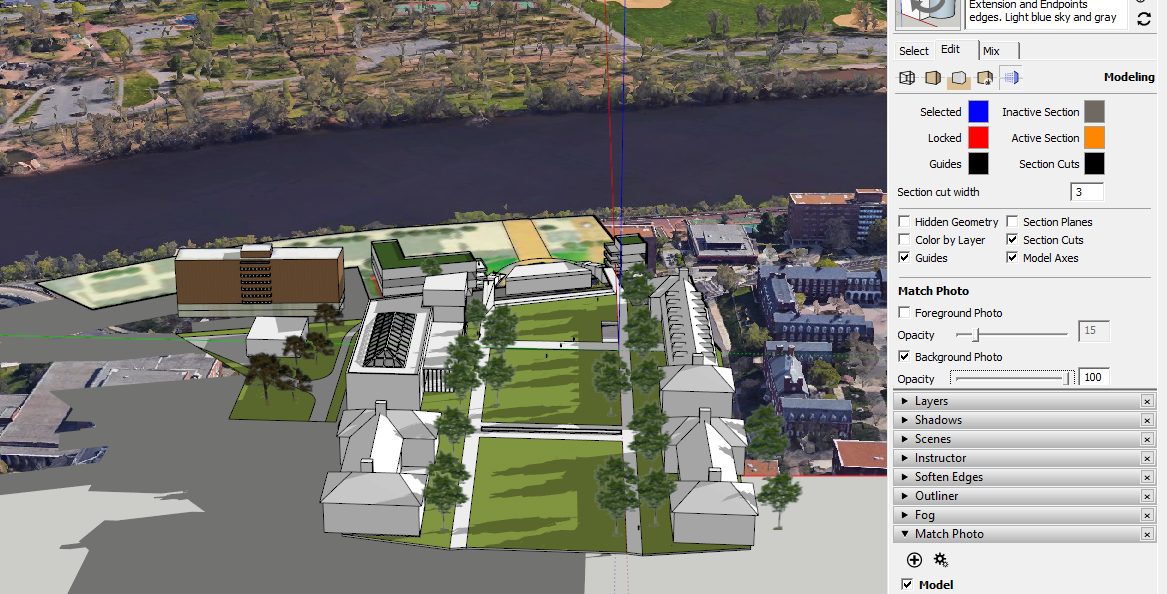
The shadows are missing because the foreground aerial image is in the way. Note the settings in the two screen shots. I turned off the foreground image in the second one and the shadows show just fine. By the way, it has nothing to do with the background image. I just made the background image lighter in the first to make it easier to see where shadows are being cast.
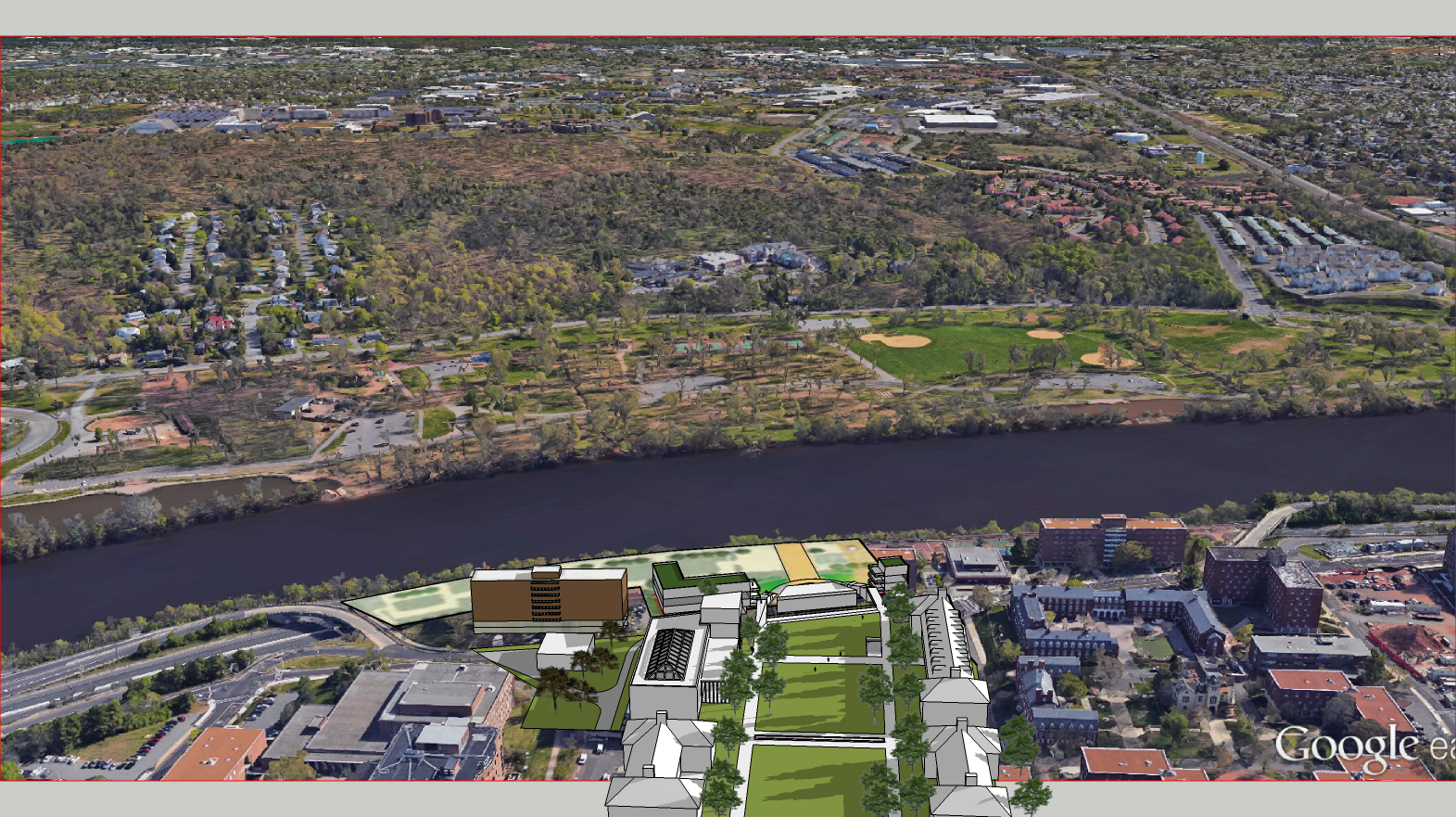
Here's an image export from the file with the foreground image turned off. I also turned off shadows on ground.


Hello! It looks like you're interested in this conversation, but you don't have an account yet.
Getting fed up of having to scroll through the same posts each visit? When you register for an account, you'll always come back to exactly where you were before, and choose to be notified of new replies (either via email, or push notification). You'll also be able to save bookmarks and upvote posts to show your appreciation to other community members.
With your input, this post could be even better 💗
Register Login


Advertisement