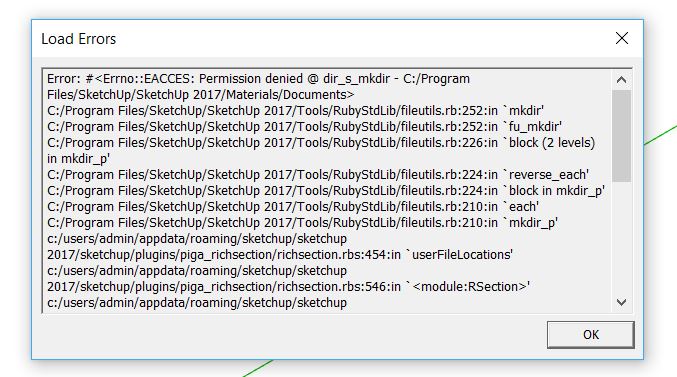
Arrrg! what did I do? Error!
-
Setting up my 2017 to match my 2016. It was working but now this error. All I did was set the preferences to a different folder for Materials.
-
Ok. Went back to the default Materials folder and the problem is solved. I can't believe I can't use a different path for materials. Maybe I did something else wrong.
-
mkdir (make directory) error sounds like missing write permissions for that folder?
-
More than likely, you are not running SketchUp 2017 as an administrator. In order to make a directory anywhere under the Program Files folder, you must have admin rights in Windows. In general, storing user documents of any type under Program Files is discouraged by Microsoft. We finally corrected where SketchUp reads and writes content files (like materials) in SketchUp 2017.
If you are going use a custom Materials folder other than the SketchUp 2017 default, I would suggest placing it under your Documents folder where you have read and write rights, even if not running as an administrator.
Hope that helps,
Tyler


Hello! It looks like you're interested in this conversation, but you don't have an account yet.
Getting fed up of having to scroll through the same posts each visit? When you register for an account, you'll always come back to exactly where you were before, and choose to be notified of new replies (either via email, or push notification). You'll also be able to save bookmarks and upvote posts to show your appreciation to other community members.
With your input, this post could be even better 💗
Register Login


Advertisement