SketchUp Pro 2016
-
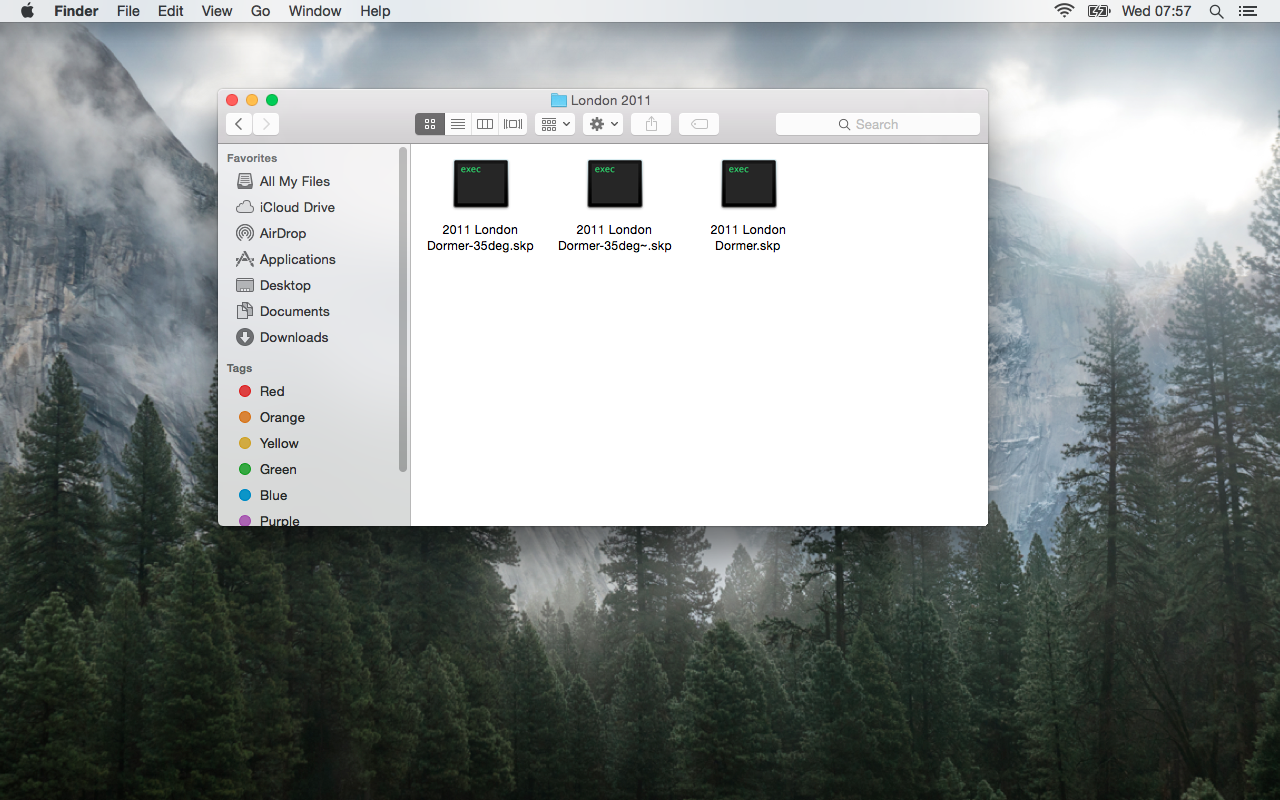
After re-installing SketchUp Pro 2016, all my drawing file icons are black with EXEC written on them. The drawing opens fine and even after saving with a new name remain unchanged. What could have caused this?
-
this normally happens on a mac when files were last saved by a windows machine, it should correct itself as soon as you do a save-as of the afflicted files
even if you don't do a save-as, the files should function normally (as expected)
-
the file association has been 'lost' by 'Finder' and a 'Alt + Right Click' >> 'Relaunch' on it's Dock Icon may fix this issue...
If not, 'Right Click' on one of .skp file and 'Get Info' >> 'Open With' [browse to SketchUp.app] + 'Change All'
john

Hello! It looks like you're interested in this conversation, but you don't have an account yet.
Getting fed up of having to scroll through the same posts each visit? When you register for an account, you'll always come back to exactly where you were before, and choose to be notified of new replies (either via email, or push notification). You'll also be able to save bookmarks and upvote posts to show your appreciation to other community members.
With your input, this post could be even better 💗
Register Login


Advertisement