Spline from face
-
Hi All,
I have used AutoCad in the past to generate a spline from an object (face / rectangle / etc.) and then offset this spline to a given distance.Is there a tool / plugin for this operation in SketchUp (preferably) or Layout?
Many thanks in advance.
Mike -
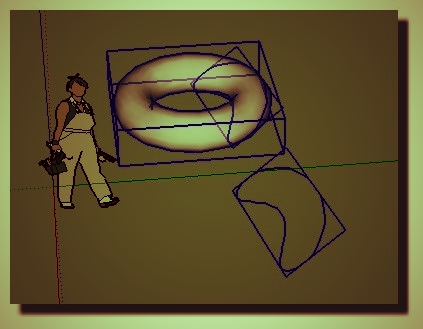
Make a "section" from a volume ? (Tool Section Plane)
-
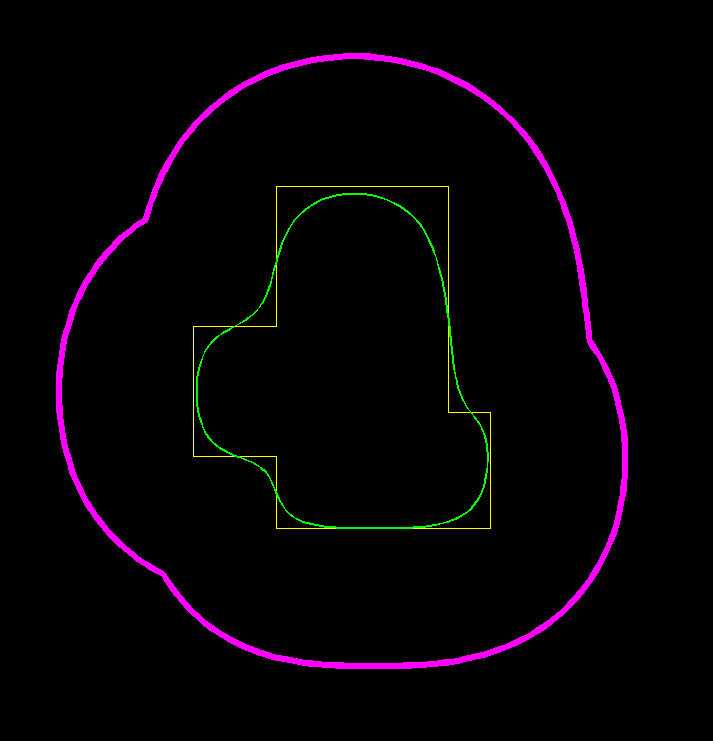
Thanks for the reply and those who read my post. Perhaps I didn't explain myself so sorry for the confusion. Below is what I'm trying to achieve; The Yellow object is a face. The Green object is that face converted to a spline. The Magenta object is a representation of the Green spline offset a given distance.
This is used by me when describing the clearance from the original object (in this case a building) and any zone to be kept free of obstacles. Eg. - If you need to describe the vegetation exclusion zone around a building for the purpose of bushfire protection, for instance.
Therefore, I need to draw the building perimeter, and then offset a spline to a certain distance. This is easy to do in AutoCAD, but it's an additional step I'm trying to avoid.
Thanks again in advance for the assistance.

-
-
Alright...

Super happy. That work great. Cheers. I owe you a beer.
Mike -
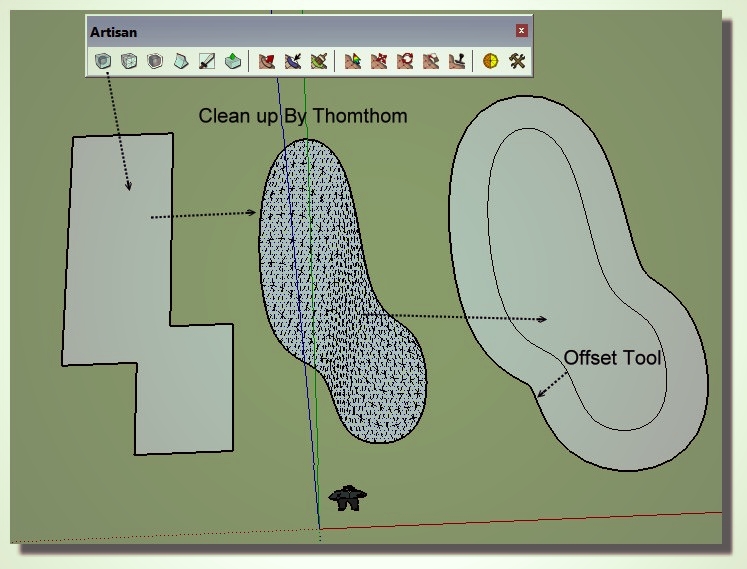
Might look at Curvizard as well.




Hello! It looks like you're interested in this conversation, but you don't have an account yet.
Getting fed up of having to scroll through the same posts each visit? When you register for an account, you'll always come back to exactly where you were before, and choose to be notified of new replies (either via email, or push notification). You'll also be able to save bookmarks and upvote posts to show your appreciation to other community members.
With your input, this post could be even better 💗
Register Login


Advertisement