Creating a new surface! Help please!
-
Hi guys,
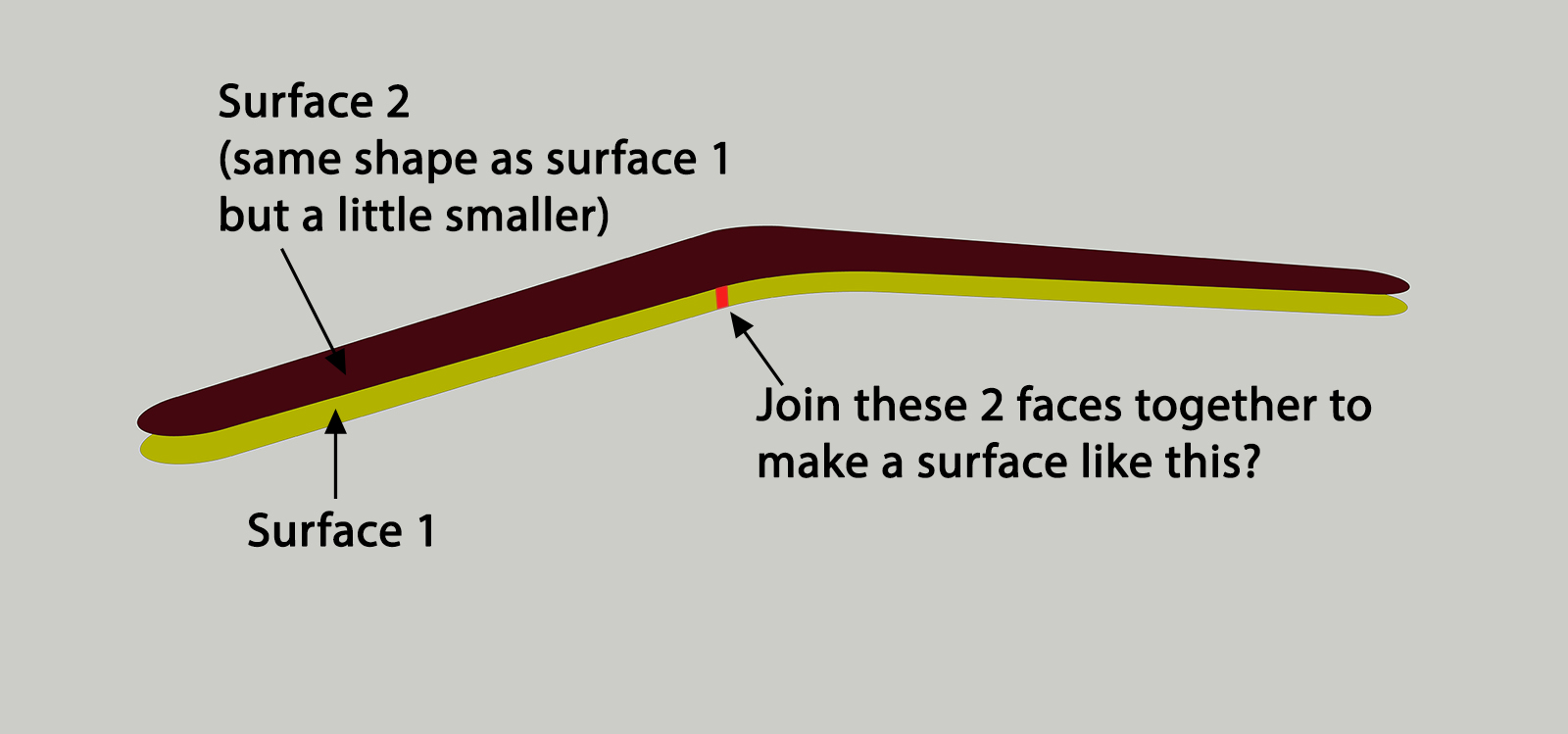
First time posting here! I have a question about creating a plane/surface between 2 separate surfaces without having to draw each individual line. Please have a look at the attached photo. Basically I have surface 1 and then surface 2 (which is the same shape as surface 1 but which is slightly smaller and was created by offsetting surface 1). I want to create a new surface between the 2 and I can do this by drawing lines between the 2. However this process is time consuming as I need to draw each line and it can be especially longer when dealing with curved edges. Is there a plugin available which can create a surface between 2 different sized planes?
Thanks!
-
Fredo's Curviloft would make quick work of it.
-
Great thanks a lot!
-
All right! but why not to start by extruding plane 1 and scaling the top surface to get plane 2?
-
Scaling an odd shape like that might not result in the same shape as using Offset.
-
Indeed, scaling a non symmetrical object like that will twist the shape in a not desirable way. If you just offset the surface it will make it perfect when connected with curviloft.
-
my bad! sorry, even using sandbox from contours create some unwanted lines and faces... will check first next time!


Hello! It looks like you're interested in this conversation, but you don't have an account yet.
Getting fed up of having to scroll through the same posts each visit? When you register for an account, you'll always come back to exactly where you were before, and choose to be notified of new replies (either via email, or push notification). You'll also be able to save bookmarks and upvote posts to show your appreciation to other community members.
With your input, this post could be even better 💗
Register Login


Advertisement