Problem with transparent model in prohomatch
-
When I working with model, everything is ok, I see full colors, model is not transparent... only in matchfoto wiew is model transparent. When I watched tutorial for matchfoto, model have full colors, no problem with transparency... please give me some tips... Thanks
-
Try adjusting the style you use for photomatch scene. Update the style and scene.
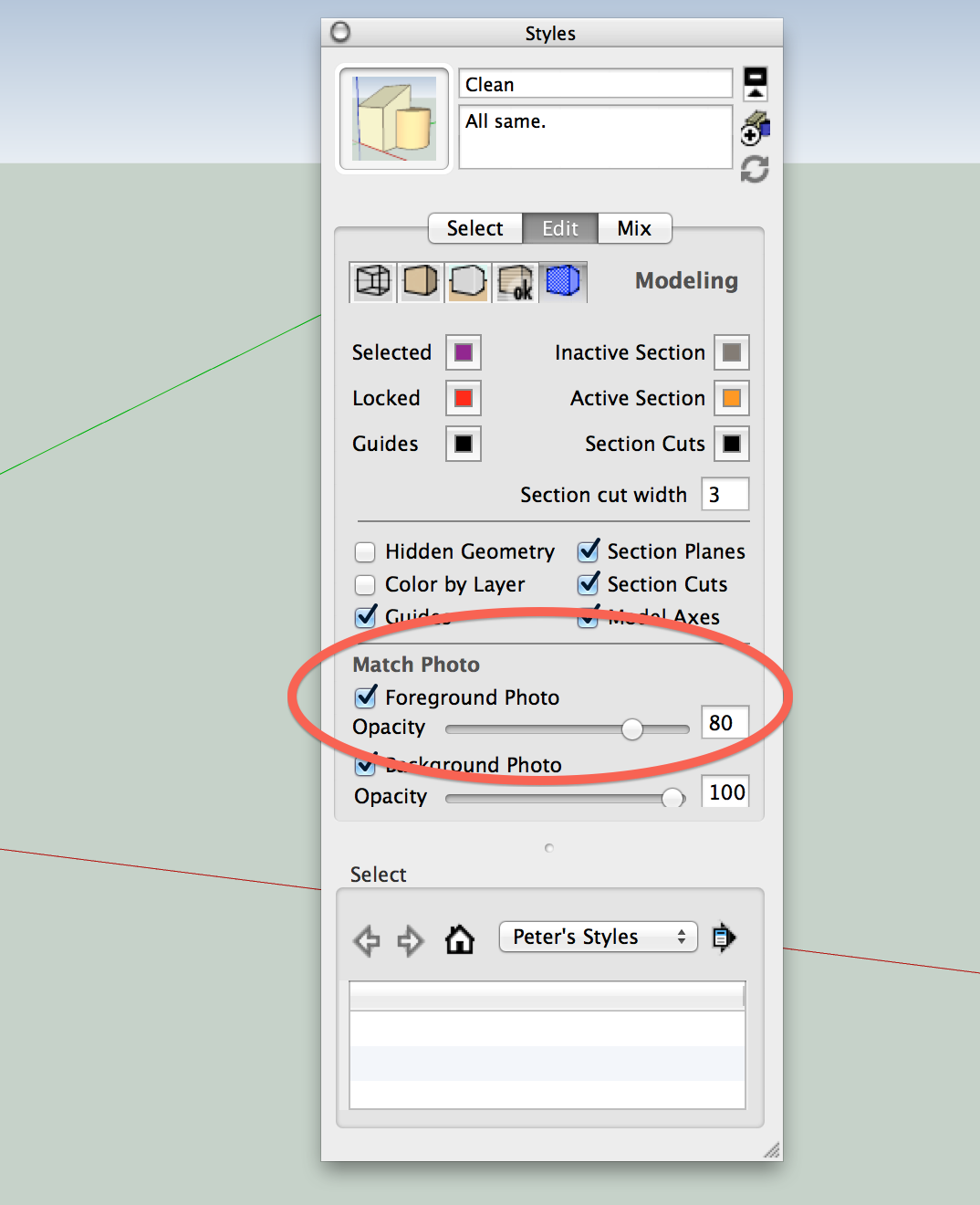
-
I try this, and it`s better... even where to find the right colors?? I post 2 photos - with and without match photo in the same file...
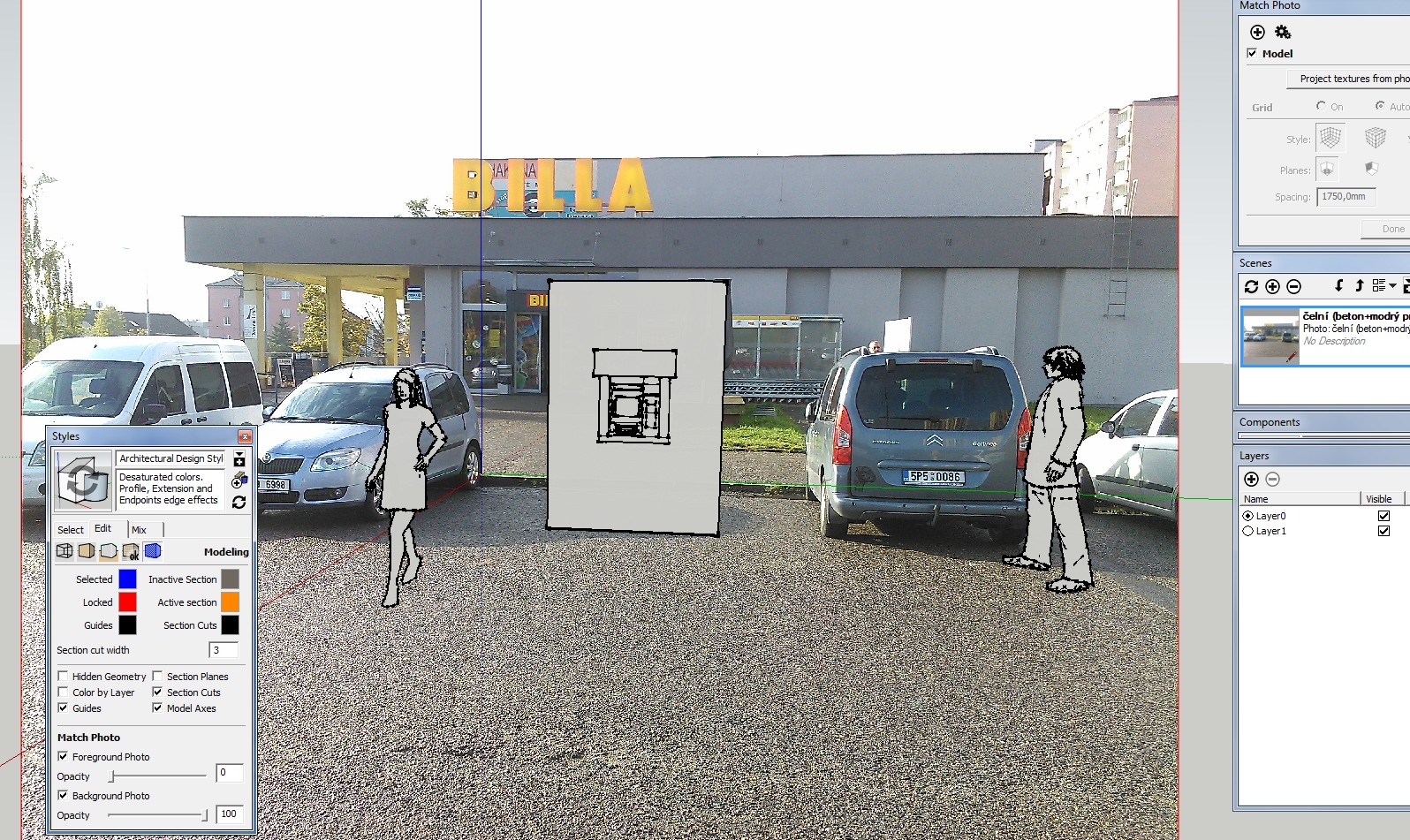
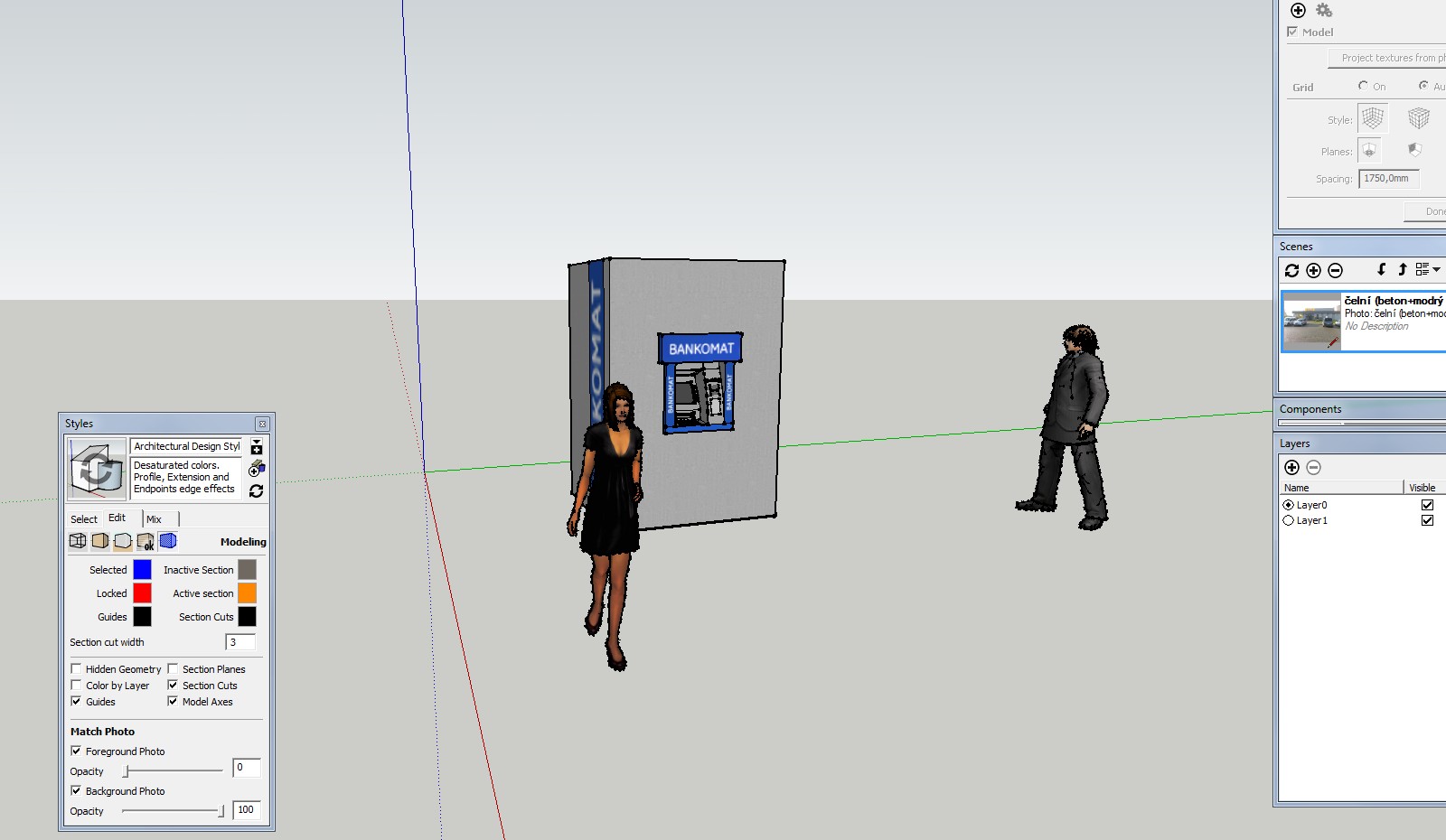
-
How to get the true colors?
-
Change the Face Style to Shaded with Textures.
-
Again that looks like a style setting in your photomatch scene style. You probably have the FACE STYLE in the Style set to no texture. Look at the face style in the Style that you are using in the photomatch scene. Change it to shaded with textures.
-
Thank you so much!!!!
-
Dave, Pbacot, I've tired it and that doesn't change the face presentation. If you orbit around, the textures are there (but the photomatch image is not) and if you activate the photomatch scene, the image is shown but the textures not (indepentent of the style settings).
-
Deactivation of the foreground photo in the modeling settings is the trick.
-
Ah, yes.



Hello! It looks like you're interested in this conversation, but you don't have an account yet.
Getting fed up of having to scroll through the same posts each visit? When you register for an account, you'll always come back to exactly where you were before, and choose to be notified of new replies (either via email, or push notification). You'll also be able to save bookmarks and upvote posts to show your appreciation to other community members.
With your input, this post could be even better 💗
Register Login


Advertisement