How does one make an open umbrella?
-
I am trying to make an open umbrella. I am having difficulty making the scalloped part of the fabric where it dips in between the ribs as it curves to follow the shape of the ribs.
I have tried to make a basic "U" shape and then extrude it out over a curve making the shape wider as I pull it out bit by bit. But, that doesn't work very well.
If I could get one section in between the ribs, it would be easy to rotate and repeat. The shape has to have the dip in it as it curves downward.
So, I need to know how to do two things:
- Make a "U" shape that is wide on one end and small on the other end.
- Make this shape follow a curve as it changes in size.
Reference images:
http://www.londonundercover.co.uk/shop/umbrellas -
Maybe something like this! Take a sub multiple of 360° for the red arc! (profil)

Extrude tools by Tig
And make after some copy rotations!
Of course you can use 2,3, or 4 curves maxi and any form of curves, inversed, sinusoïds etc...
better and speeder if curves 2 by 2 (rails) have same number of seggments!
Maybe recurve by Digssey can help you if you wand weld some explosed curves!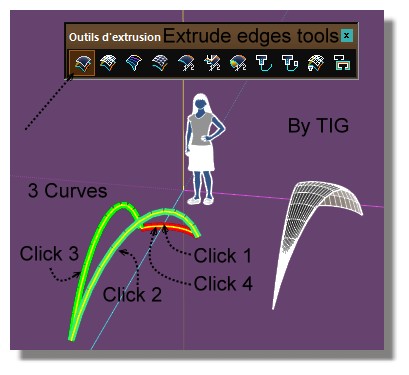
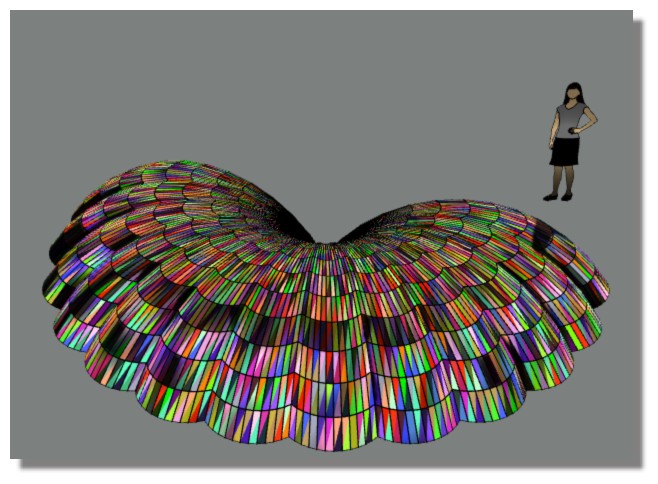
And funny thing with Random Painter by Chris Fullmer!
I am not sure that his marvelous plugin works with the 2014 ?
-
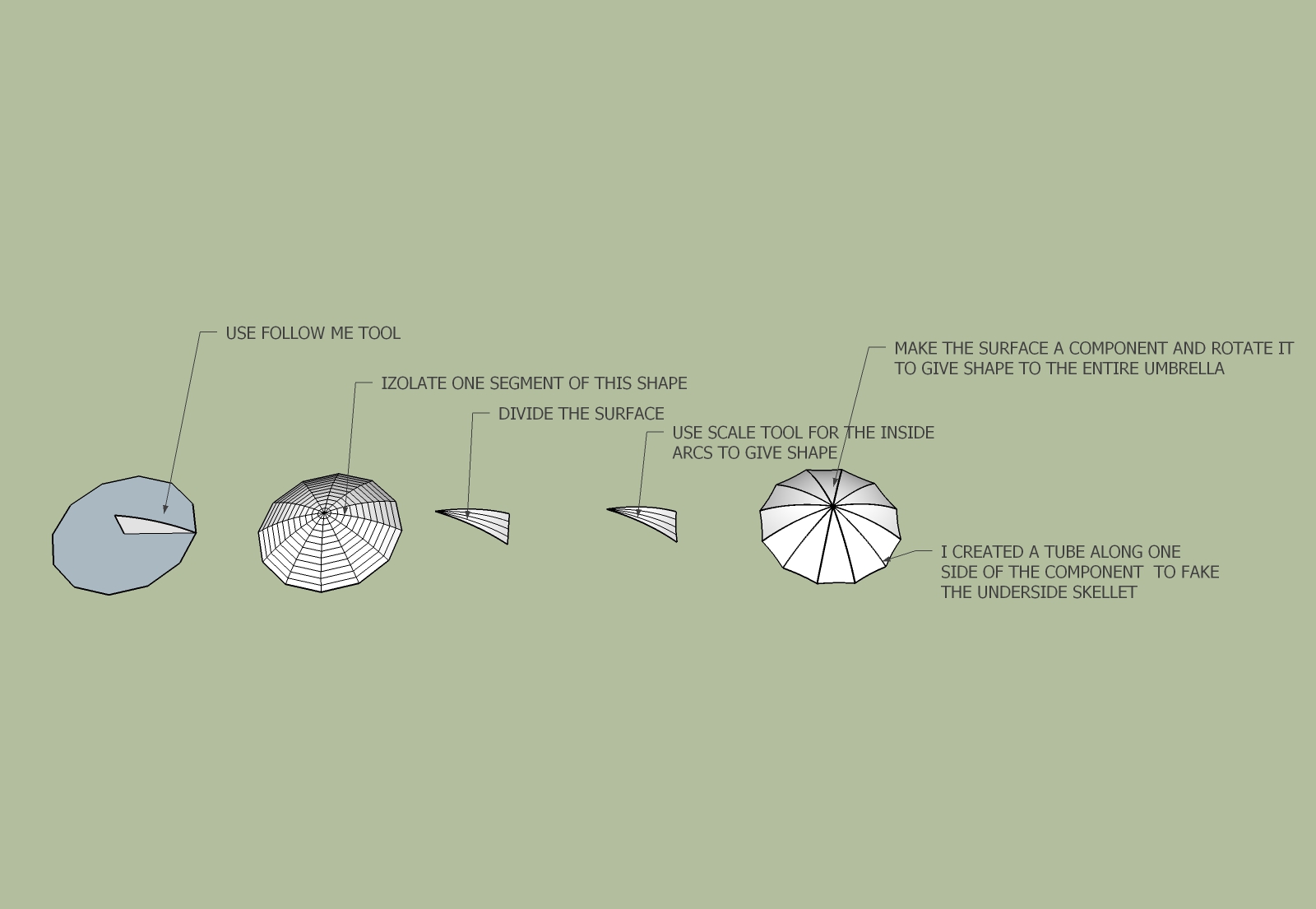
Indeed, what Pilou offered is the easiest way, but you can make it with the regular tools too.
-
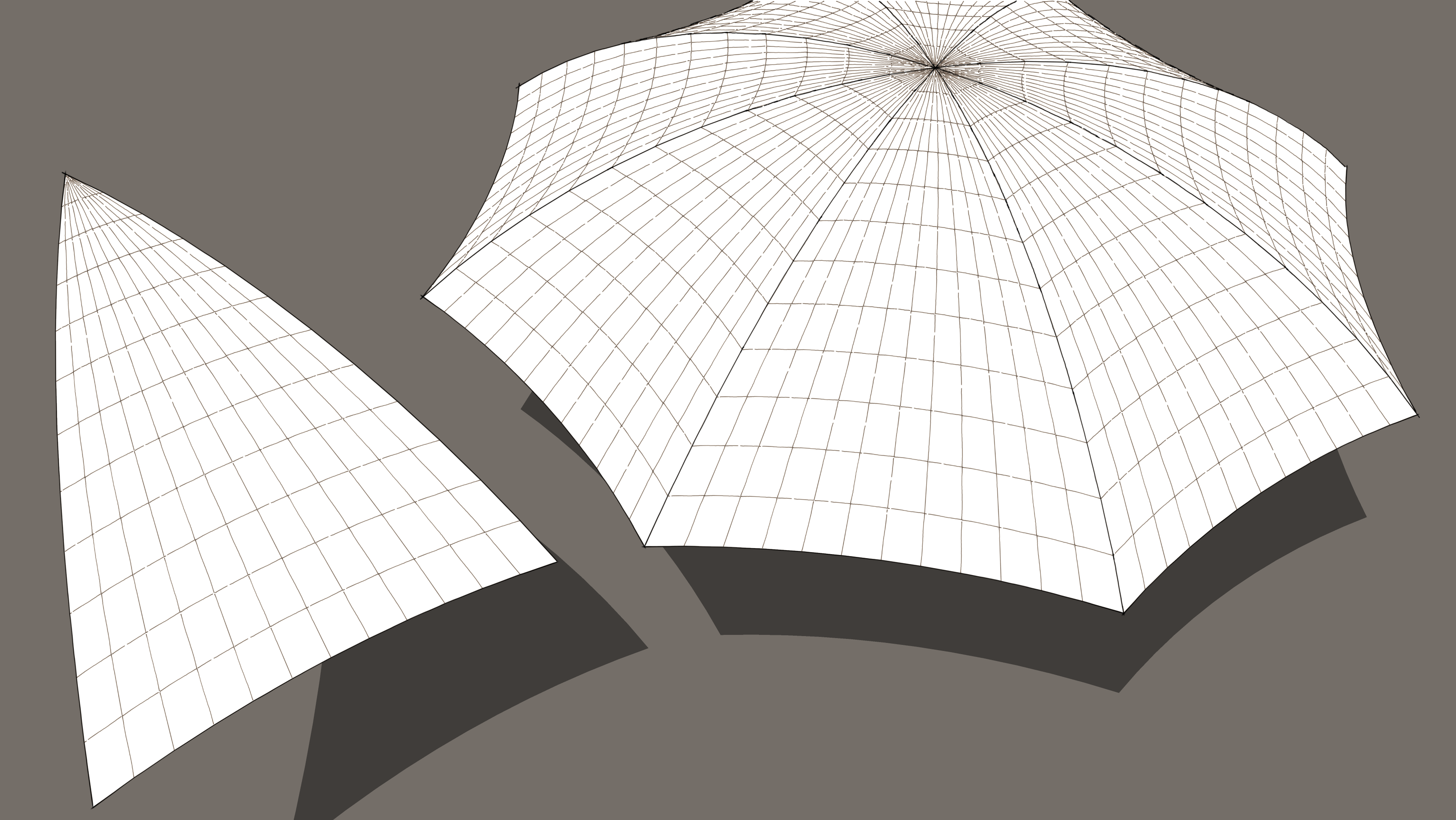
If you choose to use Extrude Edges by Rails, you'll need to make the shape correctly with an inward-curving arc for the edge of the fabric.
-
Thank you very much, Dave R. I will look into this plug-in. It looks like it could be useful for a lot of things.
K
-
Thank you very much, ely862me. This looks like a good solution with just the basic tools. I will give it a try. I just couldn't figure out how to do the dip/scallop in the sections.
K
-
@unknownuser said:
I just couldn't figure out how to do the dip/scallop in the sections.
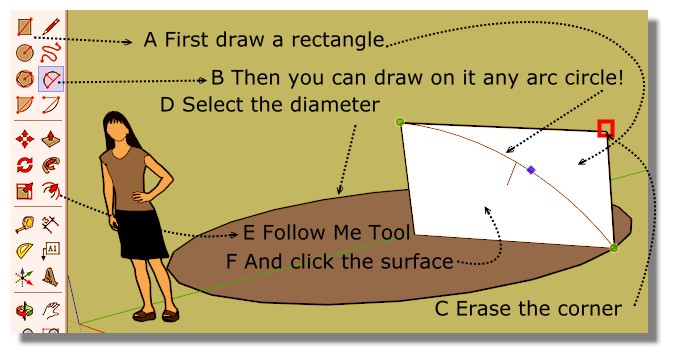
And then erase all that you don't want!

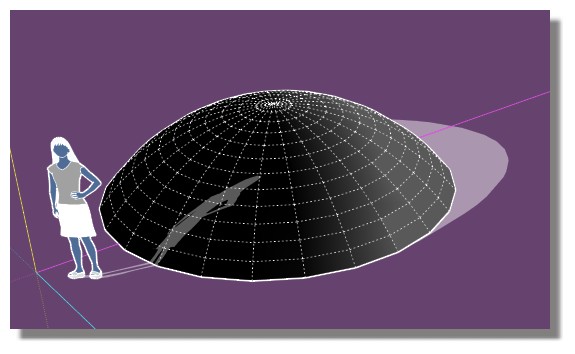
PS For select the circle
Double click on the surface on the disc, then click with Shift + Ctrl on the discFor erase the corner : click on it with
-
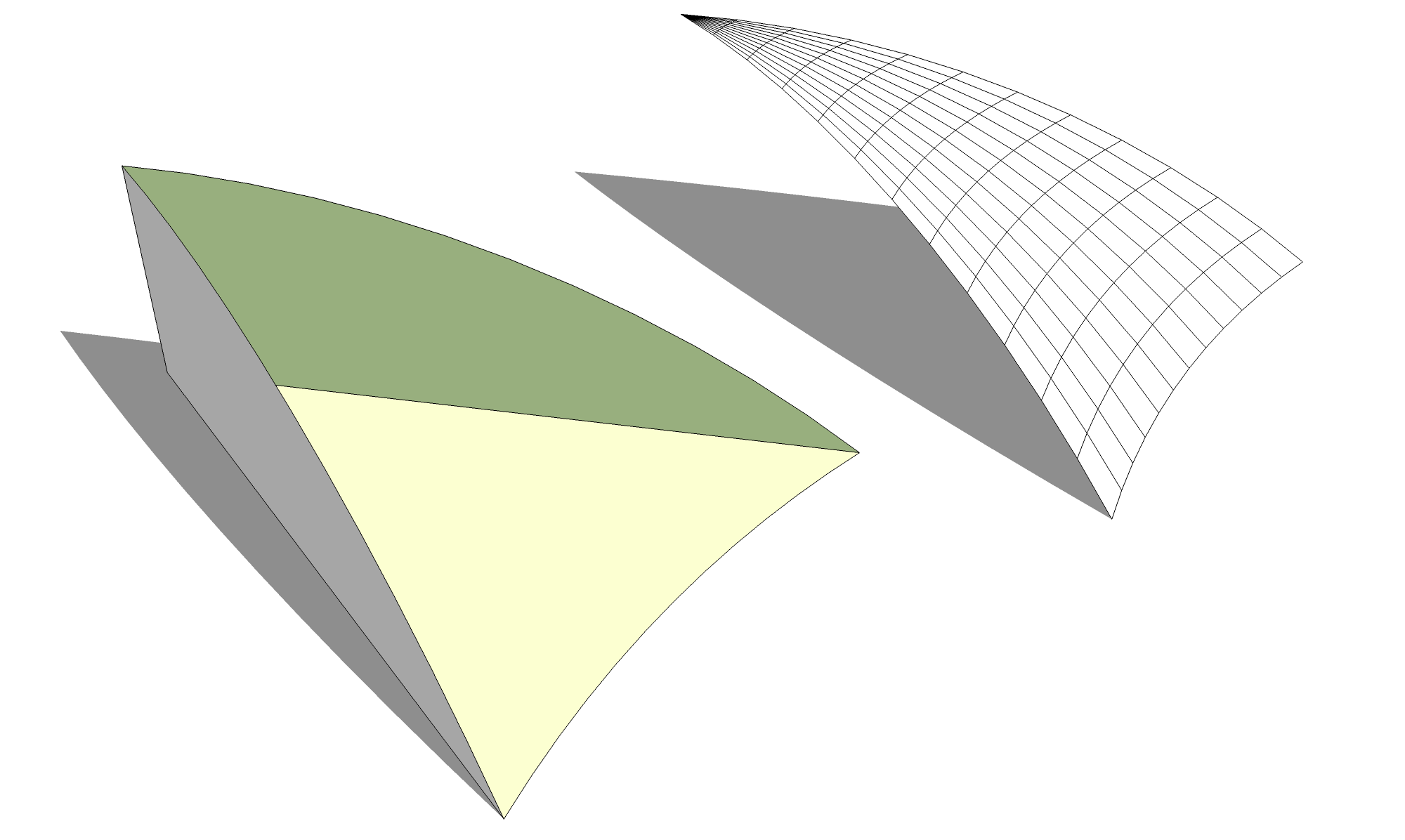
Pilou, how does that create the scalloped edge at the bottom between the ribs?
-
@unknownuser said:
how does that create the scalloped edge at the bottom between the ribs?
Easy
And without plugin 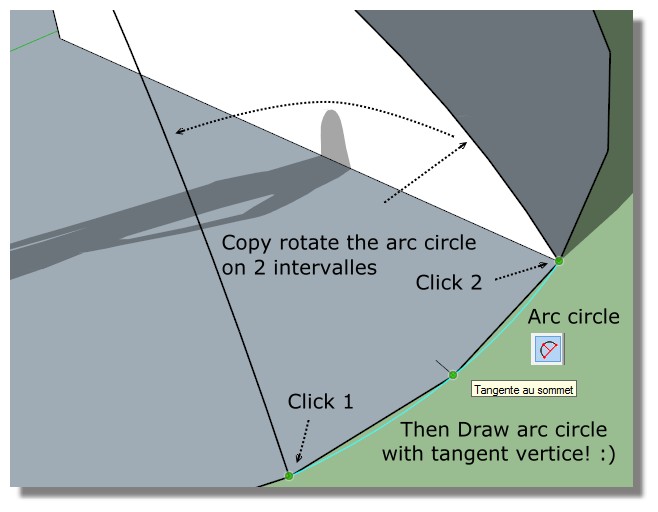
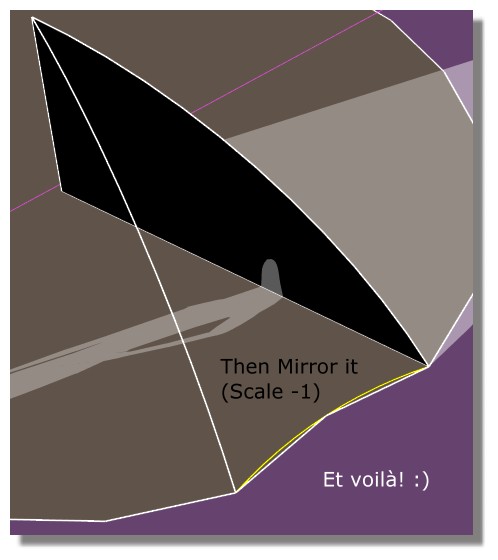
Just kill the 2 little white edges and disc surface and all the no wanted at the end!



Hello! It looks like you're interested in this conversation, but you don't have an account yet.
Getting fed up of having to scroll through the same posts each visit? When you register for an account, you'll always come back to exactly where you were before, and choose to be notified of new replies (either via email, or push notification). You'll also be able to save bookmarks and upvote posts to show your appreciation to other community members.
With your input, this post could be even better 💗
Register Login


Advertisement