No front view in toolbar
-
Anybody know why I might be missing the "front" view button on my views toolbar?
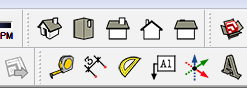
-
You can try to reset this toolbar, perhaps it was edited unintentionally...
-
I was thinking the same thing as Carsten. Did you possibly drag the Front view off the toolbar either inadvertently or in the process of making a custom toolbar? Open View>Toolbars and click on the Reset button. what happens?
-
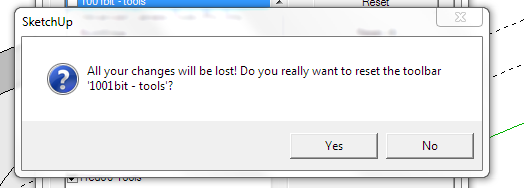
That worked. Whenever a newbie sees a message like this, it freaks us out and will not let our mind take over and hit the "yes" button.

-
I'm glad it worked but that is a weird message. Did you make any changes to the 1001bit toolbar that you'd lose.
FWIW, if you make new custom toolbars or change existing custom toolbars, hold the Ctrl key while clicking and dragging the tools. Then you'll copy them over rather than removing the icon from the native toolbar.
-
OK, thanks Dave. I did not make a change, that I know of, I just installed the plugin a couple of days ago. Thanks for the tip. I'll remember that..
-
As far as 1001bit goes, it may be set to pop up that message even if there've been no changes to its toolbar. I don't use it so I don't know for sure.


Hello! It looks like you're interested in this conversation, but you don't have an account yet.
Getting fed up of having to scroll through the same posts each visit? When you register for an account, you'll always come back to exactly where you were before, and choose to be notified of new replies (either via email, or push notification). You'll also be able to save bookmarks and upvote posts to show your appreciation to other community members.
With your input, this post could be even better 💗
Register Login


Advertisement