Vertex points
-
Hello,
Just had a new PC (win 7 64bit). Sketchup 2014 has started to show a larger box than nornal at vertex points and it gets in the way of snapping which is very irretating.
Anyone know if this can be switched off?
Thanks
-
Not sure what you mean. Can you post a screen shot?
-
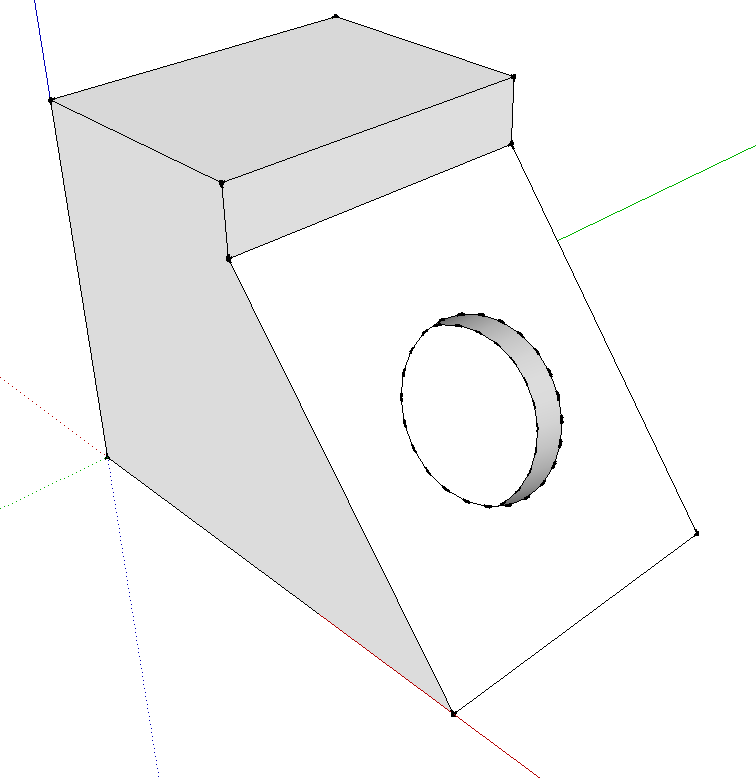
Something like this? If so, you chosen a style that has endpoints and possibly extensions turned on in the style. Edit the style and turn them off. If you don't want them to show when you start your next model, update the style in a fresh model and immediately use File>Save as template. Make sure 'Use as default' is ticked.
-
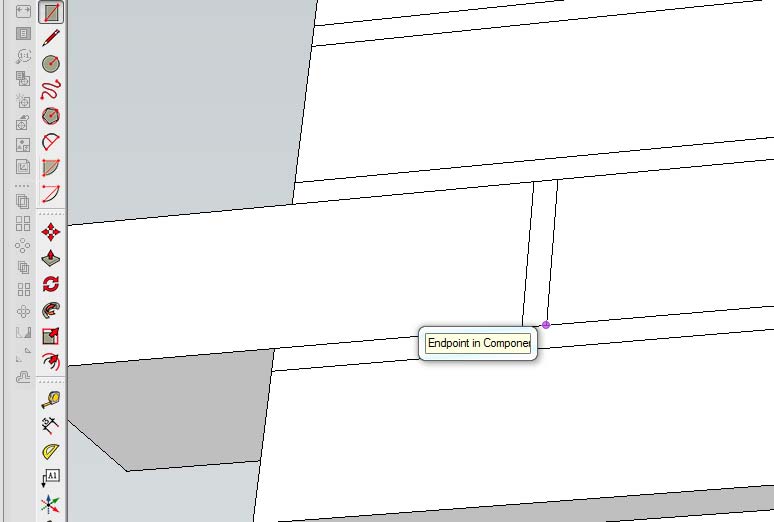
screen shot attached showing text box which appears when the curser is close to vertex
-
Ah. You didn't say TEXT box in your first post. That's a different story. Perhaps it's an OpenGL setting thing. You might try changing the settings and see if the behavior changes. I've never seen the tips display like that.

Hello! It looks like you're interested in this conversation, but you don't have an account yet.
Getting fed up of having to scroll through the same posts each visit? When you register for an account, you'll always come back to exactly where you were before, and choose to be notified of new replies (either via email, or push notification). You'll also be able to save bookmarks and upvote posts to show your appreciation to other community members.
With your input, this post could be even better 💗
Register Login


Advertisement