Layout png export cuts lines?
-
Anyone understand why a png export from LayOut would result in the missing line segments (shown across a horizontal line in the image below)?
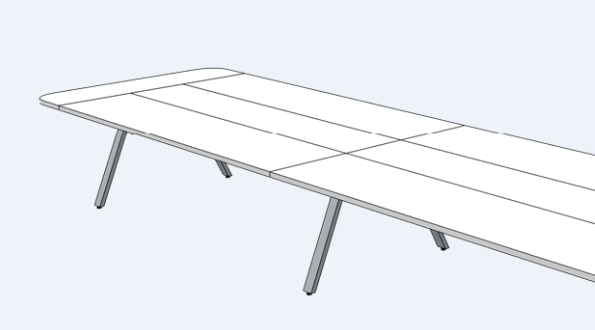
On export, I am selecting 72 resolution since this png is destined for the web. Even at 96 (resolution default for some reason) I still get these lines on the majority of exports - even different sketchup files. It seems to happen across the same location in every image. This shows up in windows preview and adobe photoshop.
-
Odd...
Do you get the same problem exporting to jpeg?
If so, maybe a style with sketchy edges is being used (just a guess)?
Can you share the file?
-
I found out that its exporting 4 different images. The way I discovered this is exporting to PDF then pulling into adobe illustrator, releasing clipping mask and then I see there are 4 images for one image. I rearranged my camera to make the shot fill the entire Sketchup window, then I made the layout frame less than the size of the page in LayOut - this made it all one image. This is a major pain because I have over 100 scenes that exported this way now I have to re-set them up and re-export.
Hello! It looks like you're interested in this conversation, but you don't have an account yet.
Getting fed up of having to scroll through the same posts each visit? When you register for an account, you'll always come back to exactly where you were before, and choose to be notified of new replies (either via email, or push notification). You'll also be able to save bookmarks and upvote posts to show your appreciation to other community members.
With your input, this post could be even better 💗
Register Login


Advertisement