Need help intergrating an image in a design
-
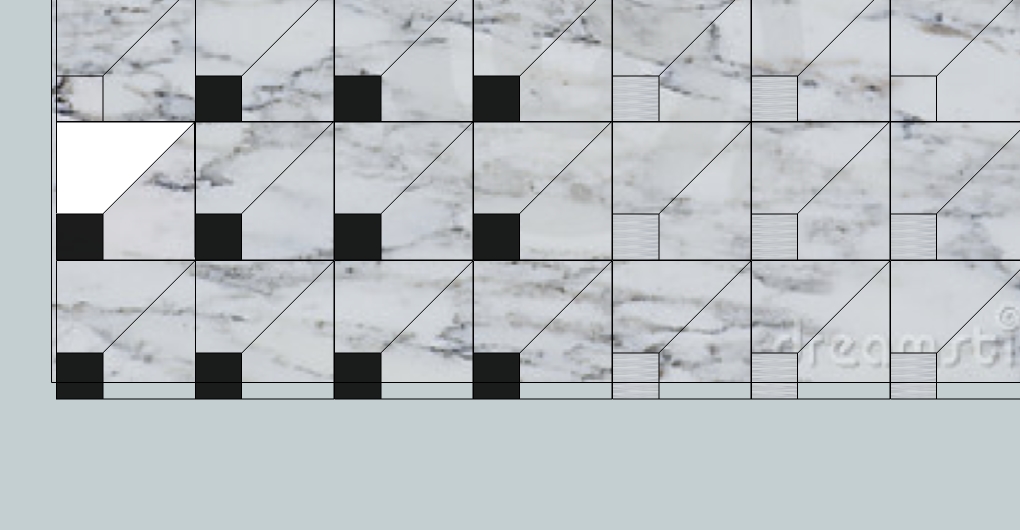
I've fiddled with this for a while and it's still got me beat: I'm making an image of a marble floor using a background image of gray marble as part of it. The image consists of the black square, to the left of it will be a gray piece - that's the underlying gray marble image, and to the top of the black square, will be an image of a white marble. I use the paint bucket tool to make the black marble square. My first problem is that when I use the paint bucket tool again, it places the black in another area. How do I set the black so it stays in the square? Also, how do I cut out the white marble area and place a white marble image under it? Thanks!
-
Could you post the SKP file? That would help.
-
I've found that I imported the marble image as an image, not as a texture. I have imported as a texture and am working on it now. Should I have more problems I will post (probably will) , and will post my results. Thanks
-
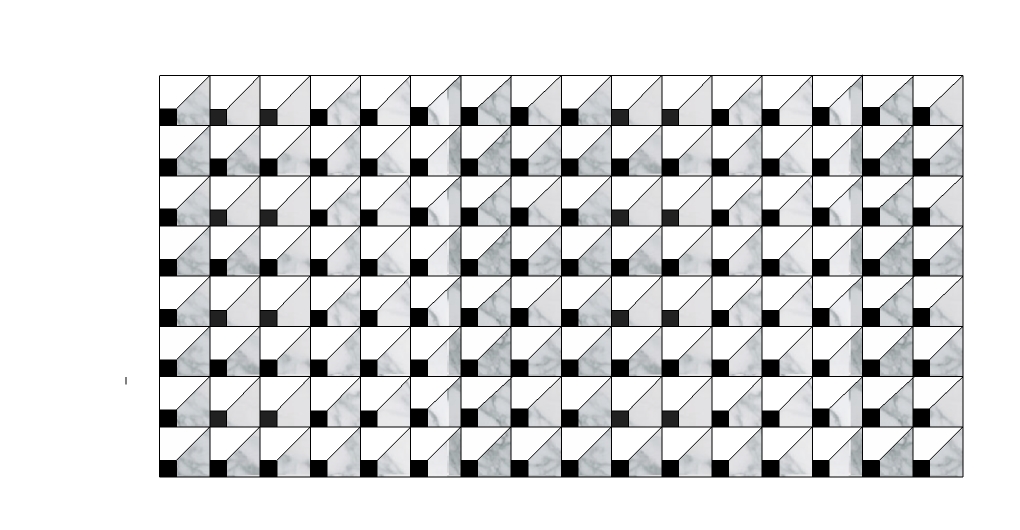
I got off on the wrong foot with this, trying to make this using an image instead of that image as a texture. Here's what I have now which is what I want.
-
It's good you got back on the right foot.


Hello! It looks like you're interested in this conversation, but you don't have an account yet.
Getting fed up of having to scroll through the same posts each visit? When you register for an account, you'll always come back to exactly where you were before, and choose to be notified of new replies (either via email, or push notification). You'll also be able to save bookmarks and upvote posts to show your appreciation to other community members.
With your input, this post could be even better 💗
Register Login


Advertisement