Sketchucation 2.6 not installing on 2014 mac
-
I've tried several times to install sketchucation 2.6 and I get message that I should download and install manually. I also get this message for several plugins from extension warehouse. I'm running sketchup 2014 pro on a mac. ( mavericks)
-
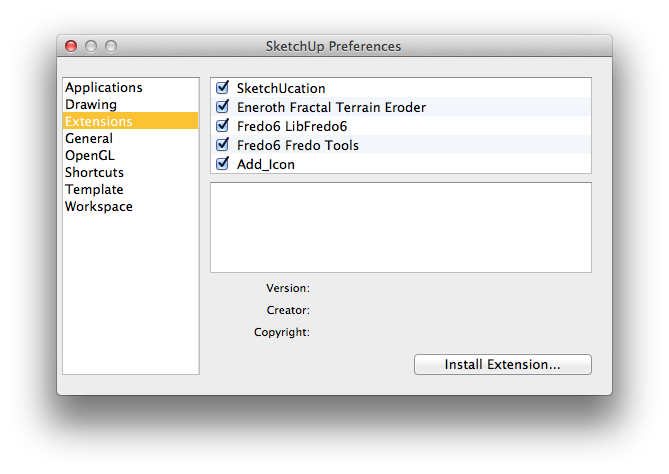
How are you trying to install it? When you download it, it should download as a .rbz file. You should then be able to go to the SketchUp menu, click on Preferences>Extensions and Install Extension. Navigate to where you saved the file, select it and choose Open. It should go from there. Are you doing something different?
-
Yes have tried that but get same message that i need to download and install manually. But when I try to paste file into plugins it won't allow. Is this a zip file I need to unzip first ?
-
No. You shouldn't be putting the .rbz file into the Plugins folder. SketchUp will automatically install the .rbz file using Install Extension.
-
-
"This is the message I get when attempting to install any plugin from extension warehouse. Same as when i try to install sketchucation rbz file. Sketchup was unable to install the extension for an unknown reason. Consider downloading the extension using your web browser and manually installing it.
-
This is message i get when i try to install sketchucation 2.6 plugin. ( i firstly download it to "downloads"...I then go to preferences/ extensions and then "install extension" ...go to downloads and locate and select rbz file..... then I get this message: " SketchUp was unable to install the Extension you have chosen for some unknown reason.
Consult your Extension's documentation for additional help."
-
It's ok I've solved the problem.....need to go to plugins folder, context click and allow permission to read and write.
-
@davidgoldsworthy1951 said:
It's ok I've solved the problem.....need to go to plugins folder, context click and allow permission to read and write.
that shouldn't be the case, what's your v2014 'Plugins' folder path?
john

Hello! It looks like you're interested in this conversation, but you don't have an account yet.
Getting fed up of having to scroll through the same posts each visit? When you register for an account, you'll always come back to exactly where you were before, and choose to be notified of new replies (either via email, or push notification). You'll also be able to save bookmarks and upvote posts to show your appreciation to other community members.
With your input, this post could be even better 💗
Register Login


Advertisement