sketchucation logo sketchucation
    • Login
    Oops, your profile's looking a bit empty! To help us tailor your experience, please fill in key details like your SketchUp version, skill level, operating system, and more. Update and save your info on your profile page today!
    ⚠️ Update | Sketchucation Tools 5.0.8 released with licensing improvements and bugfixes Download

    White Dimension Text / Lines

    Scheduled Pinned Locked Moved SketchUp Discussions
    sketchup
    8 Posts 4 Posters 807 Views 4 Watching
    Loading More Posts
    • Oldest to Newest
    • Newest to Oldest
    • Most Votes
    Reply
    • Reply as topic
    Log in to reply
    This topic has been deleted. Only users with topic management privileges can see it.
    • B
      Buckyman
      last edited by

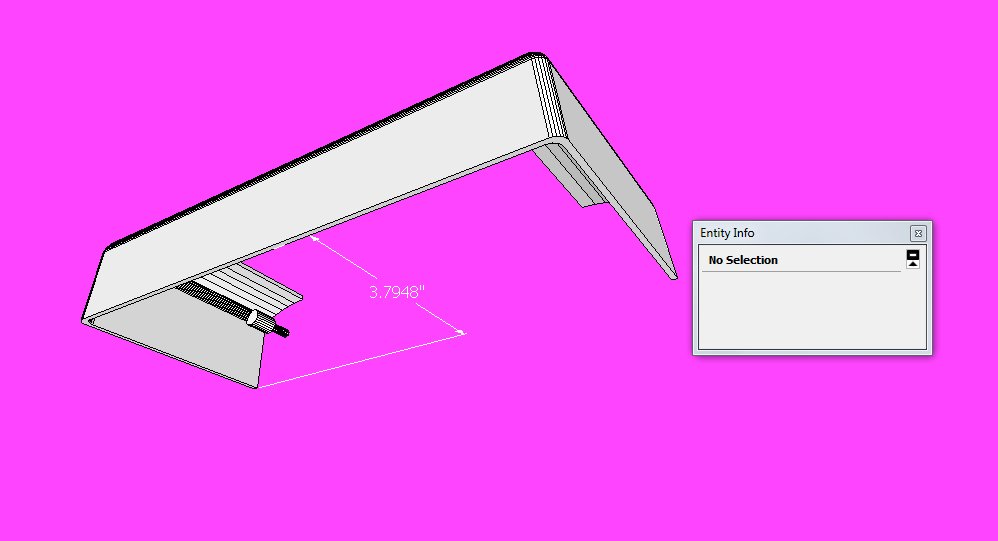
      I am racking my brain but can't figure out why I have a couple of models that are showing dimensions & leaders in white. And since most of my models are technical drawings, they have a white background which means I can't see the dims & leaders. 1st picture shows the dimension selected (blue) and you can see the Entity box clearly shows that it is supposed to be black. 2nd picture shows dimension de-selected so you can see that it is white. Please note I temporarily made a pink background for the screen captures.
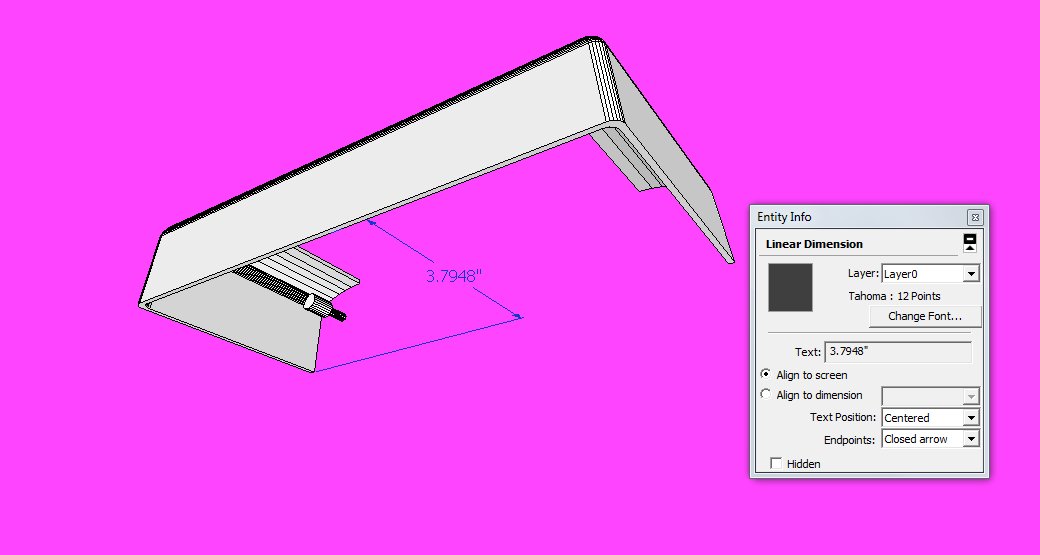
      dim-selected.jpgdim-unselected.jpg

      1 Reply Last reply
      Reply Quote 0
      • Dave RD
        Dave R
        last edited by

        Could you post the SKP file? Or PM it if you don't want to share it publicly.

        Etaoin Shrdlu

        %

        (THERE'S NO PLACE LIKE)

        G28 X0.0 Y0.0 Z0.0

        M30

        %

        1 Reply Last reply
        Reply Quote 0
        • B
          Buckyman
          last edited by

          PM'd to Dave

          1 Reply Last reply
          Reply Quote 0
          • J
            jpalm32
            last edited by

            You try changing Dim to a black color under "Model Info" ?

            1 Reply Last reply
            Reply Quote 0
            • B
              Buckyman
              last edited by

              Thanks, but it's already specified as black in Model Info

              1 Reply Last reply
              Reply Quote 0
              • charly2008C
                charly2008
                last edited by

                Do this


                2013-12-10_164438.jpg

                He who makes no mistakes, makes nothing

                1 Reply Last reply
                Reply Quote 0
                • Dave RD
                  Dave R
                  last edited by

                  I got to look at the SKP file and found there was something wrong with the style that was selected. Clicking on the default style in the In Model window reverted back to the original style and the dimension is visible again.

                  Etaoin Shrdlu

                  %

                  (THERE'S NO PLACE LIKE)

                  G28 X0.0 Y0.0 Z0.0

                  M30

                  %

                  1 Reply Last reply
                  Reply Quote 0
                  • B
                    Buckyman
                    last edited by

                    Thanks Charly, that was tried 😄
                    Thanks Dave, the style revert worked. Before you posted that reply I found I could copy & paste to a new Sketchup window and the problem goes away. I realize now that was because the model was using a fresh uncorrupted style.


                    1 Reply Last reply
                    Reply Quote 0

                    Hello! It looks like you're interested in this conversation, but you don't have an account yet.

                    Getting fed up of having to scroll through the same posts each visit? When you register for an account, you'll always come back to exactly where you were before, and choose to be notified of new replies (either via email, or push notification). You'll also be able to save bookmarks and upvote posts to show your appreciation to other community members.

                    With your input, this post could be even better 💗

                    Register Login
                    • 1 / 1
                    • First post
                      Last post
                    Buy SketchPlus
                    Buy SUbD
                    Buy WrapR
                    Buy eBook
                    Buy Modelur
                    Buy Vertex Tools
                    Buy SketchCuisine
                    Buy FormFonts

                    Advertisement