Plugin to flatten and distribute groups onto a plane
-
Googling this question either returned the unfold tool, or a discussion on flattening 3-D objects so that they look like floor plans. I do not wish to do either of those. I wish to take several different separately grouped objects and lay them down spaced out on the same axis. Much like the layout of objects that will be cut on a CNC machine. The grouped objects I am using were produced using the SliceModeler plugin. They are not completely flat, in a 2-D sense, I just want to lay them flat on a 3-D axis.The gap produced by SliceModeler requires some depth in each slice to make the pieces interlock. Is there a plugin that can help me do this?
-
I'm not completely certain what you mean but,
Have you tried Tig's Slicer5, it will make a flat copy as well as the stacked version. and it has some other handy tricks.
Or perhaps Throw To would help, you can select a bunch or groups and throw them to a plane or a infinity, and they will stop when they hit it.
-
I tried Slicer5 as you suggested, but I am having the same problem with it as I had with SliceModeler. With both of these the last option is to create a flattened copy of the slices, but it does nothing when I press yes.Otherwise it works great for the intended purposes.
-
Strange, it works for me.
Make sure you have the latest version, and that you are not trying to work too small.
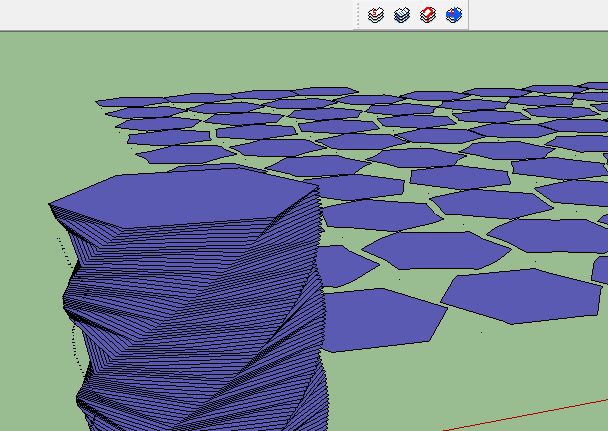
-
I downloaded Sketchup 2013, and that fixed it. I hate that Slicer5 does a better job, but I have already paid for SliceModeler v1.4, although I cannot seem to find the download link for it. I have been playing around with version 1.3. Thanks for your help.

Hello! It looks like you're interested in this conversation, but you don't have an account yet.
Getting fed up of having to scroll through the same posts each visit? When you register for an account, you'll always come back to exactly where you were before, and choose to be notified of new replies (either via email, or push notification). You'll also be able to save bookmarks and upvote posts to show your appreciation to other community members.
With your input, this post could be even better 💗
Register Login


Advertisement