[solved] SU2013 M1 (Make) Performance
-
Accidentally came across SU2013 M1 (Make) performance thing, and the solution. Even though fix is easy, but still SU team must fix it!
-
Hmm... But since you don't changed a setting I wouldn't think that toggle in the preferences did anything other than changing the selection of that listbox back and forth...
-
I tried using the
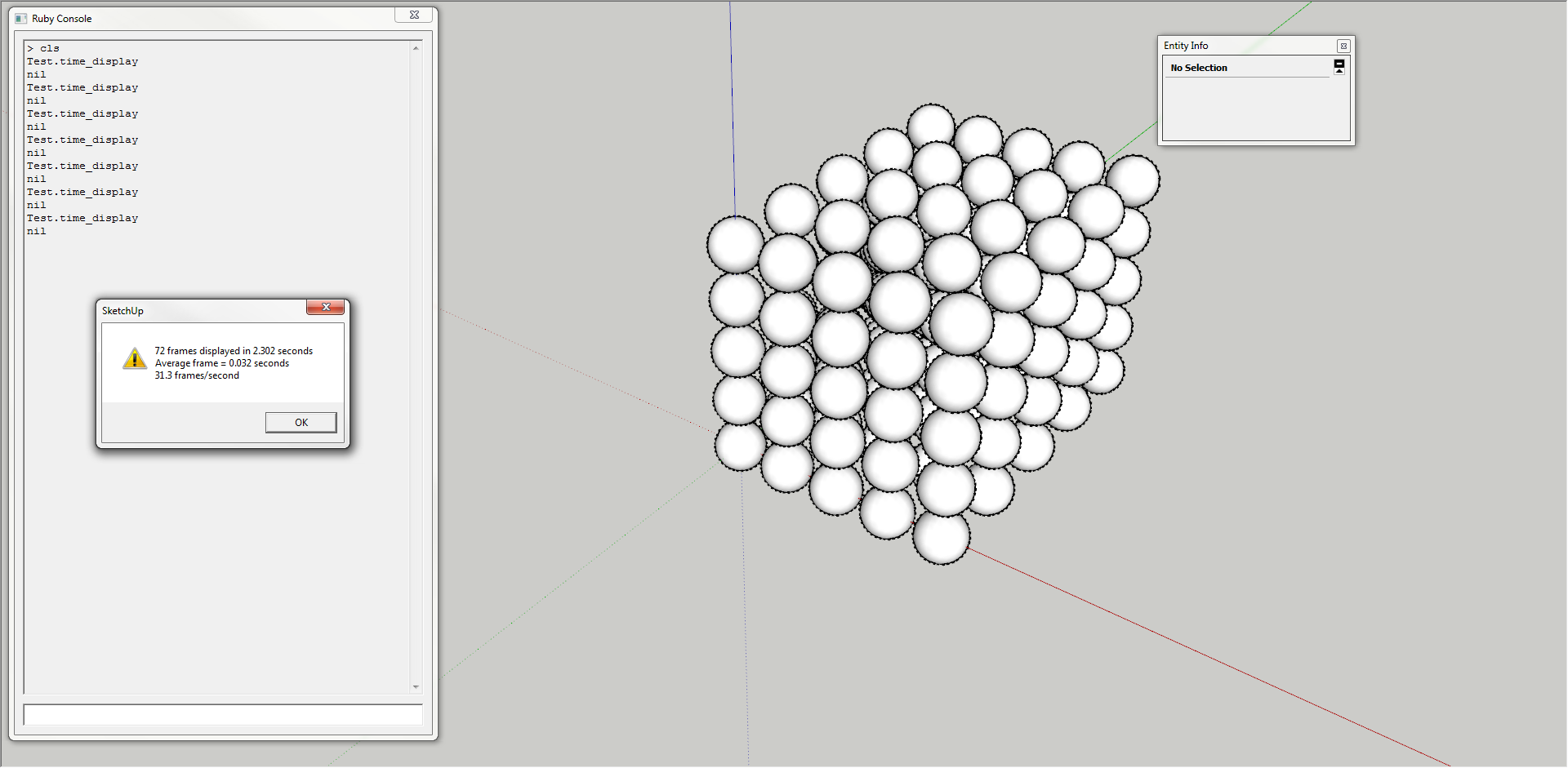
Test.time_displaymethod, first three runs straight after starting SU, then doing that selection box toggle which you did, then three new runs. They Where all consistent at ~31.3 - ~31.2s.If you did your test five times in a row, without going into the Preferences, what are the times then?
-
@thomthom said:
mm... But since you don't changed a setting I wouldn't think that toggle in the preferences did anything other than changing the selection of that listbox back and forth...
Yes, toggling didn't do anything, I just wanted it to update OpenGL settings. Maybe clicking the ok button would do it.
@thomthom said:
I tried using the Test.time_display method, first three runs straight after starting SU, then doing that selection box toggle which you did, then three new runs. They Where all consistent at ~31.3 - ~31.2s.
You have Make or Pro? I came across this on Make.
-
@thomthom said:
If you did your test five times in a row, without going into the Preferences, what are the times then?
I tried your model, and Test.time_display:
Prior to updating OpenGL settings:28.1
27.7
27.6
25.7
24.4- It's strange that the more times I do it, the slower it gets, even after I clear console.
After:
30.9
31.7
31.1
30.9
31.3 -
@anton_s said:
You have Make or Pro? I came across this on Make.
Pro. But Make and Pro should be the same.
Maybe it's a graphic card/drive thing?
-
@thomthom said:
Pro. But Make and Pro should be the same.
Hmm, I'm not sure about that. See this topic: Game running half the speed in SU 2013 vs SU 8
@unknownuser said:
Maybe it's a graphic card/drive thing?
We must get more users to test this out on make and post their results. Then we can decide if it's a graphics card thing or not. Using your model, and Test.time_display is the easiest way to do so.
Everyone please test this out!
-
-
@thomthom said:
Maybe it's a graphic card/drive thing?
I don't quite know what I did, but now everything works well! Though, I remember going to nvidia control panel, and clicking the restore button; after it, I didn't check anything, but now it works. So, if anyone meets that problem, just go to your graphics control panel and 'restore defaults'
Thank you ThomThom for leading to solution

-
Good to hear it's working!


Hello! It looks like you're interested in this conversation, but you don't have an account yet.
Getting fed up of having to scroll through the same posts each visit? When you register for an account, you'll always come back to exactly where you were before, and choose to be notified of new replies (either via email, or push notification). You'll also be able to save bookmarks and upvote posts to show your appreciation to other community members.
With your input, this post could be even better 💗
Register Login


Advertisement