Multi-Directional Bend w/ Shape Bender
-
Hi,
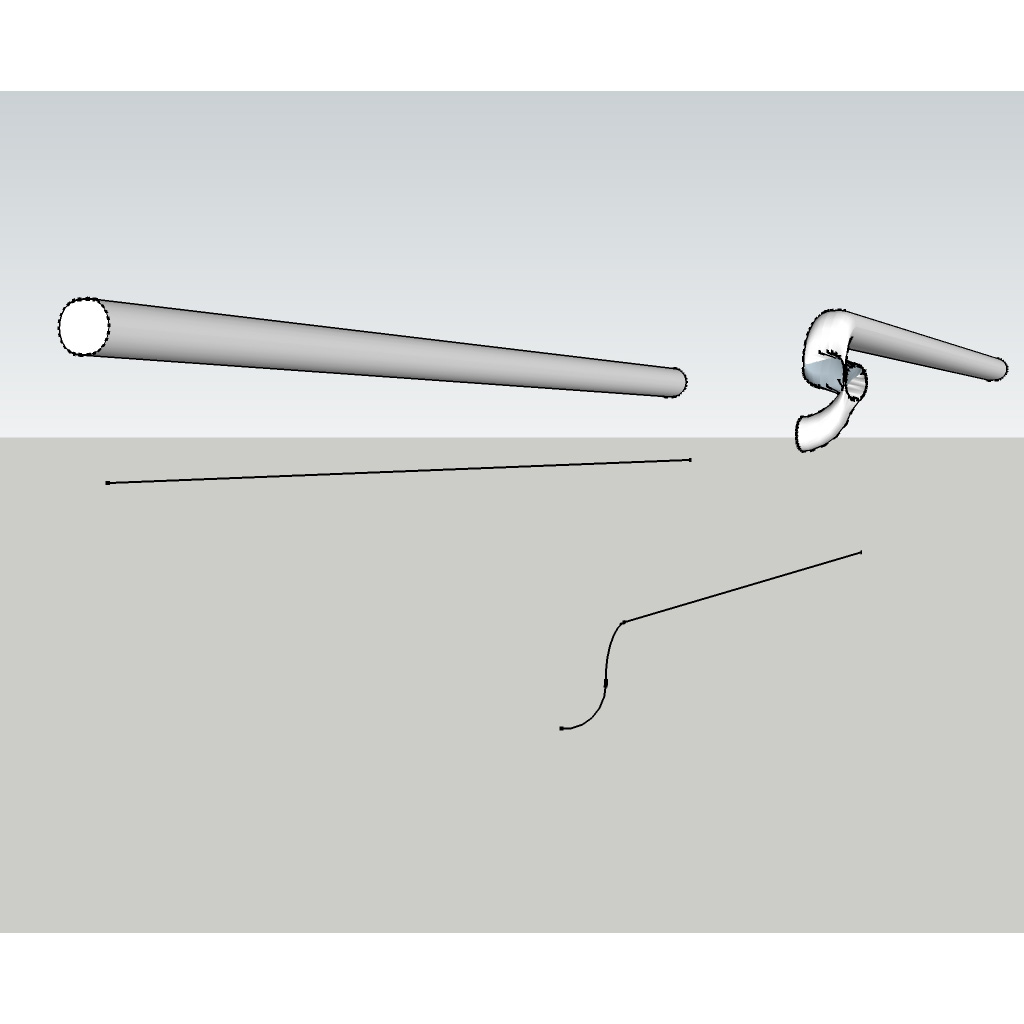
I am fairly new to Sketchup and have started to get into some of the plugins. Shape Bender is an awesome, but I am starting to run into a slight problem where I need to bend in two different directions and my geometry is getting crunched in the middle. At first I though that maybe it was because I was rotating my line, but after making a new line with no rotations it is still happening.
I have attached a picture with the part I am trying to bend. It's a bit hard to see what the bend looks like but it bends down from the straight line and then bends towards the left. In the object it's a bit easier to see, but you can see how it gets a little mangled.
Just wondering if anyone else uses this type of modifier and if they had any success with multiple bends.
-
I haven't tried to make that sort of bend with Shape Bender and wouldn't use it for that.. It doesn't seem like the right tool for the job as far as I can see. You'd be better off using Follow Me or Follow and Keep instead.
-
I will take your word for it. I will have to see if I can find a video tutorial for it. Thanks!
-
A video tutorial for what?
Draw the centerline of the pipe as a path. Draw the profile at one end. Select the path. Get Follow Me, click on the profile.
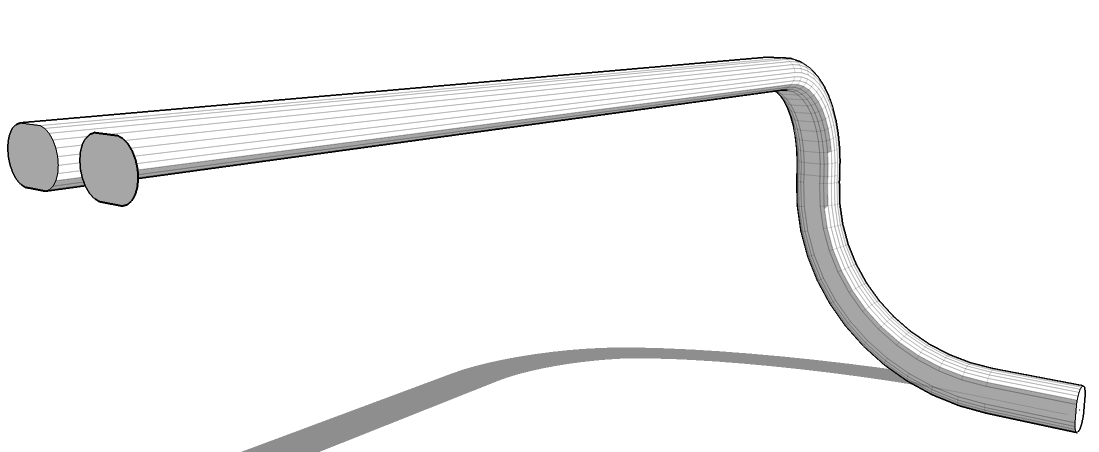
It looks like your profile isn't a circle so I used an oval.

Hello! It looks like you're interested in this conversation, but you don't have an account yet.
Getting fed up of having to scroll through the same posts each visit? When you register for an account, you'll always come back to exactly where you were before, and choose to be notified of new replies (either via email, or push notification). You'll also be able to save bookmarks and upvote posts to show your appreciation to other community members.
With your input, this post could be even better 💗
Register Login


Advertisement