[Plugin] Ruby Console+ (3.0.2) – updated 30.10.2017
-
This is a powerful Ruby Console with IDE features like code highlighting, autocompletion and a code editor. It lets you open multiple independent instances of the console and remembers the command history over sessions.
Version: 3.0.2
Date: 30.10.2017
Requirements: SketchUp 2014+
http://sketchucation.com/plugin/812-ae_console
Info from older version:
The buttons have the following features:
- Clear: Clears the console output
- Reload: Once you have manually loaded a script ("
load"), it will be automatically reloaded when the file is changed. In this menu you can select which files are observed for changes. - Binding: Allows to change the context in which a command is executed from global (TOPLEVEL_BINDING) to a specific Class or instance for easier debugging. This allows you to execute private methods or access private instance variables.
- Select Entity: Allows you to click an Entity in the model to get a reference to it in the console.
By holding ctrl when the main window is focussed, you can select points and by holding shift you can turn on inferencing.
You can also assign an entity to a reference name of you choice, by typing & selecting the variable name and then selecting the entity. - Preferences: A menu to change color theme and font size and other settings.
- Ctrl+Space: Triggers the autocompletion. This plugin uses Ruby's reflection methods to get relevant and accurate autocompletions from the live ObjectSpace (instead from a static file).
- Snippets: The suggestions for autocompletion include Ruby code snippets, where you can quickly fill in using the tab key. Snippets can be edited in ae_Console/js/ace/snippets/ruby_sketchup.js


History:
version 2.1.2: 13.02.2014- fix for typeerror on first start
version 2.1.1: 13.02.2014 - workaround for JavaScript error messages in ace.js
version 2.1.0: 12.02.2014 - updated the ace editor to 1.1.2 (which fixes auto-resizing issues)
- ace's autocompleter connected to SketchUp's Ruby interpreter
- ace's snippets
- file observer to reload files automatically
- fix: now modifier keys in the SketchUp window work when the webdialog has focus
version 2.0.1:
version 2.0.0: 13.06.2013 - more robust webdialog communication (should avoid corruption of settings)
- saves history immediately and to a file and separate from the preferences. Thus issues with escaping and registry reading are avoided.
- new architecture supports several independent instances of the console
- added: Select Entity tool
- removed: JavaScript mode because it had unsolvable issues
version 1.0.10: 15.05.2013 - better support of higher dpi settings
version 1.0.9: 01.03.2013 - icon added
version 1.0.8: 03.11.2012 - removed debug messages that were left over by mistake
version 1.0.7: 27.10.2012 - improvements for initialization
version 1.0.5: 30.08.2012 - now it tracks also script errors
- better webdialog communication
- input field resizes more reliably
- inspector: highlights entities in the model
- "repeat" button: allows to quickly repeat previous input without browsing too long in the history
- after clicking buttons, the input field gains focus again
- many optimizations
version 1.0.2: 10.07.2012 - minor change: validates data before using execute_script.
version 1.0.1: 07.07.2012

-
i get error messages, and then the dialog box open but without the icons

-
Fixed! (Packaging mistake)
-
Another Error

-
Aerilius,
Nice console, thanks.
Anton,
Why have you by-passed the installer and put the plugin in the Tools folder? The Tools folder is for SketchUp to use and it is recommended not to put anything there.
Start by removing the
ae_Consolefiles and folder from SketchUp's Tools folder, and install the plugin correctly using the Windows > Preferences > Extensions > Install Extension button. -
@jim said:
Aerilius,
Nice console, thanks.
Anton,
Why have you by-passed the installer and put the plugin in the Tools folder? The Tools folder is for SketchUp to use and it is recommended not to put anything there.
Start by removing the
ae_Consolefiles and folder from SketchUp's Tools folder, and install the plugin correctly using the Windows > Preferences > Extensions > Install Extension button.LOL, did you monitor my comp??

Exactly, I have it in tools folder. The reason is do to having 3 plugins folders: plugins draw - fredo tools+tt_lib+more, plugins game - sketchy physics, plugins testing - my plugins. I rename one of folders to plugins whenever I feel to use one of them. I jst wanted to eliminate the loading of all "plugins", and use the plugins that I want instead of loading all plugins. For me, the tools folder is like the "main plugins". Ruby console, window settings... is a good place for them - cause I use them in all plugins.Well, anyways thanks for pointing that out: moving it to plugins
-
I didn't get that error. I then tested on another computer where I had tested the beta version and got the error.
You probably have the beta version installed and the registry (Sketchup 8\Plugins_ae\Console) contains an old/invalid value.
The script errors in IE are very pertinacious. I'll try to validate the configuration before passing it into the webdialog. -
@jim said:
Start by removing the
ae_Consolefiles and folder from SketchUp's Tools folder, and install the plugin correctly using the Windows > Preferences > Extensions > Install Extension button.Hmm... it still gives me that error!
@aerilius said:
I didn't get that error. I then tested on another computer where I had tested the beta version and got the error.You probably have the beta version installed and the registry (Sketchup 8\Plugins_ae\Console) contains an old/invalid value. The script errors in IE are very pertinacious. I'll try to validate the configuration before passing it into the webdialog.
Errased, the beta, and all version, including this one, ran CCleaner, I guess I got it all removed using regedit, and it still gives me that error. How should error exist, when I cleaned-up after beta?
-
CCleaner doesn't do magic. I does a lot but I would be surprised if it (only) deleted HKEY_CURRENT_USER\Software\Google\SketchUp 8\Plugins_ae\Console.
The problem is that the only way to bring data from Ruby to SketchUp (execute_script) doesn't handle invalid data, it can't catch and suppress parsing errors.
I have a new version where I validate the data on the Ruby side before I pass it to the WebDialog. I'll upload it soon -
-
I uploaded a preliminary with the fix (1.0.2) to prevent this script error. I wanted to use my new webdialog communication system, but that isn't finished yet. It will come later.
-
-
Ruby console on steroids! Very nice.
Cheers,
Alex -
New features added:
inspector for SketchUp entities and many little improvements. -
Thankyou, thnakyou, thankyou!!!
I use it all the time
-
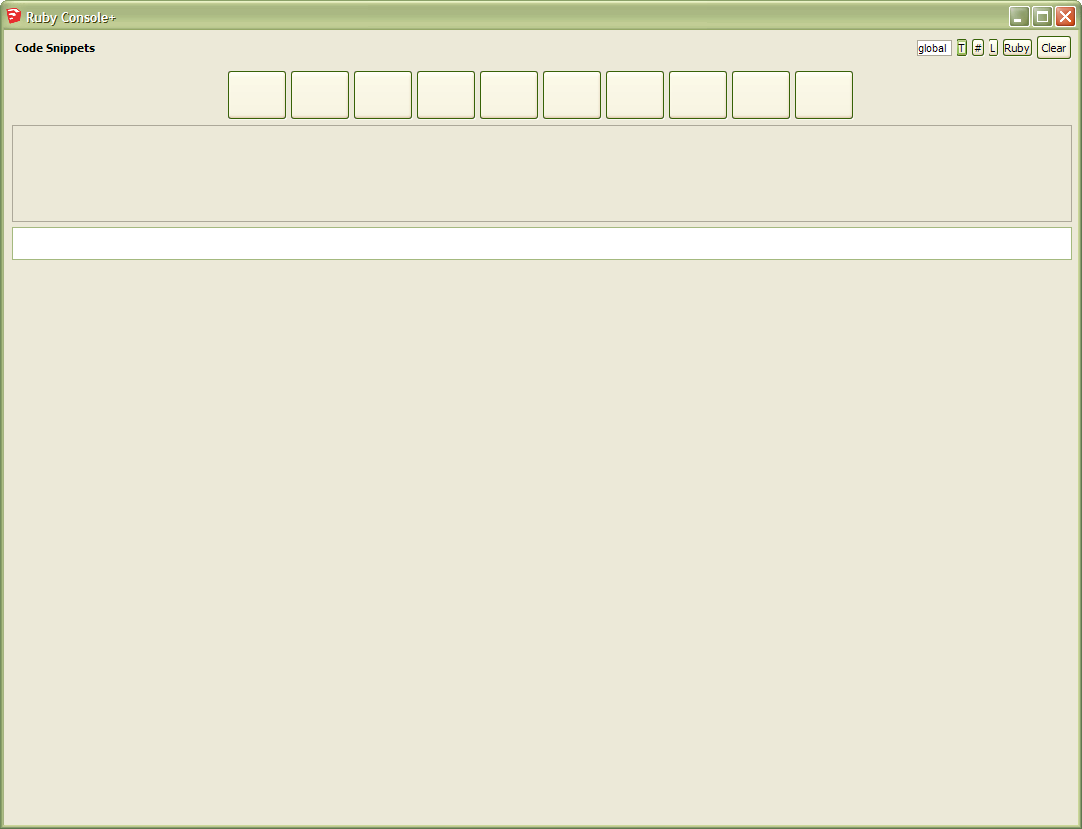
I have sizing issues on XP w/ IE8 installed. (SU v8.0M4)
-
That is not (only) a sizing issue, the JavaScript does not run. Maybe something in the WebDialog-Ruby communication goes wrong and does not call the
%(#000000)[initialize()]function? -
Just installed Ruby Console+ and my productivity doubled already.
Also very good to avoid RSI, better known as 'lets load the damn script again command...'
Thanks - great work. -
Hi
Could anyone solve this issue?

-
What same problem? What browser? What version of the plugin?
Can you try the latest version?




Hello! It looks like you're interested in this conversation, but you don't have an account yet.
Getting fed up of having to scroll through the same posts each visit? When you register for an account, you'll always come back to exactly where you were before, and choose to be notified of new replies (either via email, or push notification). You'll also be able to save bookmarks and upvote posts to show your appreciation to other community members.
With your input, this post could be even better 💗
Register Login


Advertisement