Unhiding faces
-
Sometimes I'll hide multiple wall faces. To unhide them, I go to Edit/Unhide/All. But what if I want to unhide just one or two? The "selected" option confuses me; how can I select something that is hidden? The Outliner only seems to show hidden groups or components, not faces. Any insights?
-
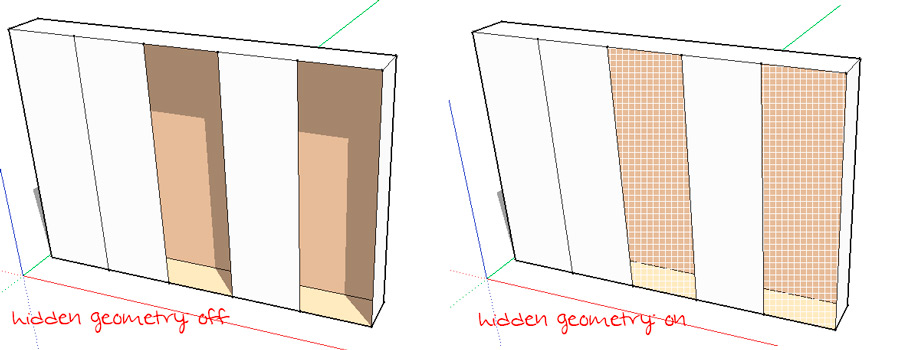
Turn on hidden geometry (view -> hidden geometry) and the faces are shown and selectable...
(I would suggest to apply a shortcut ("h") to the hidden geometry command as it is often useful to switch between the two views)
-
Thanks, cotty! Don't know why that didn't occur to me!

Hello! It looks like you're interested in this conversation, but you don't have an account yet.
Getting fed up of having to scroll through the same posts each visit? When you register for an account, you'll always come back to exactly where you were before, and choose to be notified of new replies (either via email, or push notification). You'll also be able to save bookmarks and upvote posts to show your appreciation to other community members.
With your input, this post could be even better 💗
Register Login


Advertisement