Exporting Importing problems.
-
Ok, I'm working with somebody on making some car models for sale. Part of the workflow after I finish my share of modeling is for the person I work with to import the model into max and make modification if needed and prepare it for texturing.
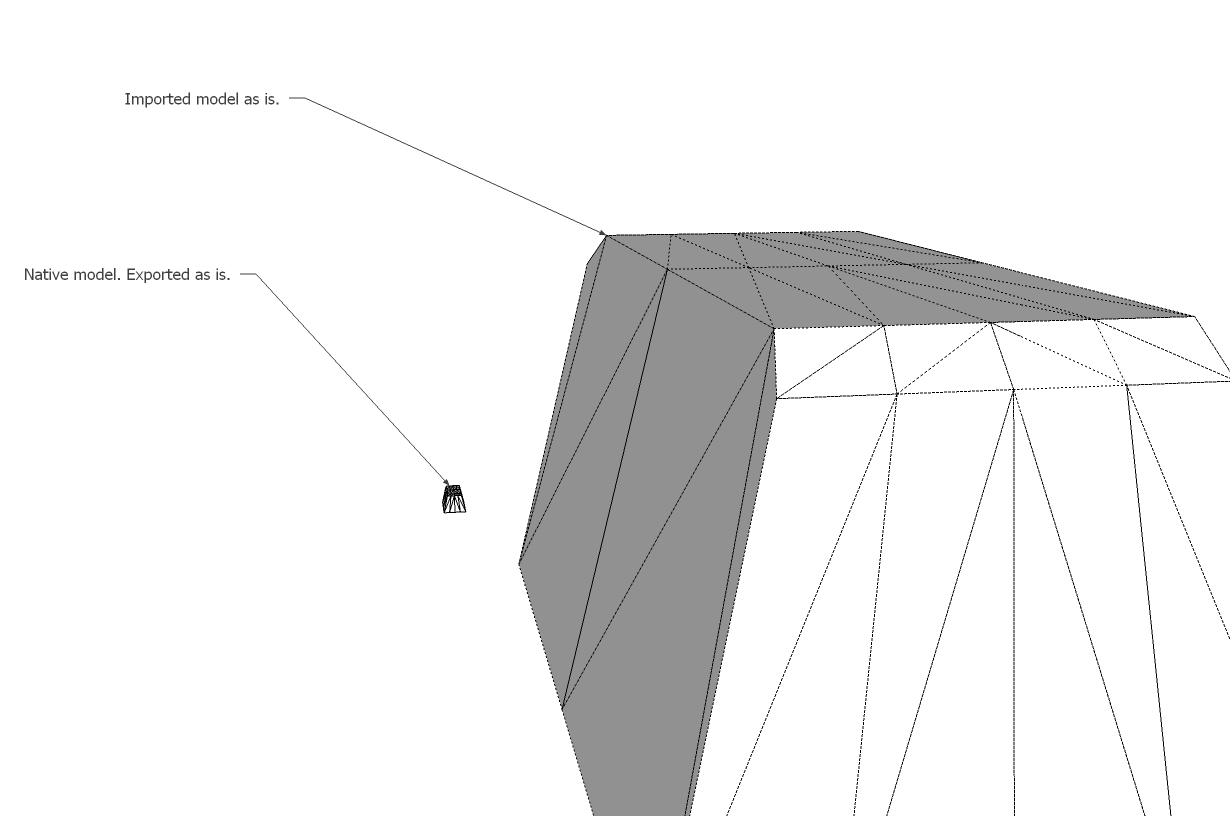
The problem we're comfronted with is that the exported models from Su from either the native dae exporter or the simlab ones produce disconnected geometry when reimported or imported into max.
Take a look at the example below to understand what I mean.
Does anyone understands how this happens or knows of workarounds or solutions for this problem?
You can imagine we can't have to weld in max every vertex all over again for every car, it would take forever.
-
When volumes are "exploded" seems "remove double" vertices takes one second ? So all edges are like welded

(In Blender with import OBJ) -
I don't exactly understandt what you said, but I tried exporting from su importing blender and exporitng from there. Reimported into SU the mesh is as it should be but imported in max it's still no good...but anyway apparently a solution has been found in max.


Hello! It looks like you're interested in this conversation, but you don't have an account yet.
Getting fed up of having to scroll through the same posts each visit? When you register for an account, you'll always come back to exactly where you were before, and choose to be notified of new replies (either via email, or push notification). You'll also be able to save bookmarks and upvote posts to show your appreciation to other community members.
With your input, this post could be even better 💗
Register Login


Advertisement