Windows 7 Style?
-
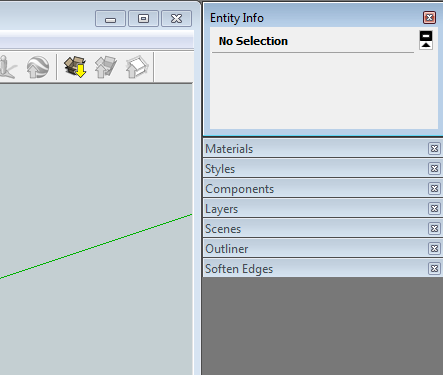
Anyone have any idea how I managed to make the window borders thin in Windows 7? It takes less of the screen and looks better IMO. I'd like to be able to repeat the steps, but I don't know how I did it in the first place.

-
-
Good thought, but that wasn't it. Turned out to be that I was running SketchUp in XP SP3 compatibility mode, along with using a basic theme.

Hello! It looks like you're interested in this conversation, but you don't have an account yet.
Getting fed up of having to scroll through the same posts each visit? When you register for an account, you'll always come back to exactly where you were before, and choose to be notified of new replies (either via email, or push notification). You'll also be able to save bookmarks and upvote posts to show your appreciation to other community members.
With your input, this post could be even better 💗
Register Login


Advertisement