Edge mis-representation on iMac OS X Lion
-
I have a problem with SU8 Pro on an iMac (i7, early 2011 model, ATI Radeon HD 4850 512 MB) running Mac OS X Lion 10.7.2
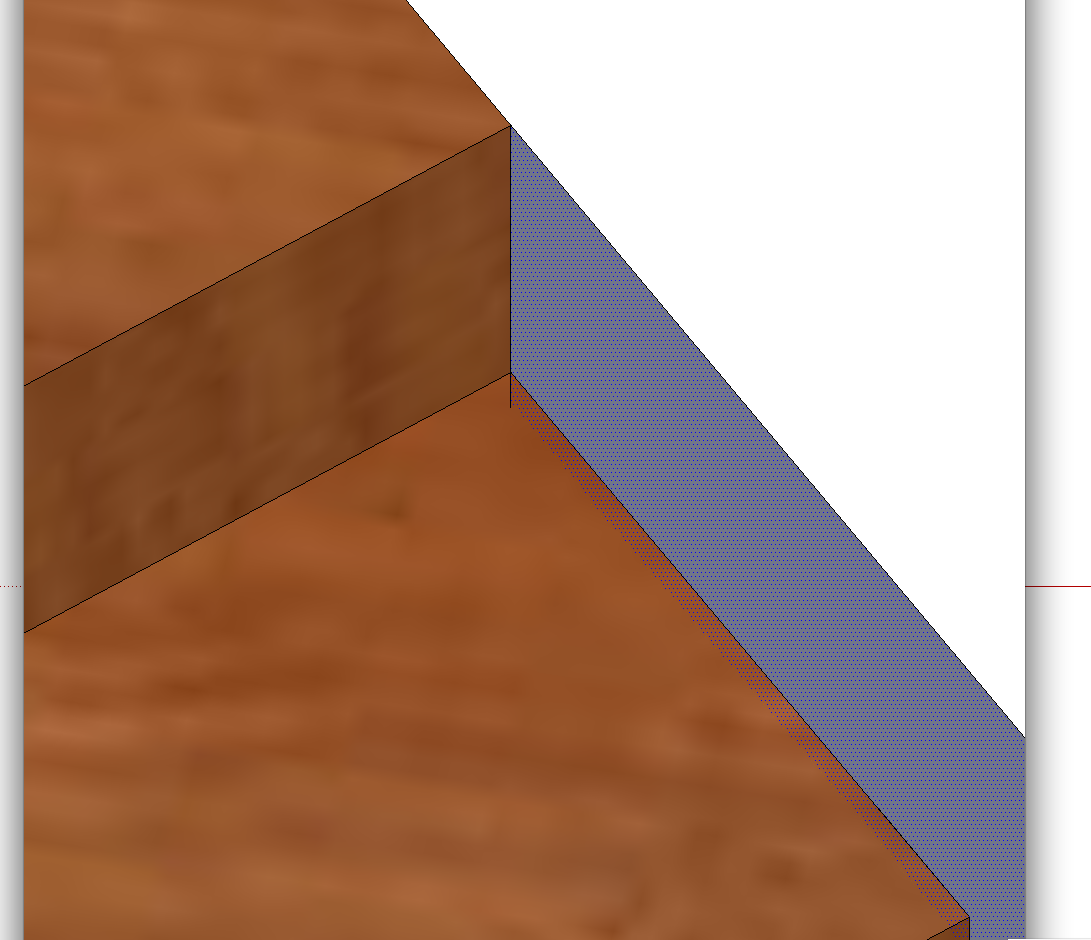
Surfaces seem have a bleed-through, with a stub of the line and jagged edge of the texture visible overlapping the edge.
This is an example - front surface
...and behind the same junction
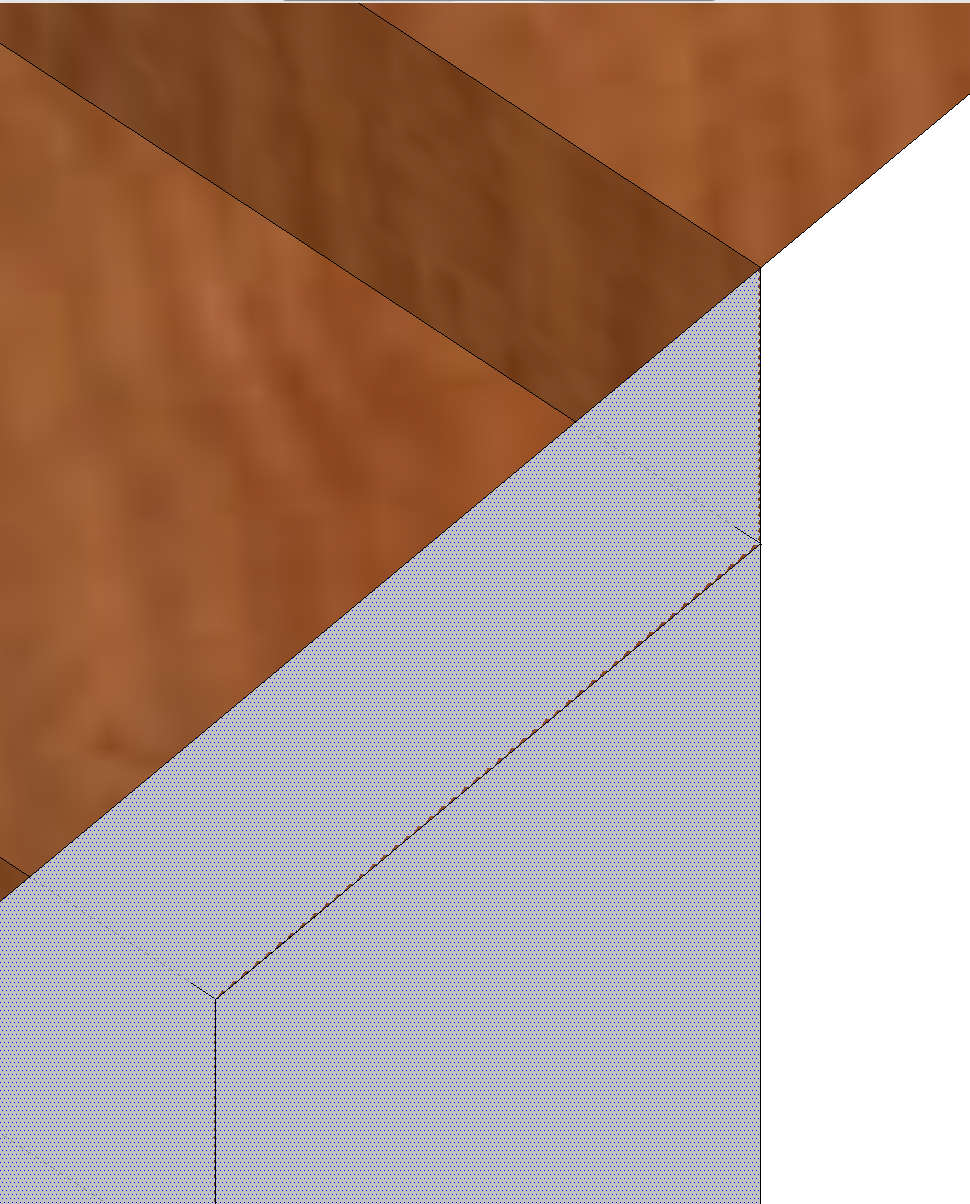
So the lines are in the right places, but the display does this. This is quite common at close-up work and is a problem when trying to be precise about the editing of interfaces.
Any suggestions? Many thanks in anticipation.
Paul
-
hi Paul,
it may be your settings, have your tested in different templates or styles, also parallel projection v perspective
if you post an example skp as well it's easier for others to check your settings, etc...john
-
HUm... Strange.
I cannot reproduce that.
Have you tried selecting the objects and then checking entity info if the count is right ?
Is Hardware acceleration checked in Preferences - OpenGL ?

Hello! It looks like you're interested in this conversation, but you don't have an account yet.
Getting fed up of having to scroll through the same posts each visit? When you register for an account, you'll always come back to exactly where you were before, and choose to be notified of new replies (either via email, or push notification). You'll also be able to save bookmarks and upvote posts to show your appreciation to other community members.
With your input, this post could be even better 💗
Register Login


Advertisement