Round corner vs. follow me tool
-
hi,
how would get the same reasult after using round corner tool?
what is your suggest?
I think that this is obviouse from picture. desired reasult is the right box on the picture.
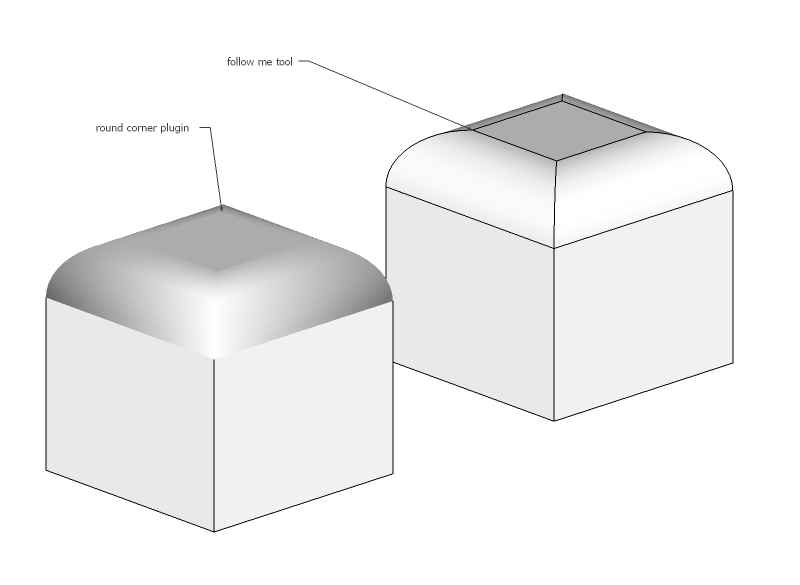
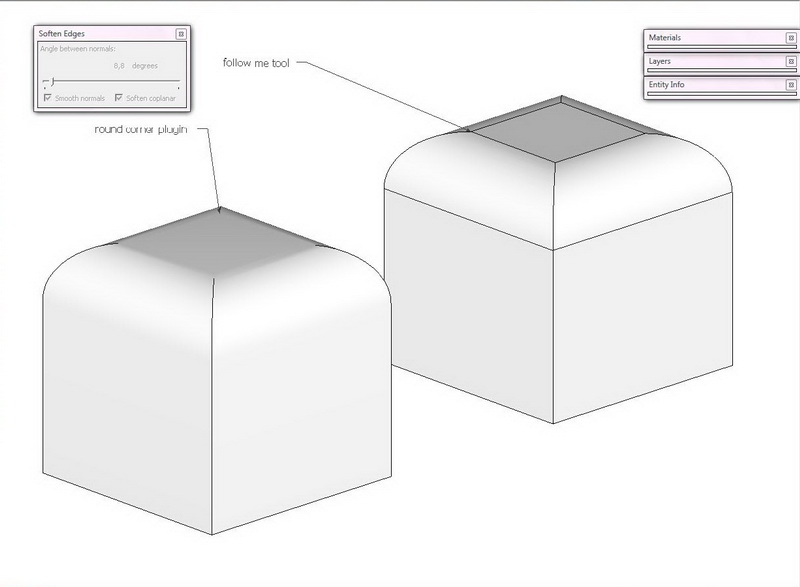
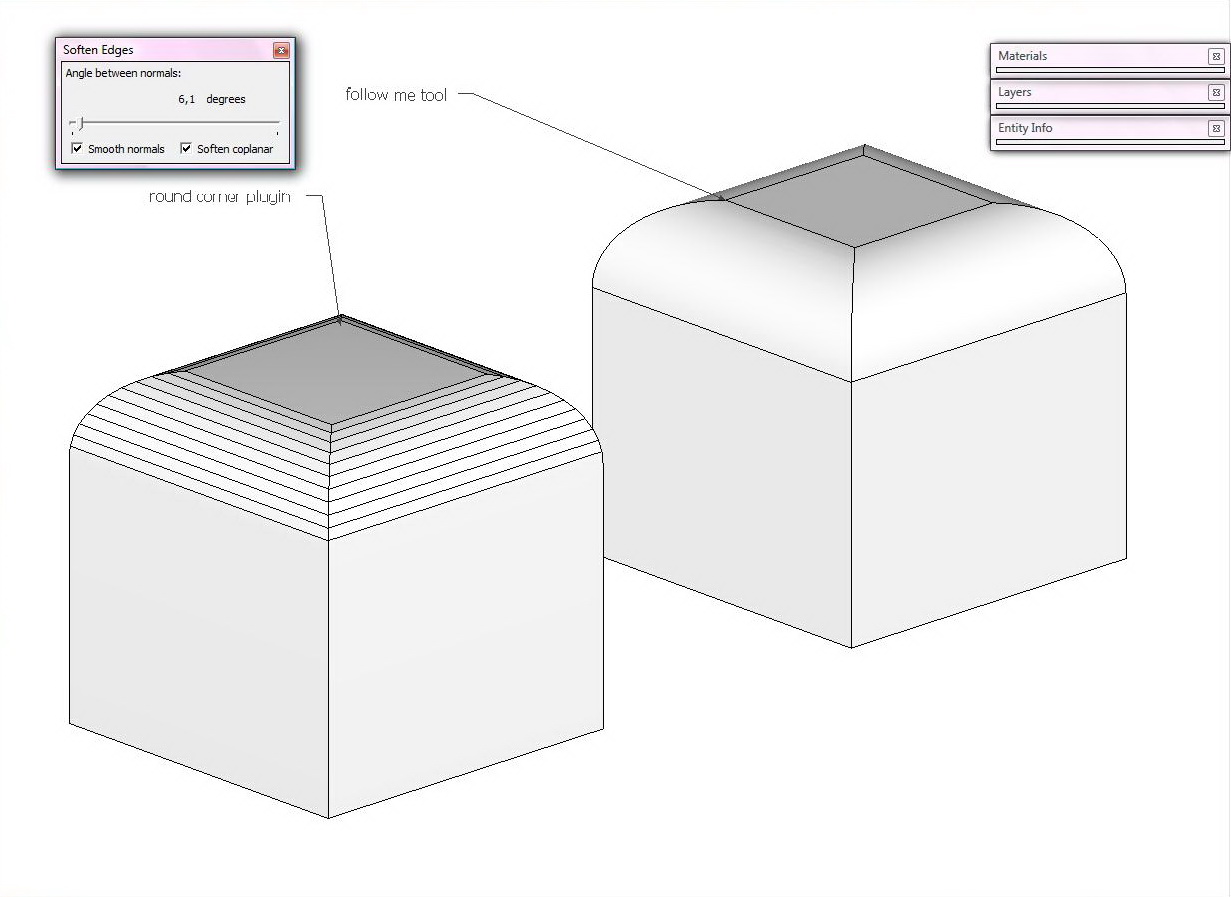
-
round corner join faces together, then texturing is a little bit awkward. how to avoid it?
-
If you wish the edges to show, use Ctrl+Shift+Eraser. Is this what you mean? I most probably interpreted your issue way too simply, and I apologize.
-
@mitcorb said:
If you wish the edges to show, use Ctrl+Shift+Eraser. Is this what you mean? I most probably interpreted your issue way too simply, and I apologize.
thx, this can be used at simply models.
but what to do with complicated and large models? -
Sorry, I don't understand the problem or what your question is.
-
for some reasons I need to use round corner plugin - but it generates one face - you can see on attached picture. for texturing I need to separate needed faces.
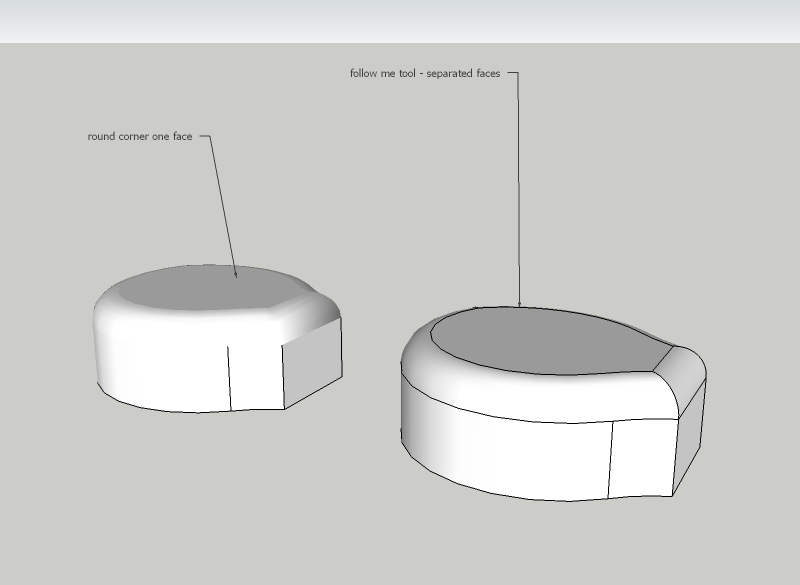
-
Tutn on hidden geometry (View menu), select the top face and its bounding edges (double click) and pull the soften slider to the left until they become hard edges. Now you can texture separately.
OR do not even unsoften but texture with hidden geometry on.
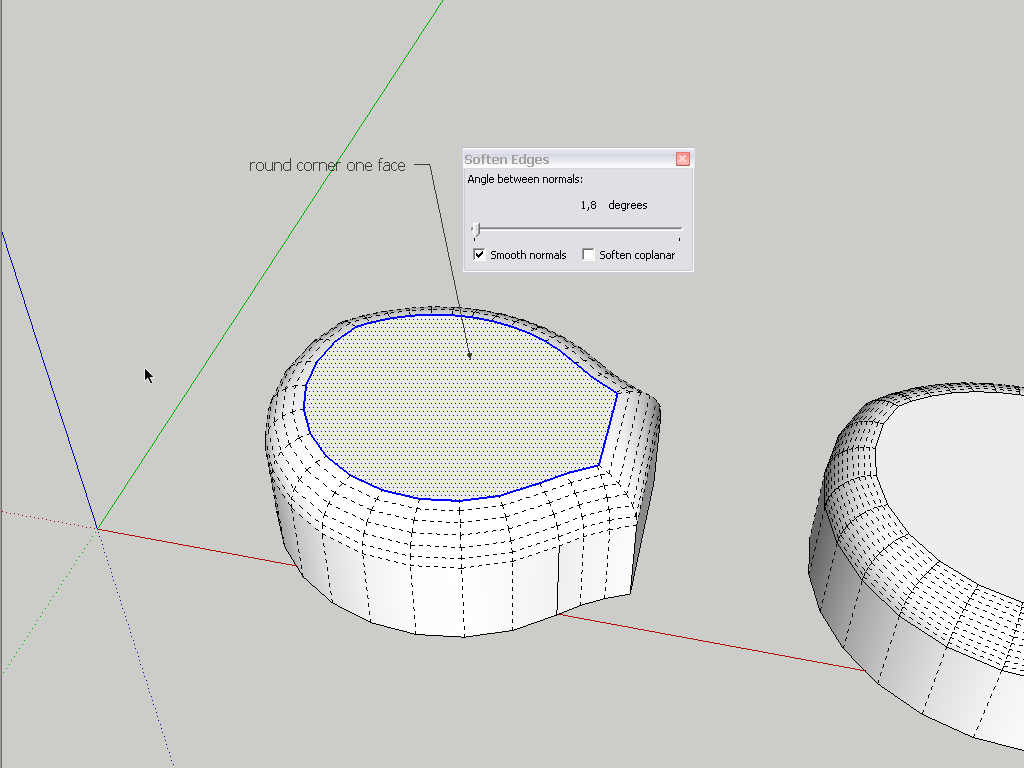
-
More like this?
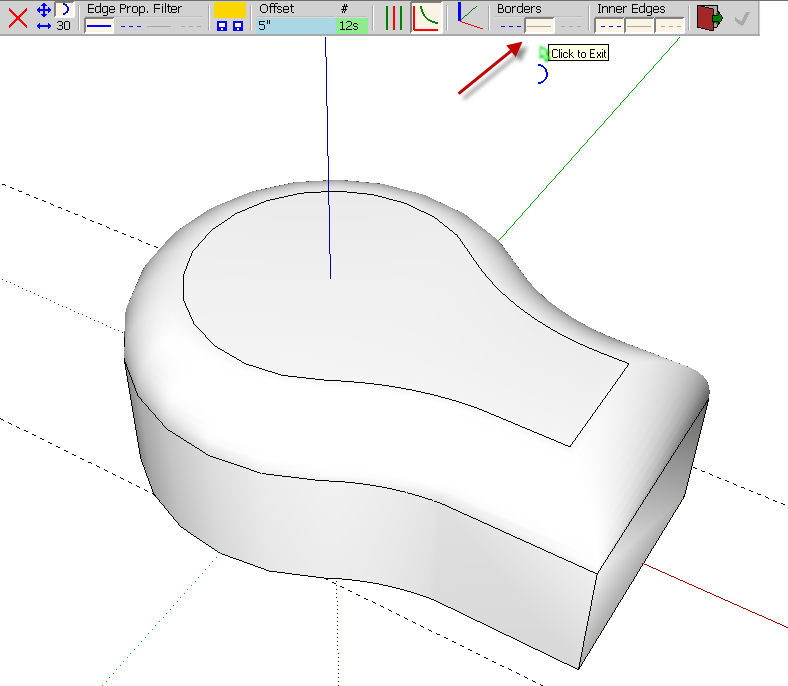
See the settings at the arrow.
Edit: Csaba beat me to it and you can certainly do it as he indicates but my method keeps the borders of the rounding visible.
-
great idea working with hidden geometry - super - thank you Gaieus

thank you Dave R you perfectly solved my problem .




Hello! It looks like you're interested in this conversation, but you don't have an account yet.
Getting fed up of having to scroll through the same posts each visit? When you register for an account, you'll always come back to exactly where you were before, and choose to be notified of new replies (either via email, or push notification). You'll also be able to save bookmarks and upvote posts to show your appreciation to other community members.
With your input, this post could be even better 💗
Register Login


Advertisement