Hidden geometry
-
I have two kinds of components in my model, One looks best with hidden geometry on, while the other with it off. Is there any to do this?
-
hidden geometry is a style setting and there cannot be two, different styles in one scene. So you either create another scene with a different style (and look at your first component that way) or do some post-pro work on exported stuff (certainly that's not interactive like a model).
-
Gai, Thanks. Just making sure there wasn't something I might have overlooked.
-
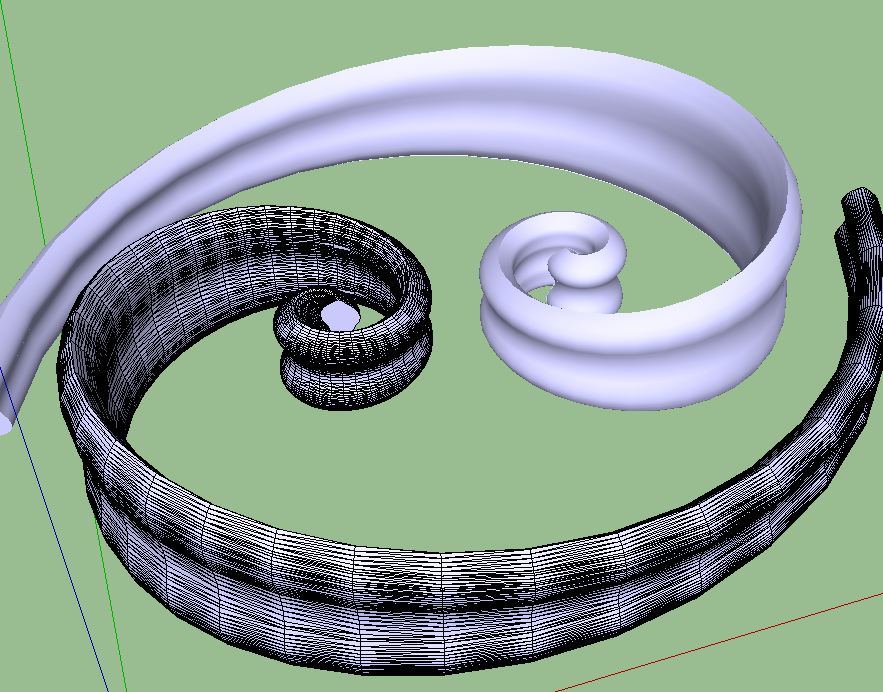
You can unsoften all the geometry of one and hide the other.
It will only work if the shape is suitable but it does work.
This is a bit of overkill but it is what I was doodling with when I read your post.
-
Yes although unsoften has other effects, too, namely it unsmooths the surface, too, does not only unhide the edges.
-
I quite agree Gaieus, which is why I said it only works if the shape is suitable.
-
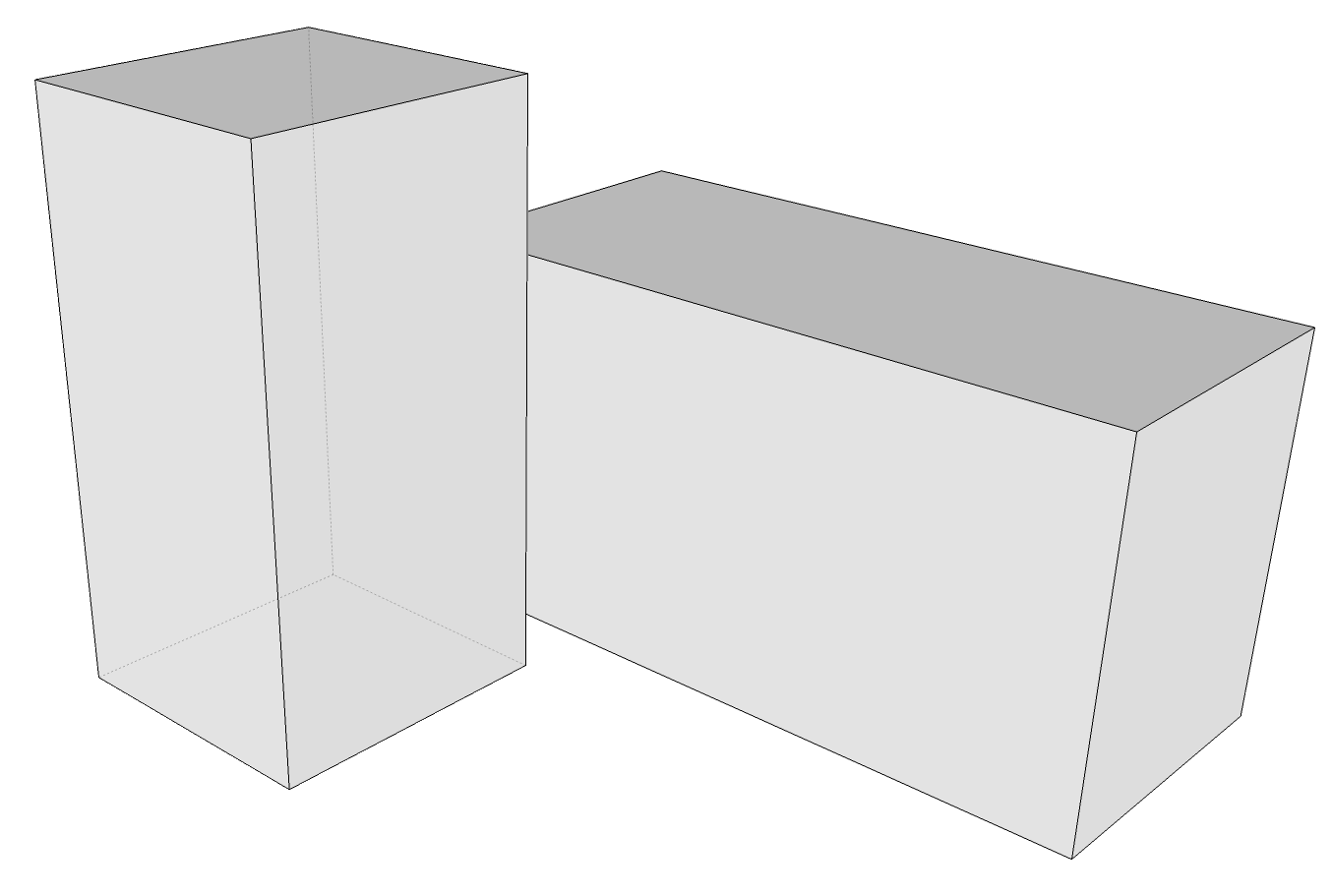
This is a very quick example but does it do something like what you want? The box in front has Back Edges turned on but the other doesn't.
-
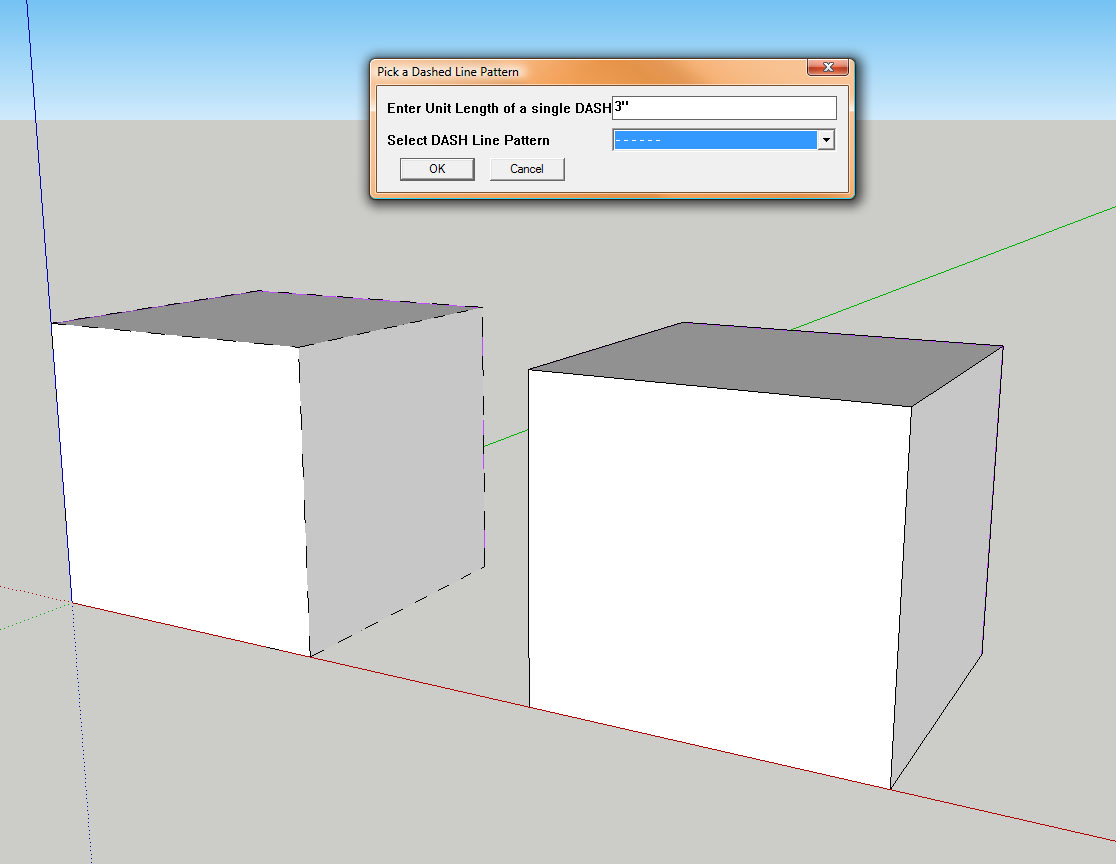
There's a script called Dashed Lines at Smustard. I thought I purchased it, and was going to post an example but I don't see the plugin anywhere.
 Anyway, you might look into it and see if it would work for your situation.
[edit] I knew I had dashedlines.rb! Here's an example of what it does.




Hello! It looks like you're interested in this conversation, but you don't have an account yet.
Getting fed up of having to scroll through the same posts each visit? When you register for an account, you'll always come back to exactly where you were before, and choose to be notified of new replies (either via email, or push notification). You'll also be able to save bookmarks and upvote posts to show your appreciation to other community members.
With your input, this post could be even better 💗
Register Login


Advertisement