V6.0 compatibility
-
The menu icon images for one of my plugins fail to show with Su v6. The buttons show, but no image. It works OK with v7 and v8. The code for the menu is:
select_tb = UI::Toolbar.new("Select Components") cmd2 = UI::Command.new("Select First Component") { hdt_clear_select_component } cmd2.small_icon = "my_select_button_start.png" cmd2.large_icon = "my_select_button_start.png" cmd2.tooltip = "First Instance" select_tb.add_item(cmd2)As far as I can tell, the methods are v6 compatible. However the icons are on the large side. I didn't size them down since they worked OK in v7, and v8. Anyone with an idea where else I could look for problems?
-
First question - is the path correct ?
For example, if they are in a sub-folder they won't load with that code... -
There is no path, all files are in the plugin folder, and it works in v7, and v8.
-
-
OK, fixed that, but not the problem. What size do you fellows make your icons?
-
@honoluludesktop said:
What size do you fellows make your icons?
16 for small icons, 24 for large. That is optimal sizes for best visual quality. Any other size and SU will resize the icons - poorly.
As for the original question - have you tried if absolute paths is required in SU6?
-
OK on the icon sizes, and no, didn't understand that I should try that for v6. Will try it, thanks.
-
The v6 user said that the sized down icons did the trick. Anyway, I did both, sized down the icons, and placed a full path to the icon:
` file_path_name=Sketchup.find_support_file "sketchup.exe", ""
file_path_name=File.dirname(file_path_name)+"/Plugins/hdt_folder/"select_tb = UI::Toolbar.new("Select Components")
cmd2 = UI::Command.new("Select First Component") { hdt_clear_select_component }
cmd2.small_icon = file_path_name+"button_first_16.png"
cmd2.large_icon = file_path_name+"button_first_24.png"
cmd2.tooltip = "First Instance"
select_tb.add_item(cmd2)`Any problem with the way I derived the drive_letter\pathname?
Below is a couple of the icons I drew at 50%. The following pair was reduced to 16 pixels square and displays as such. Any ideas how to improve the 16 pixel square's appearance?
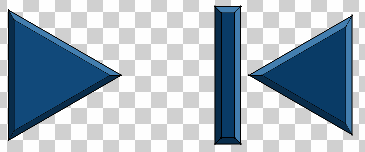

-
Many of the SketchUp icons are made in SketchUp and Layout. Google posted some 800x800px images of them on the official blog - they might give you some indication about how to make your icons in SketchUp.
What software are you using to resize the images?
-
I am drawing the icons in Sketchup, and sizing them down with a Win2000 utility. Hmmm...think that's the problem? I will try a high end image editor.
-
@honoluludesktop said:
am drawing the icons in Sketchup, and sizing them down with a Win2000 utility. Hmmm...think that's the problem? I will try a high end image editor.
Possibly (even likely.) There may be several settings to chose from when resizing the image; some designed for speed, others for quality. That may be all you need.



Hello! It looks like you're interested in this conversation, but you don't have an account yet.
Getting fed up of having to scroll through the same posts each visit? When you register for an account, you'll always come back to exactly where you were before, and choose to be notified of new replies (either via email, or push notification). You'll also be able to save bookmarks and upvote posts to show your appreciation to other community members.
With your input, this post could be even better 💗
Register Login


Advertisement