How can I slice a solid (like CAD) ?
-
Is there any ruby to slice a solid by 3 points (like CAD) ?
Help me pls. -
you have better: by 2 Points

Zorro 2 by Whaat -
oh, anyone can modify or rebuild this to slice by 3 point ?
thank you. -
Although this may not apply to your question exactly, I often use a circle drawn large enough to extend beyond what I wish to cut, make a group of it, move it into place on the cutting plane, intersect with selected and perhaps erase away what I do not want or [group it/copy move it] a specific distance and then reposition after cleanup.
I would do, and have done this also in CAD. Specifically Autocad.
You can also use a circle or any planar figure as a reference plane with say a line segment drawn on its surface as a directional guide for your cursor to move selected geometry (faces or edges) carefully in a crowded model. -
Sorry have you an example of a slice a solid wanted? (image)
It's just a face or it's a volume or...? -
yeah I just want to slice a solid in 2 parts with a 3-points defined.
-
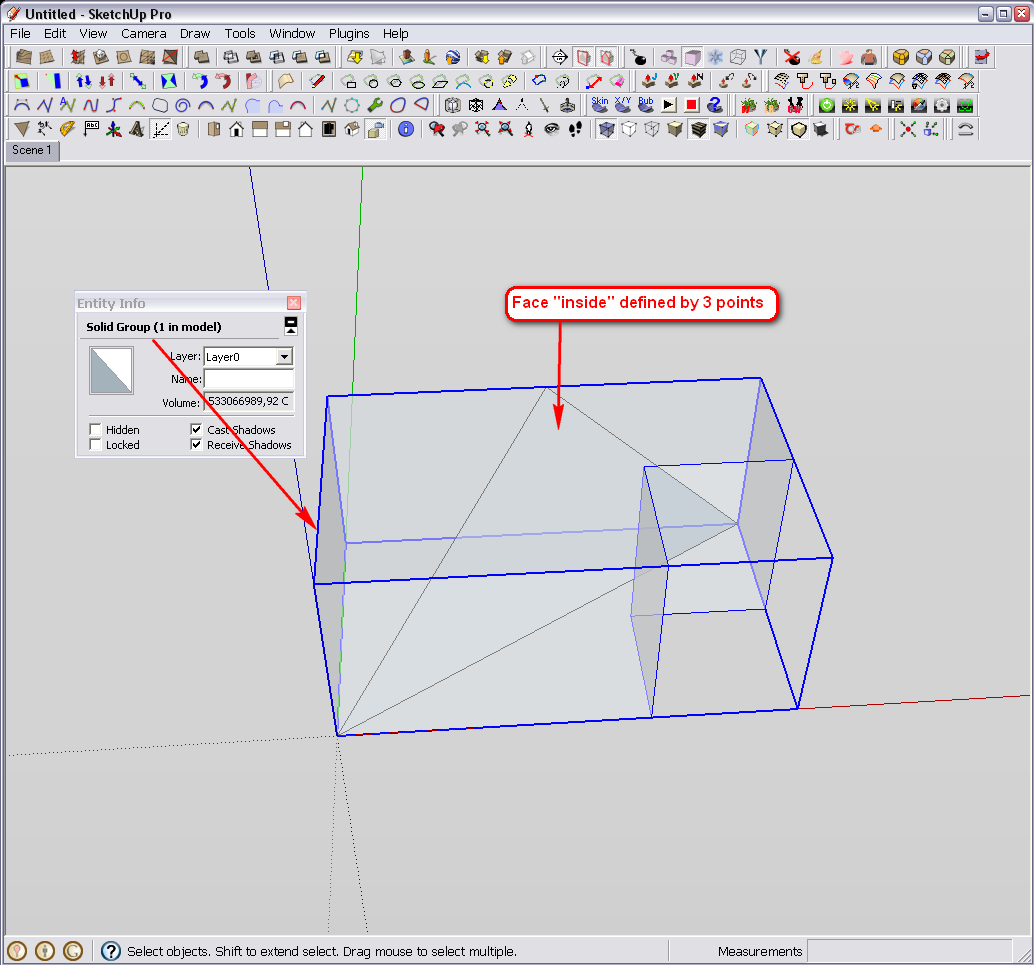
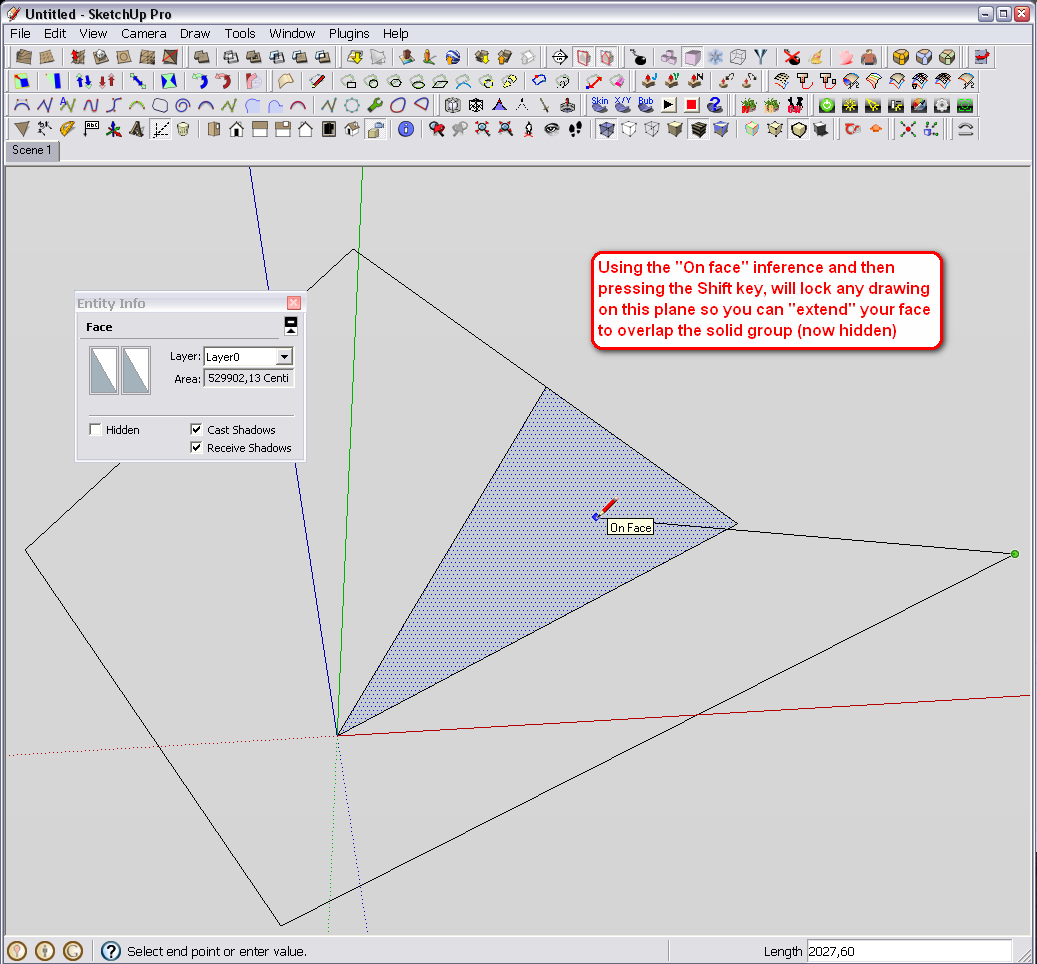
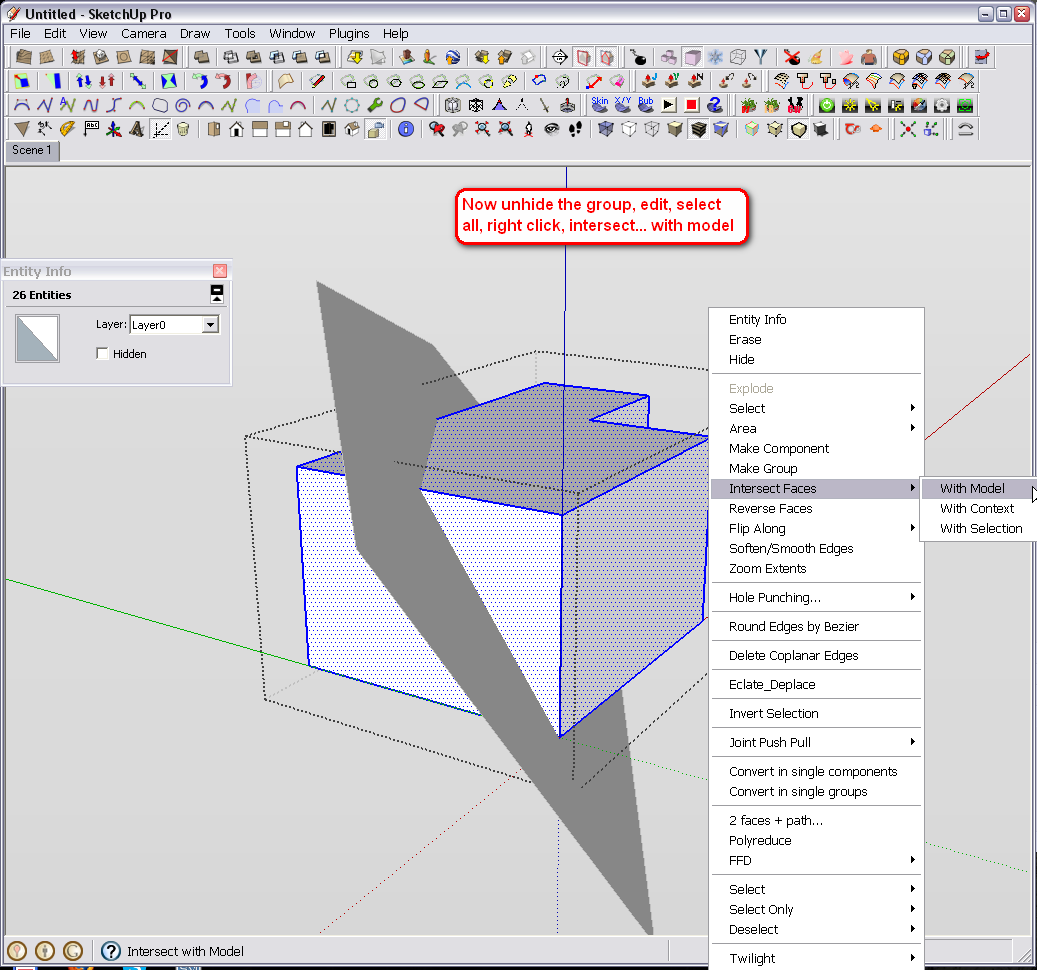
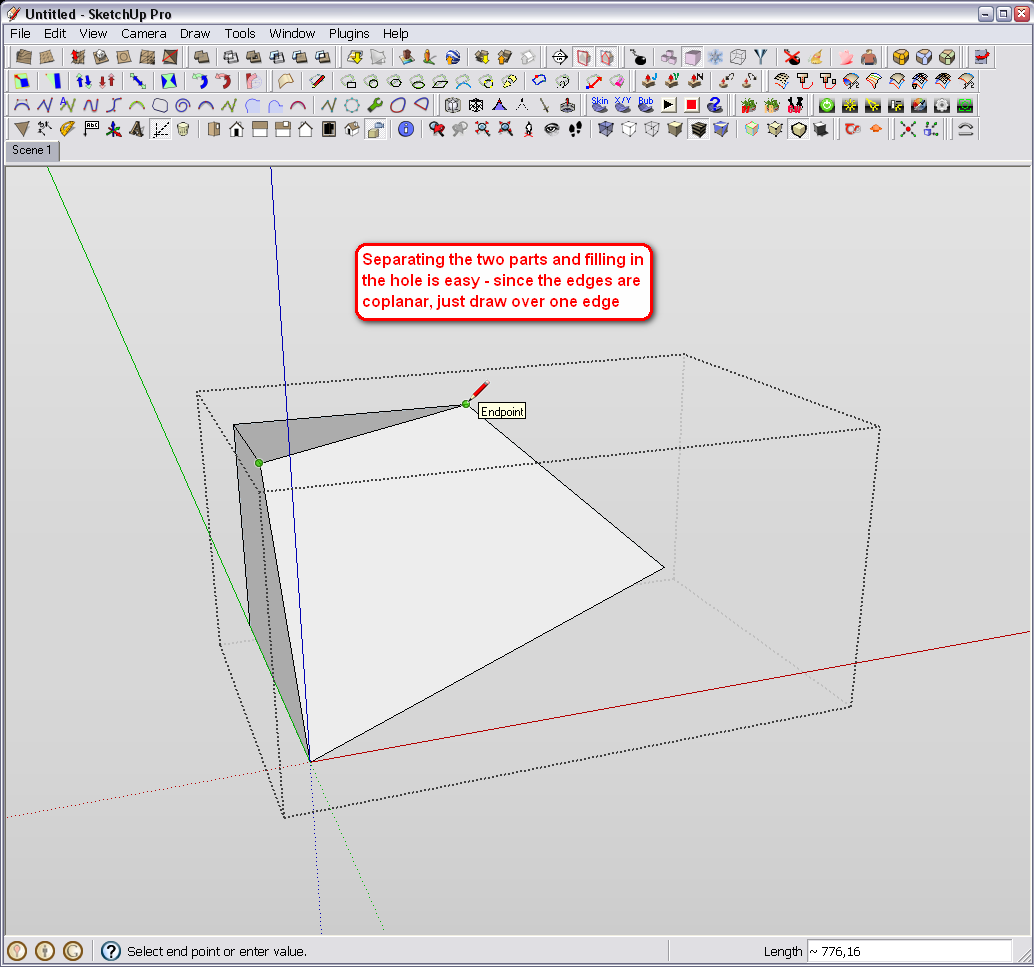
If you connect those 3 points, a face will be created which can be used to intersect with the solid. See screenshots attached.
-
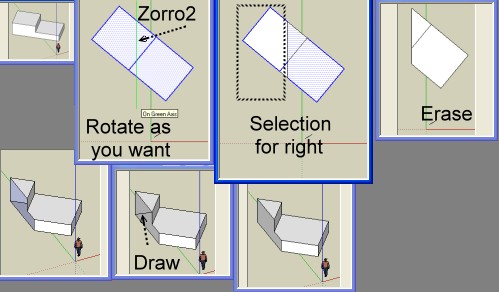
Tricky but you have the same with Zorro2
Orient your objet in the 3D space or use View top face etc (more easy) ...
Just 2 points for the line cutting
One line for close the open face
Erase the line
(Click image if scrollbar)
-
many thanks for all
but I also want to keep both of them and it's wonder if someone write a ruby for it
-
you might want to try using a WorkPlane..
http://forums.sketchucation.com/viewtopic.php?t=31204use three points to draw it then intersect..
right click>work plane>delete ...to get rid of it after intersecting. -
or just after Zorro2 just Copy move one, kill the start one
and close the 2 objects
It's not a big deal : just 2 linesWith the Work plane, you must also draw 2 lines
for close the objectsPS There is a function "Cap Holes"
So just Copy move one object
Select all then Right Click/Cap Holes
I belive that is inside Sketchy Bevels by CPhillips
That works fine
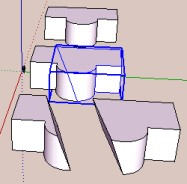
Another work around
Zorro2
Group one object
Move it
Explode
Select all
Caps hole
et voilà
-
yeah WorkPlane seem to be good in this case, it helps me make a fast plane.
you're so enthusiasm, thanks all




Hello! It looks like you're interested in this conversation, but you don't have an account yet.
Getting fed up of having to scroll through the same posts each visit? When you register for an account, you'll always come back to exactly where you were before, and choose to be notified of new replies (either via email, or push notification). You'll also be able to save bookmarks and upvote posts to show your appreciation to other community members.
With your input, this post could be even better 💗
Register Login


Advertisement