How to make a picture background of a style
-
Here it's the link to the model made by Henry Kropp in 3dwarehouse.
http://sketchup.google.com/3dwarehouse/details?mid=5e61411105f8ba51bda51b8be35f645e&prevstart=0
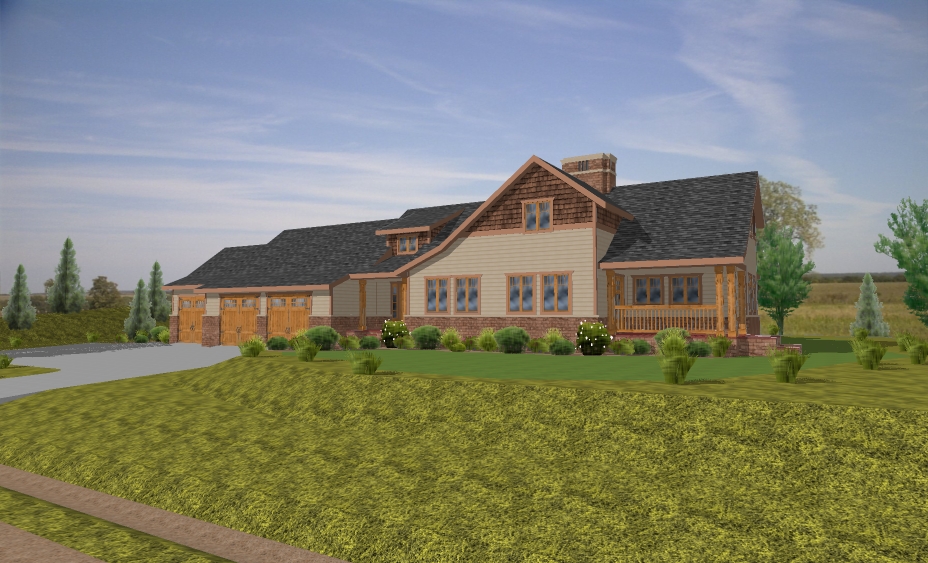
Could anyone tell me how the author put the image as a background behind the building model (not to paste the image on a face behind)?
Thanks for your attention!
-
Open the Styles window,
Go to the Watermark section (fourth button from the right, big OK on it)
Insert watermarks/backgrounds -
@thomthom said:
Open the Styles window,
Go to the Watermark section (fourth button from the right, big OK on it)
Insert watermarks/backgroundsThanks Thomthom!
I found it.
More details for those who may run into this problem again: After opening the Styles Window, clicl the Edit tab. The Watermark button belongs to the Edit section.

Hello! It looks like you're interested in this conversation, but you don't have an account yet.
Getting fed up of having to scroll through the same posts each visit? When you register for an account, you'll always come back to exactly where you were before, and choose to be notified of new replies (either via email, or push notification). You'll also be able to save bookmarks and upvote posts to show your appreciation to other community members.
With your input, this post could be even better 💗
Register Login


Advertisement