Exploded views
-
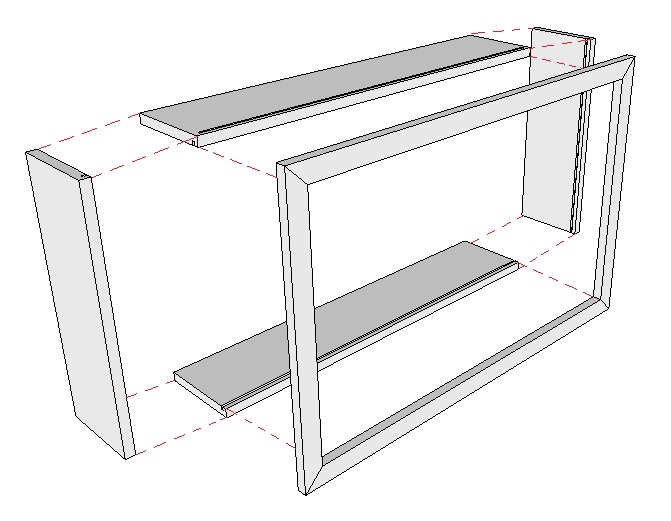
I want to show an exploded view of an assembly, using guide lines to show where points will be connected. How do I draw in the connecting lines as I show in this picture. (I put the red guide lines in using 'Paint')
thanks
-
there is a plugin called xline that will allow you to draw these lines.

XLine -
I figured out that I could draw a line and right click it, then divide it into many parts.
Then I can guess at the where every other segmant is along the line and erase it.
Takes too long though.I tried to download Xline but my computer says I can not see files that end in RB.
I don't know how to open it. -
@merc said:
I want to show an exploded view of an assembly, using guide lines to show where points will be connected.
In Layout you just draw the lines.... the inferencer will usually even link to the underlying SU model correctly. Set the dash style and you should be done.
Hello! It looks like you're interested in this conversation, but you don't have an account yet.
Getting fed up of having to scroll through the same posts each visit? When you register for an account, you'll always come back to exactly where you were before, and choose to be notified of new replies (either via email, or push notification). You'll also be able to save bookmarks and upvote posts to show your appreciation to other community members.
With your input, this post could be even better 💗
Register Login


Advertisement