Shortcuts in OS X
-
Hi.
Im pretty new to runnings SketchUp in OS X (just bought a mac a month ago) and having problems with my shortcuts.
My problem is that SketchUp wont remember my shortcut-settings once I relaunch SketchUp. I just alter the shortcuts in SU under preferences.Any ideas what might be wrong/what I'm doing wrong.
(SketchUp 7)
-
Are you exiting SU normally - ie not crashing or force-quitting? It all seems to work ok for me.
-
Just normal use...
I can open SkethcUp, alter the shortcuts, close down the program normally and then reopen SU to finde my shortcuts reverted back to defaults...
-
One of the first things to try when programs act up in OS X is deleting the plist. They can get corrupted. When you start the program it will make a new one. Go to your user account----library ---- preferences------com.google.sketchup and send it to trash. It commonly fixes things like this. See attachment
Good luck
Dan
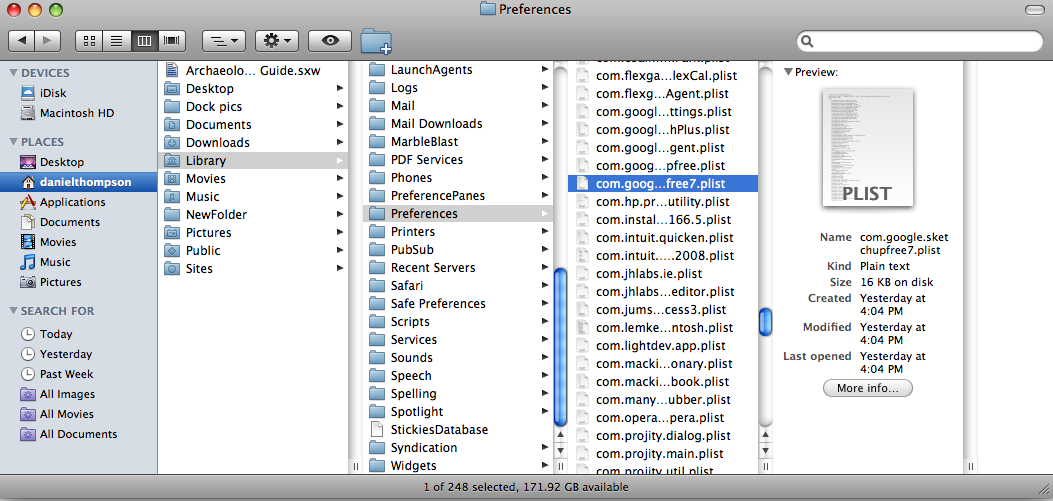
-
Tried deleting those plist files without luck and even zapped SU and reinstalled the new 7.1 from Scratch.
I also find it odd that when looking at Sketchups help-blog for OS X they mention a shortcuts.plist file which is nowhere to be found here...Im getting kinda frustrated here :S
-
Nevermind now

Did some surfing around and looked at my files and discovered that I was indeed an admin user but not assigned to the right user-group. So did not have write-rights for the sketchup folder..
It works now

Thank anyways.
Hello! It looks like you're interested in this conversation, but you don't have an account yet.
Getting fed up of having to scroll through the same posts each visit? When you register for an account, you'll always come back to exactly where you were before, and choose to be notified of new replies (either via email, or push notification). You'll also be able to save bookmarks and upvote posts to show your appreciation to other community members.
With your input, this post could be even better 💗
Register Login


Advertisement