sketchucation logo sketchucation
    • Login
    Oops, your profile's looking a bit empty! To help us tailor your experience, please fill in key details like your SketchUp version, skill level, operating system, and more. Update and save your info on your profile page today!
    โš ๏ธ Important | Libfredo 15.6b introduces important bugfixes for Fredo's Extensions Update

    Needs some small assistance

    Scheduled Pinned Locked Moved SketchUp Discussions
    sketchup
    9 Posts 3 Posters 447 Views 3 Watching
    Loading More Posts
    • Oldest to Newest
    • Newest to Oldest
    • Most Votes
    Reply
    • Reply as topic
    Log in to reply
    This topic has been deleted. Only users with topic management privileges can see it.
    • P Offline
      Peterbilt1993
      last edited by

      I need a little help with the hood of my truck...the pic will tell u
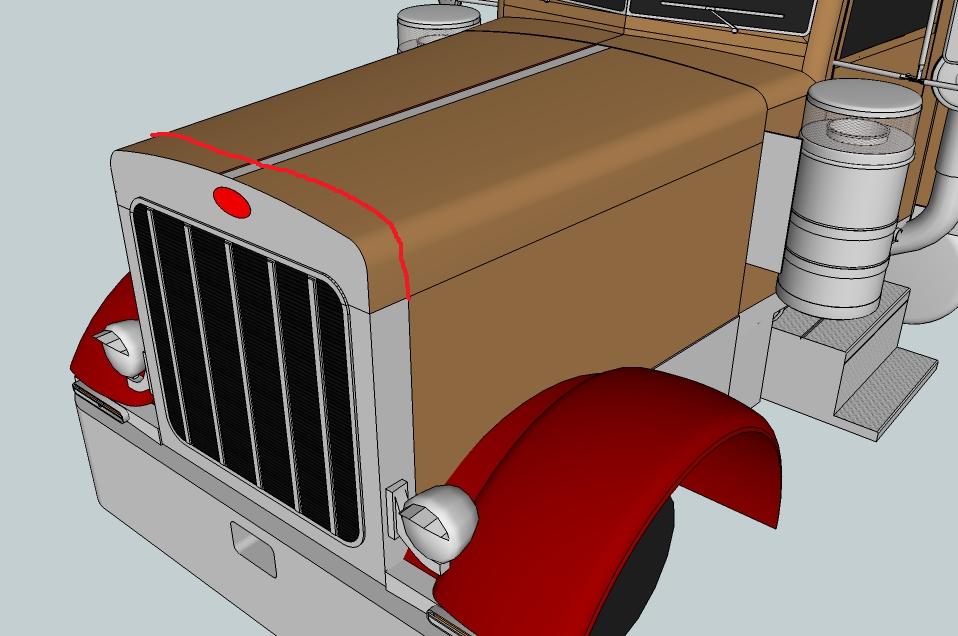
      peteproblem.jpg

      the path of the red line...i need a line going that all the way around the hood so i can make that front part silver along with that bottom part...if u no what i mean if someone could help it would be very much appreciated!

      SW16

      My Warehouse link: https://3dwarehouse.sketchup.com/user.html?id=u92a62fb3-fd89-42e5-b424-55d0babc2274

      1 Reply Last reply Reply Quote 0
      • GaieusG Offline
        Gaieus
        last edited by

        Insert a (grouped) plane/face in there (bigger than the hood), select the hood (if it's a group, enter the group first) and right click > intersect with model.
        Those dividing lines should appear.

        Gai...

        1 Reply Last reply Reply Quote 0
        • P Offline
          Peterbilt1993
          last edited by

          k ill try that thx alot!

          SW16

          My Warehouse link: https://3dwarehouse.sketchup.com/user.html?id=u92a62fb3-fd89-42e5-b424-55d0babc2274

          1 Reply Last reply Reply Quote 0
          • GaieusG Offline
            Gaieus
            last edited by

            Isn't that a different group/component by any chance?

            Gai...

            1 Reply Last reply Reply Quote 0
            • P Offline
              Peterbilt1993
              last edited by

              i seemed to of gotten some of it but having trouble with the other half...
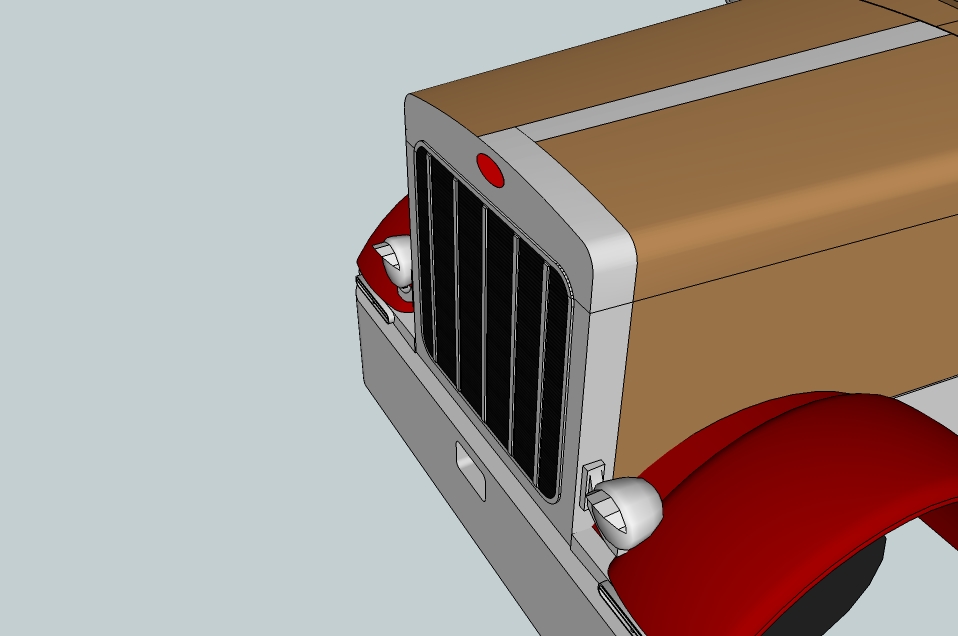
              05 pete379exhd1.jpg

              maybe if someone could fix it cuz i have no idea what i am doing lol

              petehood05.skp

              SW16

              My Warehouse link: https://3dwarehouse.sketchup.com/user.html?id=u92a62fb3-fd89-42e5-b424-55d0babc2274

              1 Reply Last reply Reply Quote 0
              • P Offline
                Peterbilt1993
                last edited by

                the hood is all one group...i followed ur advice and it only did half so idk

                SW16

                My Warehouse link: https://3dwarehouse.sketchup.com/user.html?id=u92a62fb3-fd89-42e5-b424-55d0babc2274

                1 Reply Last reply Reply Quote 0
                • GaieusG Offline
                  Gaieus
                  last edited by

                  Well, in that case it should have done both sides. I don't know why it didn't

                  Gai...

                  1 Reply Last reply Reply Quote 0
                  • P Offline
                    Peterbilt1993
                    last edited by

                    idk its messed up...im like confused lol idk what to doo

                    SW16

                    My Warehouse link: https://3dwarehouse.sketchup.com/user.html?id=u92a62fb3-fd89-42e5-b424-55d0babc2274

                    1 Reply Last reply Reply Quote 0
                    • D Offline
                      d12dozr
                      last edited by

                      Just "intersect with model" as Gaieus says again for the other side...it worked fine for me.

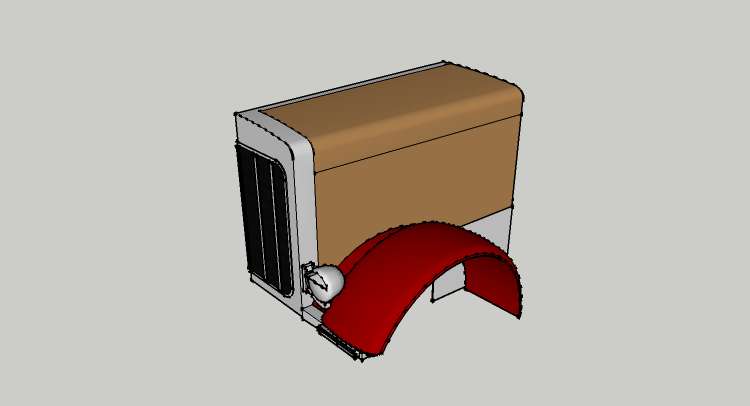
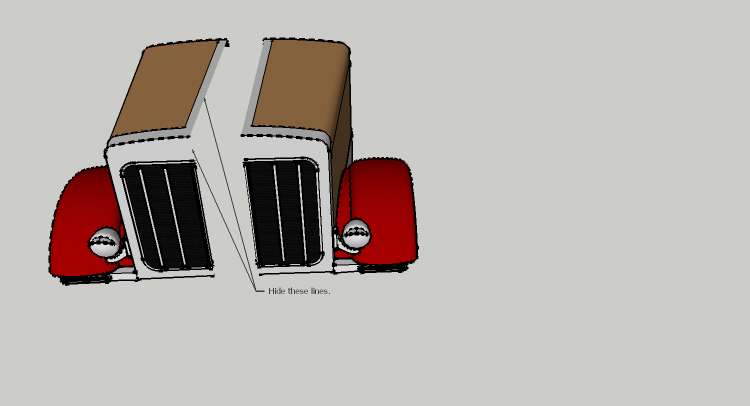
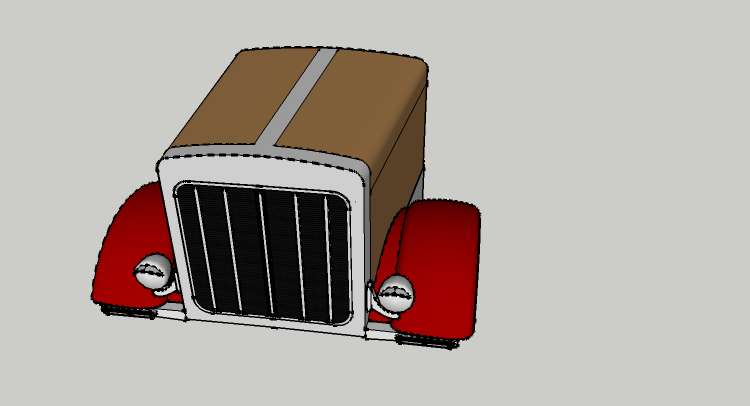
                      I had a look at your model...its looking pretty good so far. If you use more components, your modeling will speed up significantly. For example, each headlight should be a component(and would look better if it was smoothed and the circle it was constructed from had more segments). If each of the vertical bars on the grill was a component, you could copy an array to space them perfectly. Maybe you would have a hard time modeling this way, but if you split the model in half the long way, make it a component, copy/flip to the other side, then you only have to model half as much because whatever you do to one side automatically happens to the other side. ๐Ÿ˜‰

                      Like this:
                      Make one-half a component

                      Copy, flip and hide the center lines

                      Move them together and just model on one half

                      There are a lot of tricks to help you to model faster - have a look at these tutorials if you haven't already: http://sketchup.google.com/training/videos/familiar_with_gsu.html An hour invested here will save you countless hours and headaches down the road! I hope this helps, cheers!

                      3D Printing with SketchUp Book
                      http://goo.gl/f7ooYh

                      1 Reply Last reply Reply Quote 0
                      • 1 / 1
                      • First post
                        Last post
                      Buy SketchPlus
                      Buy SUbD
                      Buy WrapR
                      Buy eBook
                      Buy Modelur
                      Buy Vertex Tools
                      Buy SketchCuisine
                      Buy FormFonts

                      Advertisement