Dimensioning object not orthagonal to axes
-
How do I dimension normal to a segment or face , if the segment/face is NOT orthagonal to axes? I.e. when I try to dimension, I can only get the dimension as projected onto an axis, not the true dimension.
Thx,
Josh -
Hi Josh,
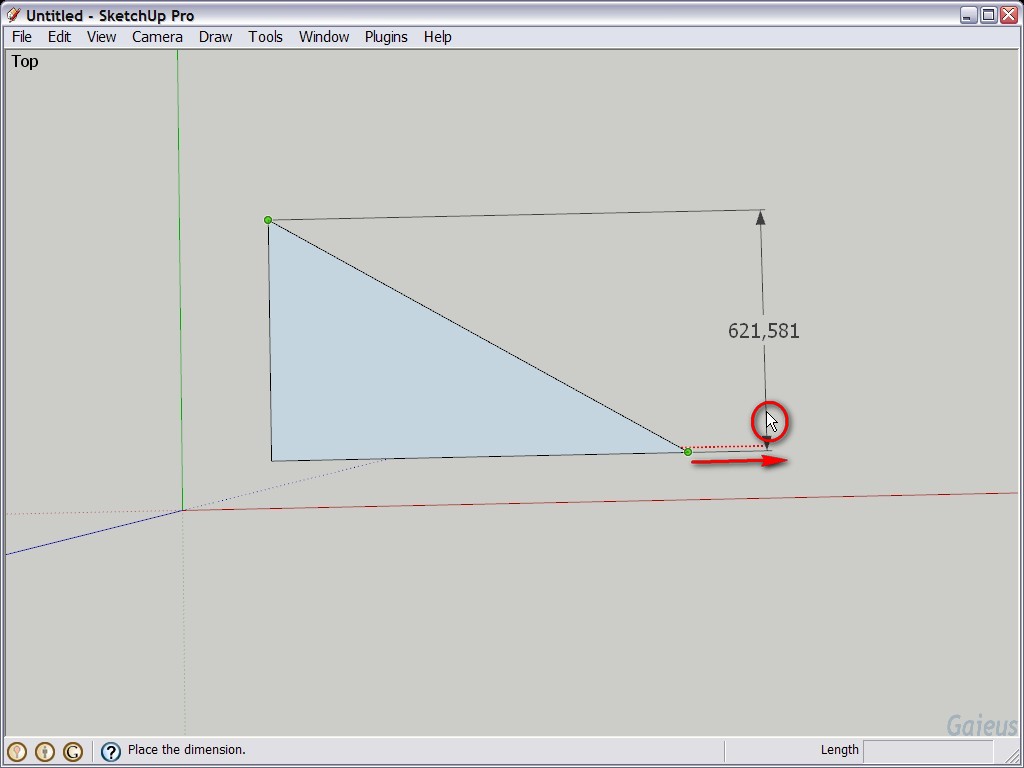
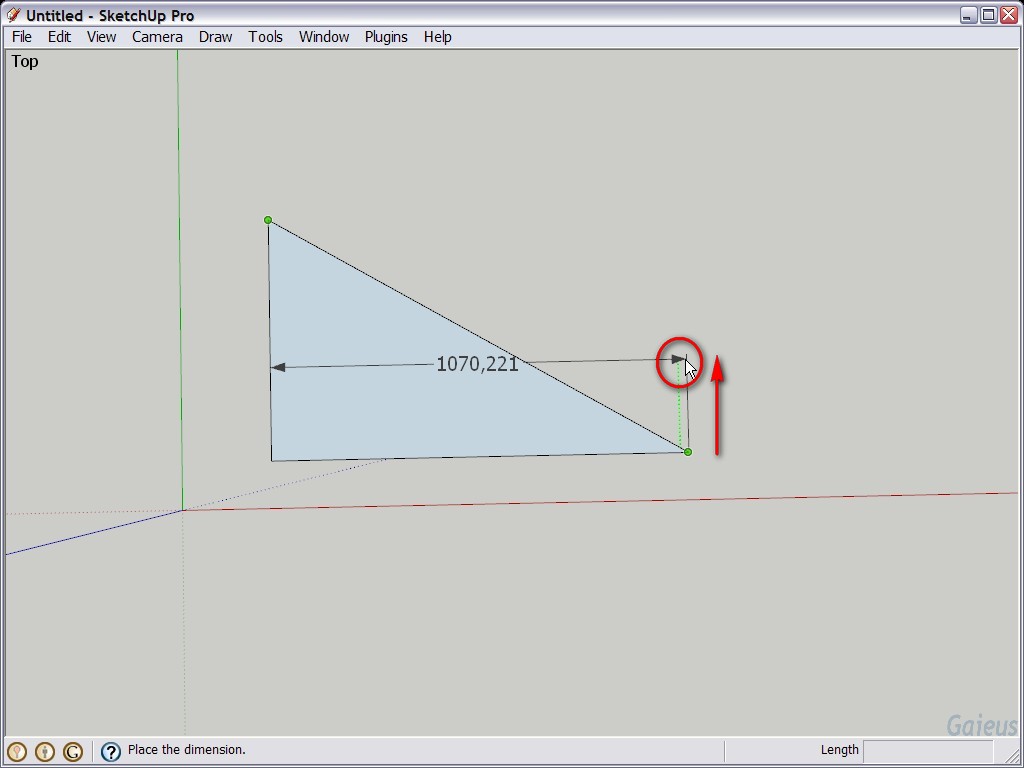
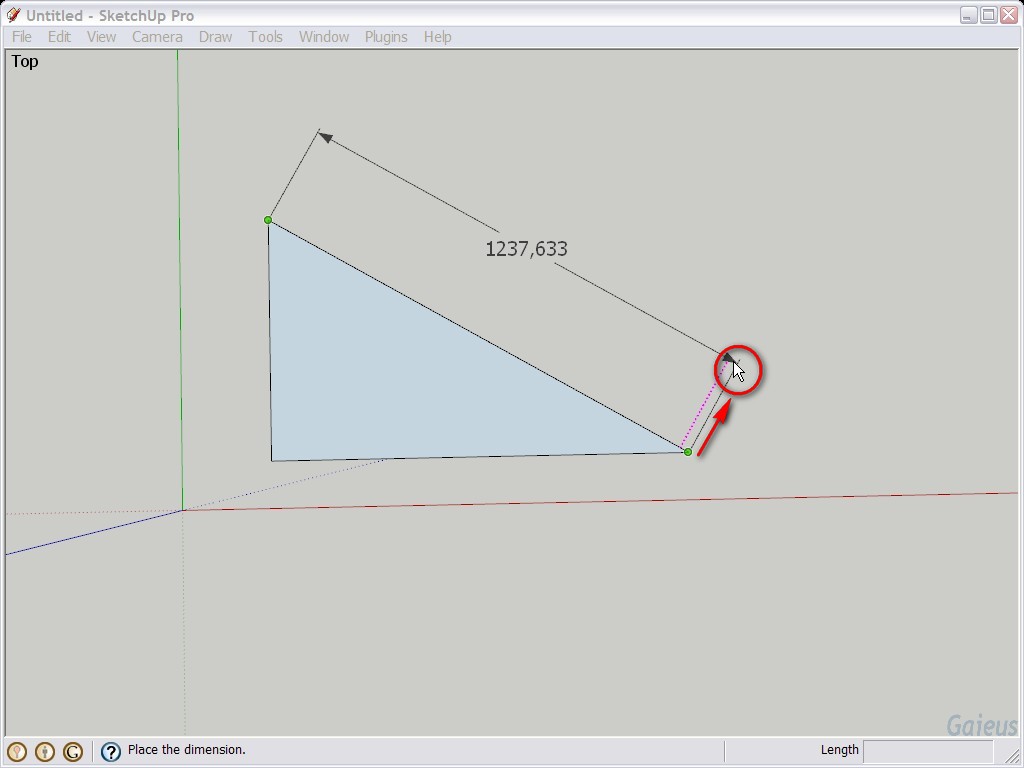
Like with any other SU tools (well, most of them), you can "encourage" the dimension tool to snap to a certain direction. Have a look at these three screenshots and notice that after clicking on both ends of that edge of the triangle, I start dragging out the dimension tool from around (near to) an endpoint towards a certain direction. Red, green AND somehow slantwise, kind of perpendicular to the edge I want to dimension (last image - the inference marked with the magenta colour).
First it may seem odd but after a little practice, it's really easy.
-
ah-HAH! got it...
thx -
Another handy little trick is to right click->align view to the face you want to dimension, makes snapping the inference a lot easier with wonky geometry.

Hello! It looks like you're interested in this conversation, but you don't have an account yet.
Getting fed up of having to scroll through the same posts each visit? When you register for an account, you'll always come back to exactly where you were before, and choose to be notified of new replies (either via email, or push notification). You'll also be able to save bookmarks and upvote posts to show your appreciation to other community members.
With your input, this post could be even better 💗
Register Login


Advertisement