Cross hatch wall lines
-
@unknownuser said:
Hi ,
I ve a Question,
if I make a Wall from A house and
look above the plan in my computer
is there a Possibility to have in the
Materials in Sketch up with 45 degree
lines which are not like a wave.
I need through lines for my planI think you may be able to have all the lines in the same direction if you place all the walls in a group, and then apply the material to a group.
Here is a result with a line pattern on individual walls.
(The pattern rotates with the wall)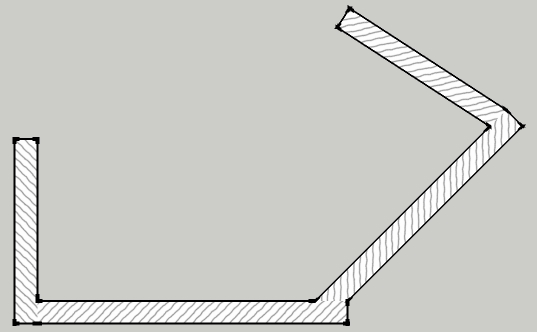
Here is a result, obtained by placing all the walls in a group before setting the material to the group
(The pattern is consistent for the entire model)[Image Removed - I thought the grouping had worked, but it didn't. - See later post]
Is this what you were looking for?
If not, can you send a sample image of what you get now and what you want
Al Hart

IRender nXt from Render Plus -
Hi Al, wondering if you posted the wrong images, as they are identical. Doesn't look like anything was fixed?
Chris
-
Hi Guys,
I've thought about this 'problem' many times. The 45 degree cross-hatch has been traditionally used in manual drafting and still is. The reason for the 45 degree cross hatch was 'simply' to indicate a material.
With the use of a digital application like SketchUp it really does not make much sense using a 45 degree cross-hatch when one can actually show the material in question, concrete, metal, wood etc etc
Okay, I realise that this may not be the 'standard' but it is also very easy to show a legend on the drawing showing each of the materials being used.
Mike
-
@chris fullmer said:
Hi Al, wondering if you posted the wrong images, as they are identical. Doesn't look like anything was fixed?
Chris
Oops - Actuallu the two images were the same - putting the walls into a group didn't fix it.
In my original model each wall was a group already. By exploding the walls, I was able to get the result I wanted. (assuming that this was what someone wanted)
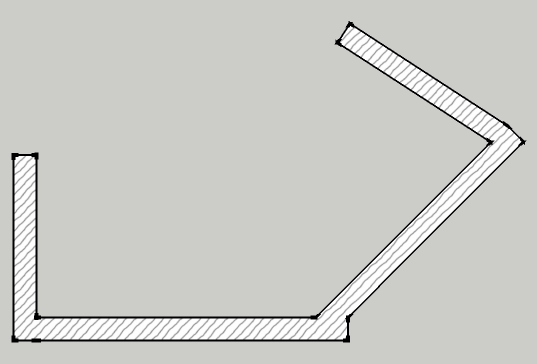
Al Hart
IRender nXt from Render Plus -
As I read the first query, I see that he is complaining about wavy lines.
Maybe he just needed a 45 degree pattern with straight lines.
I send him this thread, hopefully he will add some comments.
Al Hart
IRender nXt from Render Plus -
Hi Al,
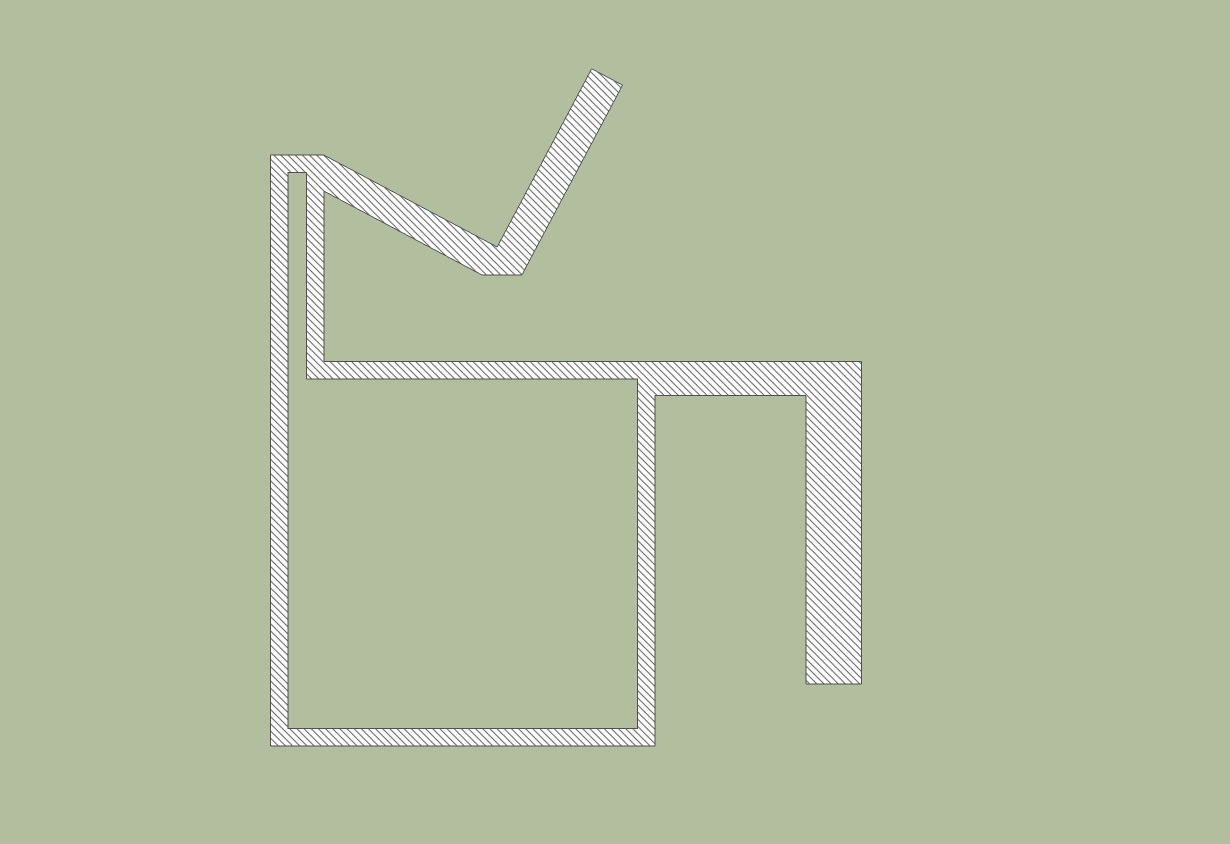
could this be a solution. I took a texture with 45 degree line and scaled it down.
Karlheinz


-




Hello! It looks like you're interested in this conversation, but you don't have an account yet.
Getting fed up of having to scroll through the same posts each visit? When you register for an account, you'll always come back to exactly where you were before, and choose to be notified of new replies (either via email, or push notification). You'll also be able to save bookmarks and upvote posts to show your appreciation to other community members.
With your input, this post could be even better 💗
Register Login


Advertisement