HELP - Interior Render in Vray - Too dark!
-
Hello guys!! I hope I can get some help here...
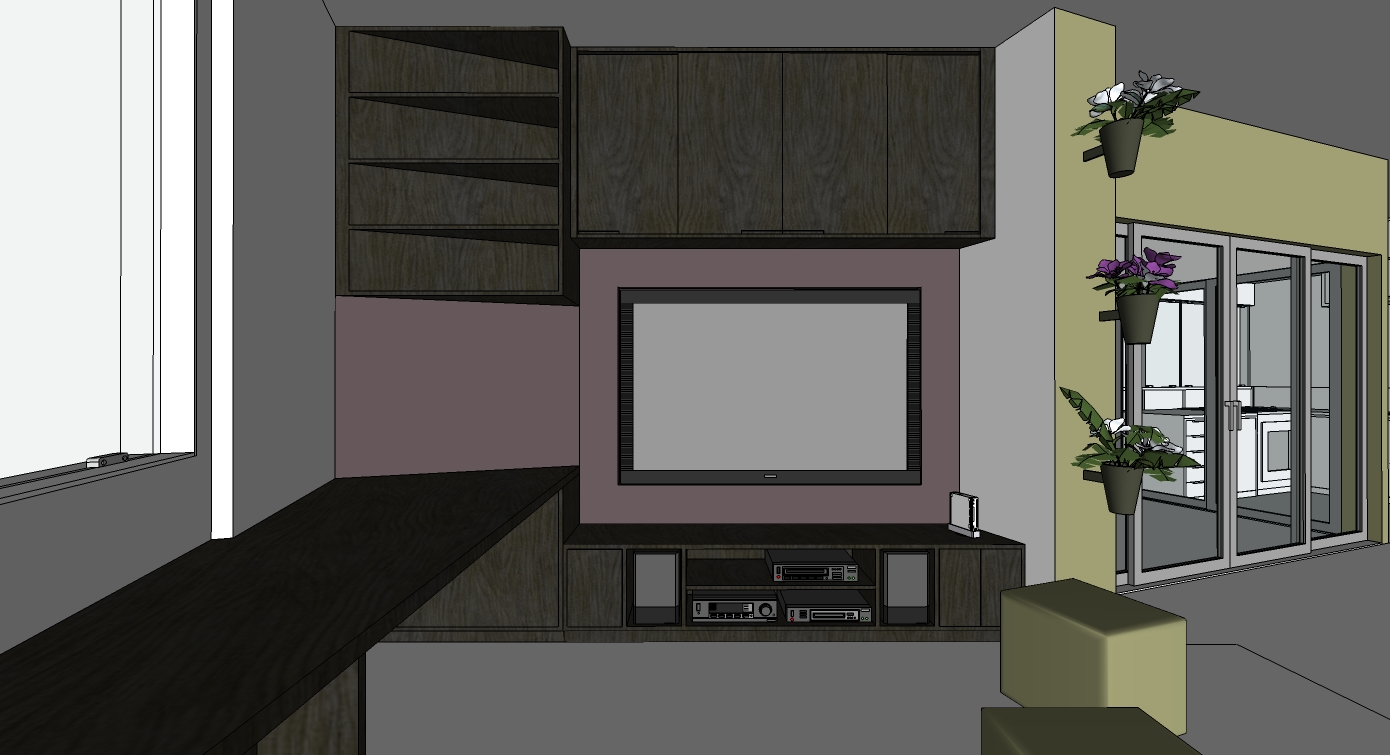
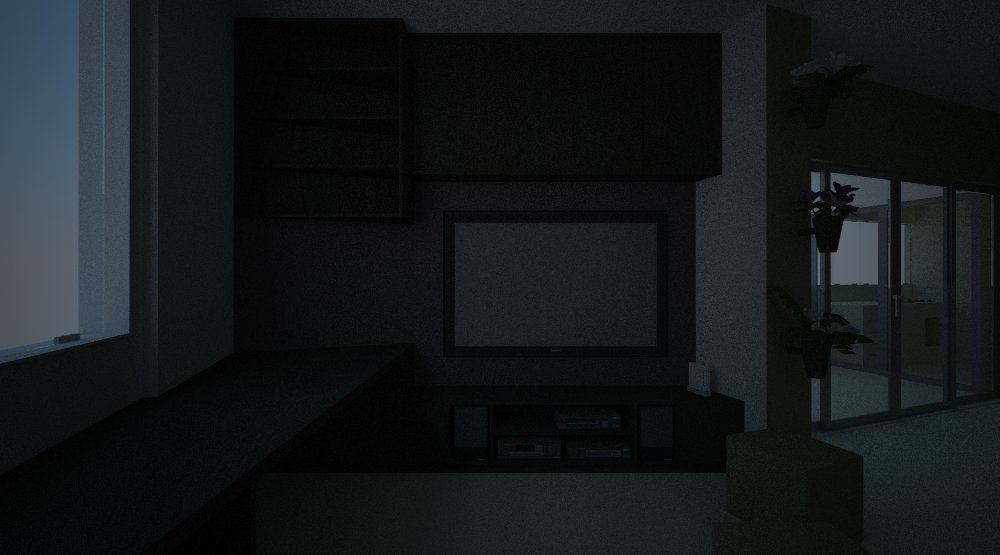
Well, after making a model for a university work, I tried to test some renders with vray inside sketchup! I then found a hge problem I really cant solve.
As you can see on the picture, the render was made inside an apartment, without any artificial lights. Even with so many glass doors and windows, I couldnt get the image so be brighter that the example I am sending. I tried many things, and checked all the details I knew about that could make some difference, but none did.
The glasses faces are all correctly oriented; the GI skylight is at 300 (tried from 3 to 300, and it doesnt seen to be any difference between 30 and 300!).
I really wanted to get an image without any artificial ilumination, and that simulated the space as if it was like midday or something. I know I could remove the roof and there would be plenty of light, but I really wnat to avoid that because I am planing on doing details on the roof I want to show, and I also donty like the shadow results without it, that kinda show that the place received direct ilumination from above.
So what should I do to get a brighter place, as if that was a picture as bright as a place like that can be at midday, without turning on the lights...? I know it would be brighter than the result I got.
Please help me finding any common mistakes and making standart smart set ups that help this kind of problem!And thanks a lot for the time and attention!!
Joao rsm.
-
Care to upload the model, I am very new at vray but may be able to solve this as I had a few similar issues recently.
-
Hello again!
As requested, here is the model!
As a student, I use lots of models I save from the net, some from here, some from other free stuff sites. As I dont remember anymore from where I got all the stuff, I apologise if I am using something from someone here without making the right notes.
Anyway, here it is! Any help, hint and ideas are welcome for making it less dark!
ps. Had to do a .rar cause the file is too big. sorry for that.joao rsm
-
Something seems wrong with the rar file.
@unknownuser said:
! C:\Documents and Settings\PETE\Local Settings\Temporary Internet Files\Content.IE5\0RJX12W8\for%20help[1].rar: CRC failed in for help.skp. The file is corrupt
! C:\Documents and Settings\PETE\Local Settings\Temporary Internet Files\Content.IE5\0RJX12W8\for%20help[1].rar: Unexpected end of archive -
having trouble uploading it!
gonna try again now!
sorry for that!
joao rsm
-
-
I could download/open the file with no problem, Pete. I changed it to a (bit bigger however) zip file in Joao's post above - hope it helps.
(I can't help as I don't use Vray myself)
-
Joao
I reset vray to default settings, turned the sun on in SU and rendered.

Oh, I also made the background color white
-
Great Great!
That seams already pretty better!! I tought about turning on some kind of sun in the vray options but just couldnt find it!
Where did u turn it on? inside the vray options? where there?
thanks a lot!!
joao rsm
-
I turned the sun on in SU (clicked on display shadows and adjusted my time and date so that sun filtered in), then reset vray to defaults.
-
Oh! Just noticed that!
Thank ou a lot! I really didnt know the sun in Su would add any modifications in the renders in vray. Because of the setting process in vray, I even tought that the shadow and sun setups in sketch were ignored and therefore didnt pay attention to that!
thanks a lot for that!
joao rsm


Hello! It looks like you're interested in this conversation, but you don't have an account yet.
Getting fed up of having to scroll through the same posts each visit? When you register for an account, you'll always come back to exactly where you were before, and choose to be notified of new replies (either via email, or push notification). You'll also be able to save bookmarks and upvote posts to show your appreciation to other community members.
With your input, this post could be even better 💗
Register Login


Advertisement