sketchucation logo sketchucation
    • Login
    Oops, your profile's looking a bit empty! To help us tailor your experience, please fill in key details like your SketchUp version, skill level, operating system, and more. Update and save your info on your profile page today!
    Mac User? | Join the Rayscaper Beta for Mac Learn More

    Roller Coaster Thrill Ride [For Solo]

    Scheduled Pinned Locked Moved Gallery
    16 Posts 11 Posters 2.0k Views 11 Watching
    Loading More Posts
    • Oldest to Newest
    • Newest to Oldest
    • Most Votes
    Reply
    • Reply as topic
    Log in to reply
    This topic has been deleted. Only users with topic management privileges can see it.
    • K
      kwistenbiebel
      last edited by kwistenbiebel

      Hi SU'ppers,

      This one was a request by Solo: making a roller coaster Thrill Ride.
      To animate the camera I used SU-Animate.
      I hope you like the animation.

      Render time: 75 seconds per frame.
      Music: shameboy-Rechoque

      http://www.vimeo.com/1754943
      [flash=640,512:2au6f6or]http://vimeo.com/moogaloop.swf?clip_id=1754943&server=vimeo.com&show_title=1&show_byline=1&show_portrait=0&color=00ADEF&fullscreen=1[/flash:2au6f6or]

      (Youtube link: http://www.youtube.com/watch?v=UztTNiocxVQ&fmt=18)

      .

      1 Reply Last reply
      Reply Quote 0
      • soloS
        solo
        last edited by

        Weeee!!

        That was pretty cool actually, effective too.

        The only observation I have that would make that perfect is if you had the blur option between frames which would make the ride smoother and avoid the patterning of the support bars.

        Otherwise it's awesome. (music works too0

        http://www.solos-art.com

        If you see a toilet in your dreams do not use it.

        1 Reply Last reply
        Reply Quote 0
        • K
          kwistenbiebel
          last edited by

          @solo said:

          Weeee!!

          That was pretty cool actually, effective too.

          The only observation I have that would make that perfect is if you had the blur option between frames which would make the ride smoother and avoid the patterning of the support bars.

          Otherwise it's awesome. (music works too0

          Thanks. Making the animation smoother by using a 'point blur' frame blending causes strange artefacts in this case because of the fast motion changes.
          Best solution would be to render it at a higher frame rate but I couldn't find the patience.This one rendered over night (335 frames).

          1 Reply Last reply
          Reply Quote 0
          • A
            AndriyG81
            last edited by

            very nice looking video. It could benefit from more frames. I always wanted to make one of those roller coaster videos but never got around to it. I was hoping to see a big sudden drop 😉

            Thank you for sharing.

            http://andriyg.com

            1 Reply Last reply
            Reply Quote 0
            • pbacotP
              pbacot
              last edited by

              Great video, especially for SU. I guess you can't vary the speed, as discussed. Some stalling, swooping, and lurching would add drama. Cool intro. Now what are we going to dare him to do?

              MacOSX MojaveSketchUp Pro v19 Twilight v2 Thea v3 PowerCADD

              1 Reply Last reply
              Reply Quote 0
              • R
                rv1974
                last edited by

                After watching this:
                http://vimeo.com/1654340?oct-39
                you'll understand there's a lot room for improvement)
                NB! Action begins on 2.30 min.

                1 Reply Last reply
                Reply Quote 0
                • StinkieS
                  Stinkie
                  last edited by

                  lol. That's neat. 💚

                  1 Reply Last reply
                  Reply Quote 0
                  • K
                    kwistenbiebel
                    last edited by

                    @rv1974 said:

                    After watching this:
                    http://vimeo.com/1654340?oct-39
                    you'll understand there's a lot room for improvement)
                    NB! Action begins on 2.30 min.

                    👍 😎 These guys are nuts.

                    1 Reply Last reply
                    Reply Quote 0
                    • K
                      kwistenbiebel
                      last edited by

                      @pbacot said:

                      Great video, especially for SU. I guess you can't vary the speed, as discussed. Some stalling, swooping, and lurching would add drama. Cool intro. Now what are we going to dare him to do?

                      Sketchyphysics could take care of natural slowdowns and speed ups by gravity....If only ...

                      1 Reply Last reply
                      Reply Quote 0
                      • B
                        bubbalove
                        last edited by

                        I would think that the camera would be a little higher since the wheels connect to those 2 side posts, right? Then you might not get those "strange artifacts" as much... I don't know! Cool ass video though...

                        "Success consists of going from failure to failure without loss of enthusiasm." - Churchill

                        1 Reply Last reply
                        Reply Quote 0
                        • P
                          princedragoncok
                          last edited by

                          Considering this is sketchup it really is cool. Thumbs up 👍

                          1 Reply Last reply
                          Reply Quote 0
                          • FrederikF
                            Frederik
                            last edited by

                            Can't add anything to what already have been said... 😉
                            Well done, Chris..!! 👍

                            Cheers
                            Kim Frederik

                            1 Reply Last reply
                            Reply Quote 0
                            • K
                              kwistenbiebel
                              last edited by

                              Thanks guys.
                              I am sure this can be taken to a higher level: better camera path,higher framerate,some extra props on the scene etc..
                              For me this was more about "can I do a roller coaster?" than making a perfect animation.
                              It's fun to try things you haven't seen done by others using a Sketchup/render engine combo and it's a great way to learn new things.

                              1 Reply Last reply
                              Reply Quote 0
                              • A
                                Aernoud
                                last edited by

                                Looks really good!! Love the way trough nature.. nice background 😉

                                Currently SU project:

                                • Metroid Prime large leviathan (own design)
                                • Metroid prime plasma turret (own design)
                                • Metroid prime Armour clubber (own design)
                                • The Minas Tirith project
                                • Mobile phone (own design)
                                1 Reply Last reply
                                Reply Quote 0
                                • romboutR
                                  rombout
                                  last edited by

                                  perhaps if you use depth of field in your render app you could get a bit of motion speed... in which app is this made? if the render app spits out seperate images you could also try and run it through a batch in photoshop with motion blur applied

                                  1 Reply Last reply
                                  Reply Quote 0
                                  • romboutR
                                    rombout
                                    last edited by

                                    here i made an example... it wasnt motion but radial blur i used 10%. you can make a batch where you can deside how much the blur will be. will take a lot of time but i think the sequence will look a bit more realistic
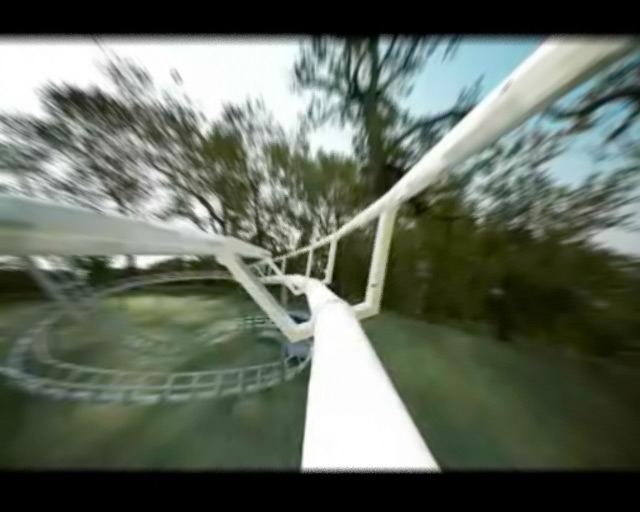
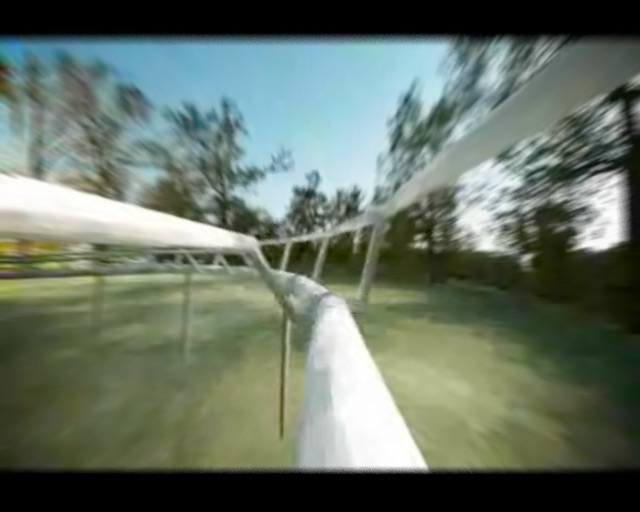
                                    radialblur_zoom10%.jpg


                                    radialblur_zoom10%_2.jpg

                                    1 Reply Last reply
                                    Reply Quote 0

                                    Hello! It looks like you're interested in this conversation, but you don't have an account yet.

                                    Getting fed up of having to scroll through the same posts each visit? When you register for an account, you'll always come back to exactly where you were before, and choose to be notified of new replies (either via email, or push notification). You'll also be able to save bookmarks and upvote posts to show your appreciation to other community members.

                                    With your input, this post could be even better 💗

                                    Register Login
                                    • 1 / 1
                                    • First post
                                      Last post
                                    Buy SketchPlus
                                    Buy SUbD
                                    Buy WrapR
                                    Buy eBook
                                    Buy Modelur
                                    Buy Vertex Tools
                                    Buy SketchCuisine
                                    Buy FormFonts

                                    Advertisement