Exterior night render with podium
-
I am trying to set up a large scale exterior night rendering using Podium. I've heard mixed things about whether this is possible with Podium. Is it? What settings can I use?
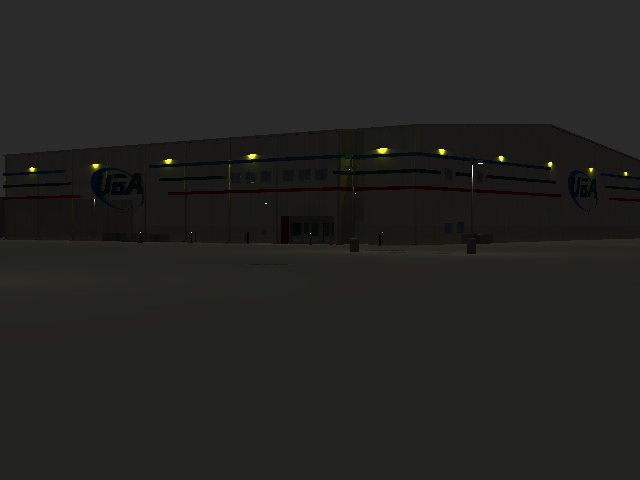
I've tried to adjust the lightness and darkness of the model (without turning on the sun). In addition, in styles, I have taken out the "sky" and added a nearly black background. This will get my screen into a somewhat night setting, not perfect, but acceptable. However, the design is limited in the number of light fixtures I can use. And this is where the problem runs. I can't get the intensity I need from the lights. I cranked them all the way too 100. I tried pulling a separate light entity out away from the building and that's the best I've gotten, but I can't seem to get the radius of light that I want. I need like a 10' radius of illumination going. I also have parking lot lights that are barely lighting the ground... Any ideas???
I included the latest quick rendering to try to show...
-
Are you using LEM's or omni's? You may get better help over at the Podium forum though...
-
Im using omnis...
-
The simple solution is to scale your model down, that way your omnis will have greater intensity.
-
Since omni lights don't show up when you render (and they're way more powerful than LEM's) I'd advise you to insert more (and small) omni lights at regular intervals (not quite as powerful as the lights where you are supposed to have lights with light fittings) and see how that works for you.
-
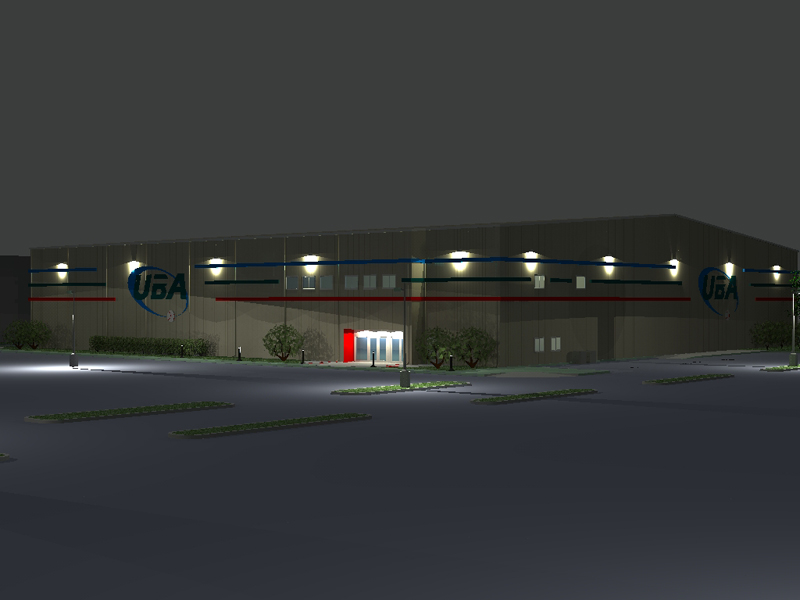
Well, scaling the model seemed to help quite a bit. Here is what I have, though Im still tweaking. Any suggestions, especially about getting rid of the burnout, but keeping the radius of light?


Hello! It looks like you're interested in this conversation, but you don't have an account yet.
Getting fed up of having to scroll through the same posts each visit? When you register for an account, you'll always come back to exactly where you were before, and choose to be notified of new replies (either via email, or push notification). You'll also be able to save bookmarks and upvote posts to show your appreciation to other community members.
With your input, this post could be even better 💗
Register Login


Advertisement