Teaser or not teaser ?
-
Here are the news of the development:
Done:
- up to 6 components to choose from,
- "brush" shapes: point (click to drop a single random component),line, triangle, square, circle, face or faces set (select faces and the script will only drop on these, no matter their shapes)
- brush pressure 0 to 100%
- option: random rotation of components
- option: allow or disallow components stacking
- option: keep components vertical or let them follow the slope of faces they are dropped on,
- option: put all new components on specified layer
- option: allow/disallow random scaling, with min and max scaling values
- option: allow/disallow mirroring of components (except along Z, to prevent upside-down components)
- option: min and max steepness values (drop components only on a face if its slope is between min and max values)
To do:
- optimize algorithms for speed,
- use/set default settings and advanced settings
- drop components between min and max altitude values
Regards,
-
We are definately not worthy!
I can't wait, it's like having Christmas twice in one year!
-
You're killing me, Didier...

-
Damn, sounds exciting! I can't wait for this to be released "in the wild".
-
man! didier! wonderful, perfect
i hope that you would consider adding another important feature to let sketchup quickly design cities, populate roads (man i like it!!!) - alignment (rotation) based by the surface texture, or by any texture. this could help in large scale projects where you could just generate a texture for the road from its path (i created a script for the freeware GIMP that does just that and am willing to share).
i know that ruby can access the average color of a texture, but am not sure if you can actually read the pixel color of texture at the point of your raytest interception
anyways - maybe it's too much effort, then i'll gladly try to help with this
thanks
looking forward to the release -
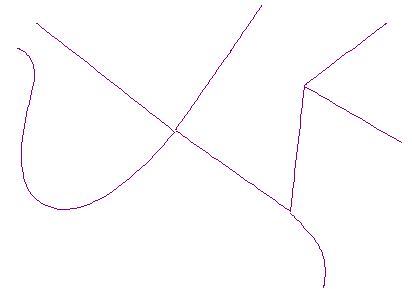
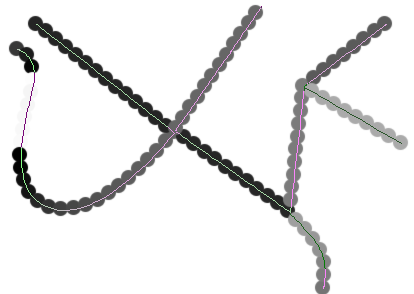
to further promote my point, here is the gimp script this is the gimp script (extract to "..\Gimp\share\gimp\2.0\scripts" and in gimp 'Filters\Render\Circles@Path') to generate path gradient from white to black depending on the orientation. it's not very mature but could be a good starting point for enhancements.
there is only one limitation to this script: you are obliged to share any upgrades and modifications for free
note: this plugin is already useful when using Vue, there it's possible to align ecosystem objects by texture
note2: for a real road you should use 2 paths for each lane with opposite orientation
-
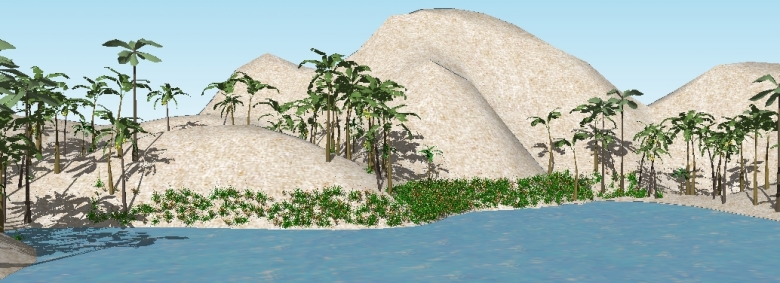
Virtual "coconut beach", with slope and altitude constraints, eh eh...
10 seconds process
-
Thats amazing!
nuff said
-
Didier, nice place...skipy eco-system(like e-on vue)
 ...
...
i see some ruby technologies from skpPhysics(solids), and ect - era of modificators! 
-

This is a mesh created by sandbox. The tool creates the contours as a component.




Hello! It looks like you're interested in this conversation, but you don't have an account yet.
Getting fed up of having to scroll through the same posts each visit? When you register for an account, you'll always come back to exactly where you were before, and choose to be notified of new replies (either via email, or push notification). You'll also be able to save bookmarks and upvote posts to show your appreciation to other community members.
With your input, this post could be even better 💗
Register Login


Advertisement