SketchyPhysics Alpha
-
@cphillips said:
@namza said:
ping pong machine
Very nice! It looks as cool as it works.
You should upload to 3d warehouse(use sketchyphysics tag).
Chris
ok its done
-
-
-
Hey Chris, where can I download SketchySolids Toolbar and how do I drag objects? I ot a LOT of trouble with that.
Invader ZIM
-
@unknownuser said:
Hey Chris, where can I download SketchySolids Toolbar and how do I drag objects? I ot a LOT of trouble with that.
SketchySolids is part of SketchyPhysics.
There are instructions and a tutorial on dragging on the homepage:
-
@cphillips said:
@unknownuser said:
Hey Chris, where can I download SketchySolids Toolbar and how do I drag objects? I ot a LOT of trouble with that.
SketchySolids is part of SketchyPhysics.
There are instructions and a tutorial on dragging on the homepage:
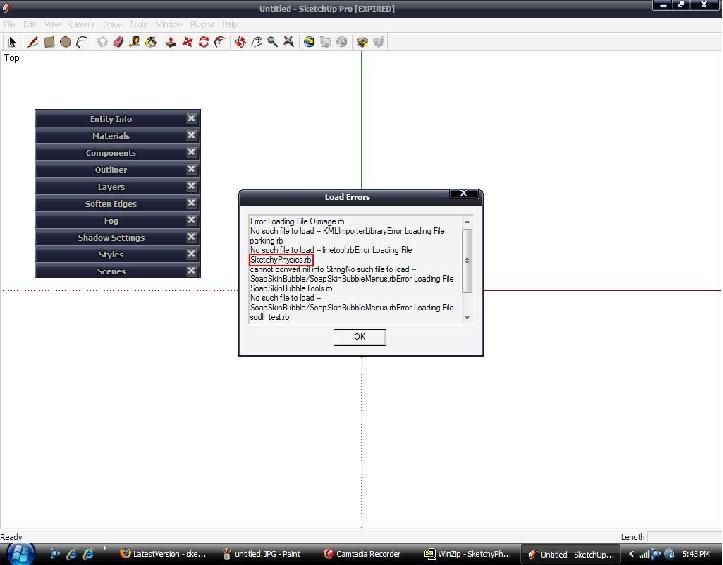
I got this really bad error here. Can you help me?
Invader Zim
-
That picture is almost unreadable. But I think the problem is you don't have the files in the right place. Follow the instructions here:
http://code.google.com/p/sketchyphysics/wiki/LatestVersion -
If the "staticmesh" creates an object that followed the actual geometry of whatever it is, wouldnt it make sense simply to make all objects mesh objects though not static?
wouldnt that do away with all the work of having to change each item, and fix the problem with making a closed torus into nothing more than a cylinder from the viewpoint of the program?
Im sure there is a reason for it, but wouldnt it be easier to work with if all object were made as "mesh" objects that follow the geometry of the item, then you would only need to assign static, frozen, or ignore values to each item.
Also, as was posted before, pressing "Ctrl-Z" while in a simulation causes objects to "explode" and move around the scene. Its not easy to fix.
AND, sometimes when i make a floor when the "default" scene is acticve, then delete the default floor to play with the four objects, after they go out of the boundary of the default scene floor, they drop through the newly placed floor (yes its a solid object) while items i have made have no trouble with it at all.
All in all, very nice work.
Oh, and by the way:
Hi guys!! Im new here (obviously) and am currently in the process of being miserable with this plugin, and the two videos i have seen on it dont teach me anything more than how to place a hinge and stack up objects during a simulation.
If anyone would like to perhaps give me a hand with this, i would be grateful, as any "tutorials" that i find dont really teach me anything.
-
Sorry, I just noticed this post.
The problem with "static mesh" objects is they can't move. That is why all the other shapes exist. The closest to what you suggest is "convex hull". But it isnt perfect and a lot slower.
I fixed the ctrl-z problem in the next version due in the fall. Ill look into the other bug.
As for tutorials: I haven't updated the ones on the website because most people are posting models to 3dwarehouse.
http://sketchup.google.com/3dwarehouse/search?q=sketchyphysics&styp=m&scoring=dYou can also ask for help in the SketchyPhysics forums:
http://groups.google.com/group/sketchyphysics/topicsChris
@masta squidge said:
If the "staticmesh" creates an object that followed the actual geometry of whatever it is, wouldnt it make sense simply to make all objects mesh objects though not static?
wouldnt that do away with all the work of having to change each item, and fix the problem with making a closed torus into nothing more than a cylinder from the viewpoint of the program?
Im sure there is a reason for it, but wouldnt it be easier to work with if all object were made as "mesh" objects that follow the geometry of the item, then you would only need to assign static, frozen, or ignore values to each item.
Also, as was posted before, pressing "Ctrl-Z" while in a simulation causes objects to "explode" and move around the scene. Its not easy to fix.
AND, sometimes when i make a floor when the "default" scene is acticve, then delete the default floor to play with the four objects, after they go out of the boundary of the default scene floor, they drop through the newly placed floor (yes its a solid object) while items i have made have no trouble with it at all.
All in all, very nice work.
Oh, and by the way:
Hi guys!! Im new here (obviously) and am currently in the process of being miserable with this plugin, and the two videos i have seen on it dont teach me anything more than how to place a hinge and stack up objects during a simulation.
If anyone would like to perhaps give me a hand with this, i would be grateful, as any "tutorials" that i find dont really teach me anything.
-
Thats why I mentioned the idea of making a "Mesh" option to go along with static mesh. While Static Mesh is, well, static, Mesh would not be static.
-
@masta squidge said:
Thats why I mentioned the idea of making a "Mesh" option to go along with static mesh. While Static Mesh is, well, static, Mesh would not be static.
Ah. I didn't write the physics engine (Newton). I just wrote the part that connects it to Sketchup. Newton doesn't support dynamic meshes to keep it fast.
-
-
namza,
WOW. I love that you can rotate the image during play.
-
I think i downloaded the wrong one... The only link I found seems to have no mention of any sort of new cool things. This (the one i downloaded) seems to be the same as what I had before.

Can anyone lend a hand?
-
@namza said:
look at this one !
http://sketchup.google.com/3dwarehouse/details?mid=3033656328c1e705ca614abb1a17f2c8&prevstart=228Now that is cool.
-
@masta squidge said:
I think i downloaded the wrong one... The only link I found seems to have no mention of any sort of new cool things. This (the one i downloaded) seems to be the same as what I had before.
Can anyone lend a hand?
New version is still a month or so away.
-
@cphillips said:
@masta squidge said:
I think i downloaded the wrong one... The only link I found seems to have no mention of any sort of new cool things. This (the one i downloaded) seems to be the same as what I had before.
Can anyone lend a hand?
New version is still a month or so away.
Oh... well how do I get the alpha? Or can I not because Im not in a certain group?
-
@masta squidge said:
@cphillips said:
@masta squidge said:
I think i downloaded the wrong one... The only link I found seems to have no mention of any sort of new cool things. This (the one i downloaded) seems to be the same as what I had before.
Can anyone lend a hand?
New version is still a month or so away.
Oh... well how do I get the alpha? Or can I not because Im not in a certain group?
The last release was Jul 7. Its here:
http://code.google.com/p/sketchyphysics/downloads/listI noticed when I went to find the link that is has been downloaded over 24,000 times. When I was writing it I was thinking I would be lucky to get a few hundred.

Chris
-
re: weighing stuff.
In the past I've had some good success using Physics systems by calculating the volume of an object and using some density parameter to figure some mass. The volume of a closed object is as I describe in this thread:
I used to figure density from the materials the object used (which tended to be correct as they're often used to drive sound / particle-puffs on collisions.
-
hi! i was wondering if there's a way to lock the pose in SketchyPhysics, maybe with an example i can explain myself (english is not my first language) i downloaded the model of the robot arm, open the model, push the play physics button and start to move the fingers and made a cool pose, but when i finish and use others sketchup buttons the pose is lost, my question is: there is a way to not lose this pose or save it, stay with the worked pose and continue working with the tools of sketchup, draw something, etc? (maybe save in a layer?)
This is very important also in my work as an architect to design solar protection windows and stuff like this. Amazing tool by the way, thanks!!






Advertisement