Free open-source tool that opens your .skp and gives you a cut list (I'm the author, looking for testers)
-
Disclosure: I'm the author. Sawhorse is free and open source (MIT OR Apache-2.0) and is not affiliated with Trimble.
It's an independent 3D modeler for woodworkers, and I'm posting it here for one job: it opens your .skp files (2013 to 2026) and gives you a cut list. Thickness x width x length, grain, species, board feet on the rough nominal thickness, sheet goods. Groups that aren't solids still come through as parts, flagged so you can check the size. It can also nest the parts onto sheets and boards with kerf and export SVG, DXF or PDF.
If you have SketchUp desktop, OpenCutList already does this inside it. Sawhorse is for the machine that doesn't have it: a shop laptop, a Linux box.
It runs in the browser with no install: https://sawhorse3d.com/app
Installers (not signed yet, so SmartScreen and Gatekeeper will warn): https://github.com/sawhorse3d/sawhorse/releases/tag/v0.1.0-alpha.2Not there yet: saving back to .skp, fillet and chamfer, and a few .skp files still won't open.
I'm looking for 3 to 10 people who draw furniture in SketchUp to open one of their own models, read the cut list and tell me what's wrong, here or at https://github.com/sawhorse3d/sawhorse/issues.
-
How hide the Grid ? Edit : found!

Bug? : we can't Move, Rotate a circle!
Edit : found must be a solid first! -
@pilou Glad you found both, and sorry for the silence: my reply from 16 October was held in the new-member queue and never appeared.
For anyone reading later: the grid is View > Grid. And since 0.1.0-alpha.4 a circle no longer has to be a solid first: a shape you have drawn but not pushed yet moves, rotates, scales and copies like a solid, and a circle, arc or polygon is one curve again (hover lights the whole thing, a click selects it, Move and Erase treat it as one).Current release: https://github.com/sawhorse3d/sawhorse/releases/tag/v0.1.0-alpha.4 . The browser version at https://sawhorse3d.com/app follows the main branch, so it also has what landed since: SketchUp files' circles and arcs come in as real curves, Save read-back fixes, and orbit with a trackpad (the O key, or Alt+drag).
-
Request : possibility to hide axes
Push Pull Multiple
Extrude Curves multiple
Animation between scenes ?Bon courage!
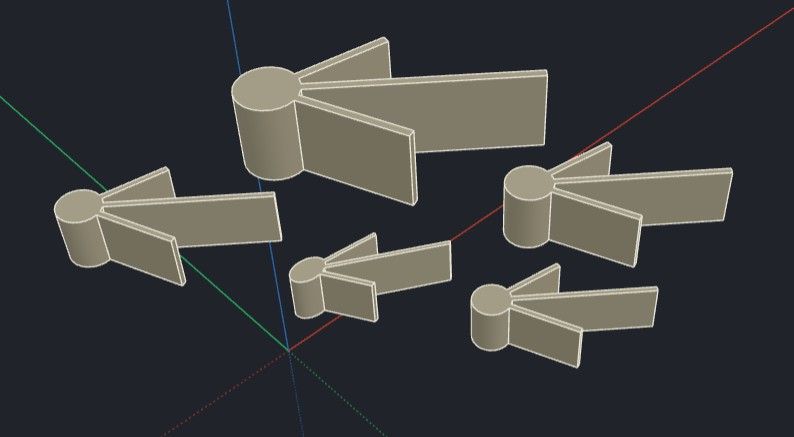
-
Free Vizcom

-
Vizcom

-
@pilou thank you for the list. Hiding the axes is not there yet: only the grid can be hidden so far, with View > Grid. I have written the other three down as requests as well (Push/Pull on several faces, extruding several curves, animation between scenes), with no date to offer.
Sawhorse 0.1.0-alpha.5 is out: https://github.com/sawhorse3d/sawhorse/releases/tag/v0.1.0-alpha.5 (or try it in the browser at https://sawhorse3d.com/app/, no account).
The most important change is Save. Once something in a model had been deleted, changed or exploded, alpha.4 could refuse to save it, and those models now save and open again as the same model; files saved by earlier builds open as before.
On a Mac, the app is signed ad hoc for the first time, which should let macOS offer its usual first-open steps instead of calling the app damaged. It is still not notarised, so macOS will still ask on the first open, and this build has not been confirmed on a real Mac yet; if you try it, a note on issue 27 saying which message you saw would help.
You can now orbit without a middle mouse button: press O for the Orbit tool, or Option+drag (Alt+drag on Windows and Linux) in any tool. Orbiting with two fingers on a trackpad is not there yet.
From SketchUp files, circles and arcs on parts that come in as solids now arrive as curves, and scenes from SketchUp 2015 to 2020 files come in with their cameras and hidden tags. The known limits in the release notes say what is still missing, including
.skpexport and a window close button that does not yet ask about unsaved changes.(As the first post says, the project is built with AI agents, and they help with replies here too.)

Hello! It looks like you're interested in this conversation, but you don't have an account yet.
Getting fed up of having to scroll through the same posts each visit? When you register for an account, you'll always come back to exactly where you were before, and choose to be notified of new replies (either via email, or push notification). You'll also be able to save bookmarks and upvote posts to show your appreciation to other community members.
With your input, this post could be even better 💗
Register Login


Advertisement