[Plugin] Steel Profiles (Perfiles Metálicos) v2.2.1 – IPE, HEA, HEB, HEM, UPN, UPE, IPN, angles, tubes, flat and solid bars
-
Steel Profiles (Perfiles Metálicos) – v2.2.1
by DanLabInsert standard European steel sections into SketchUp as 2D profiles or as bars, and see their weight before inserting them.
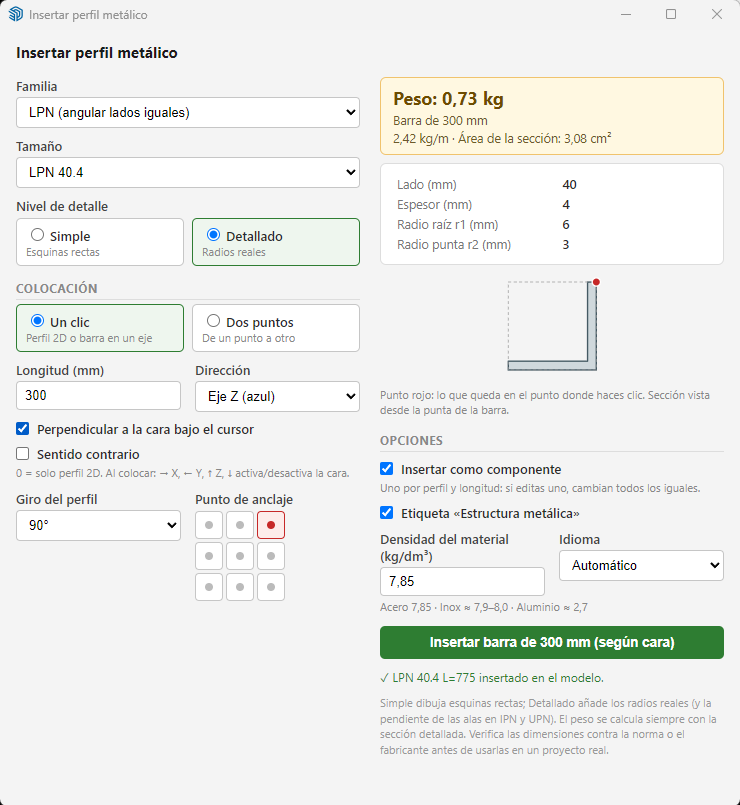
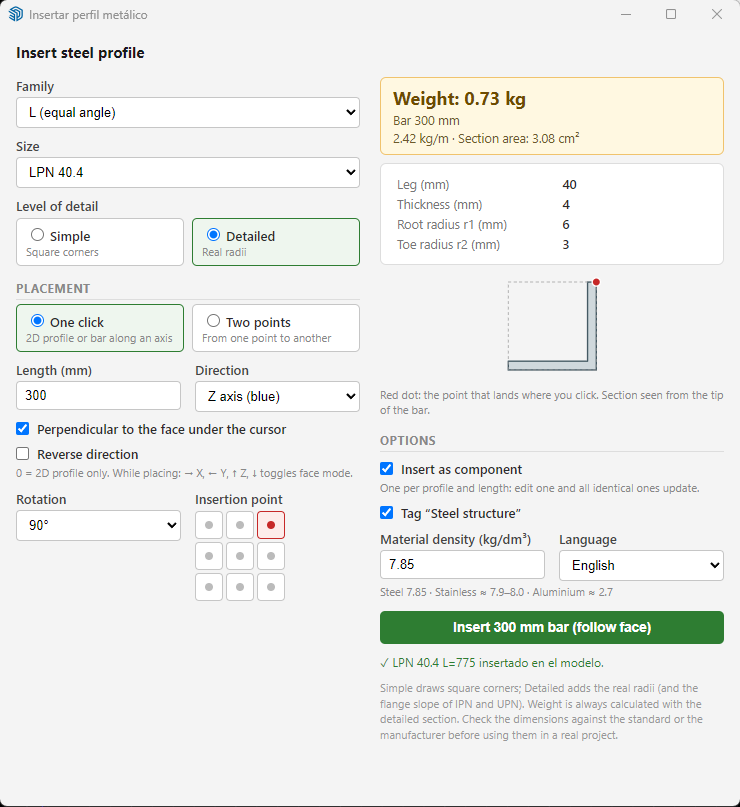
Families: IPE, IPN, UPN, UPE, HEA, HEB, HEM, L equal angles (LPN), L unequal angles, rectangular/square tubes, round tubes, flat bars, round bars and square bars.
FEATURES
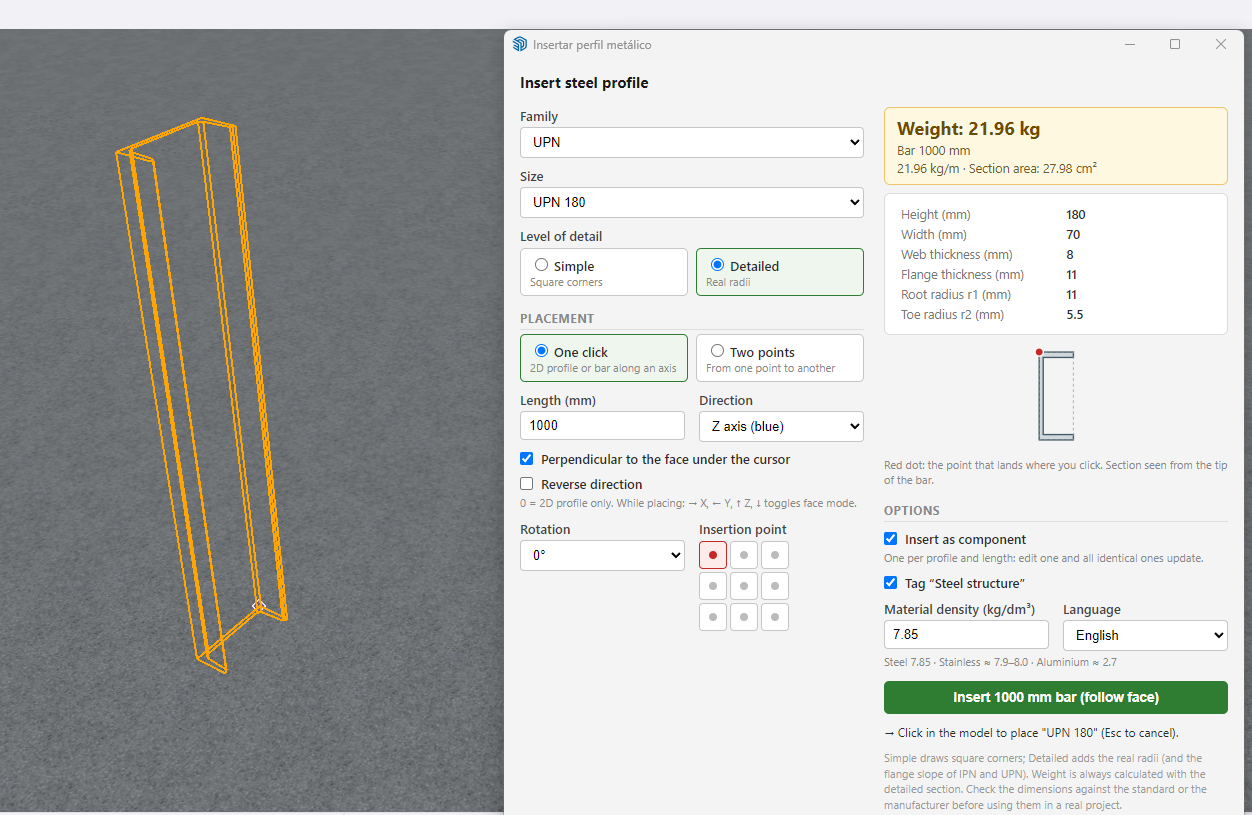
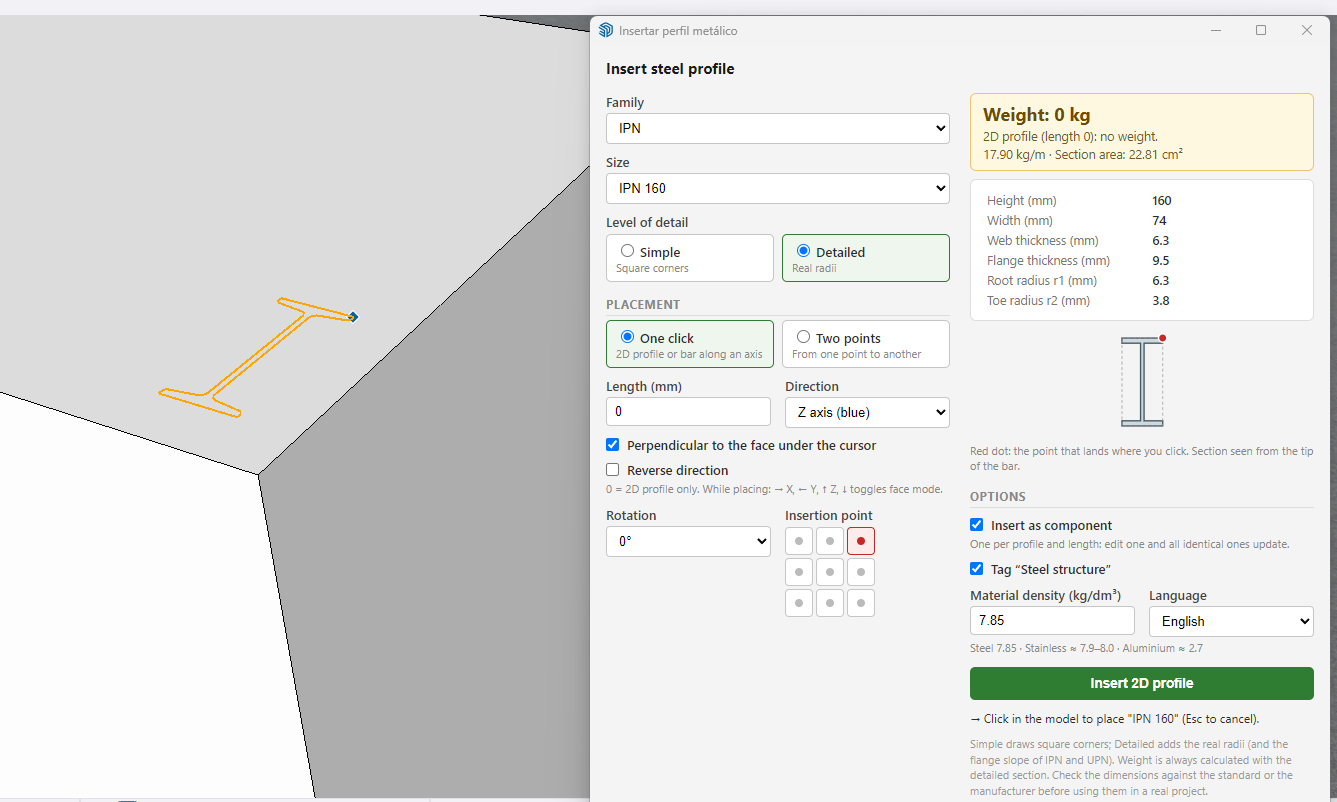
- One click: 2D profile, or a bar along the X, Y or Z axis, or perpendicular to the face under the cursor (a wall, a ceiling, a sloped face). Arrow keys change the direction while placing.
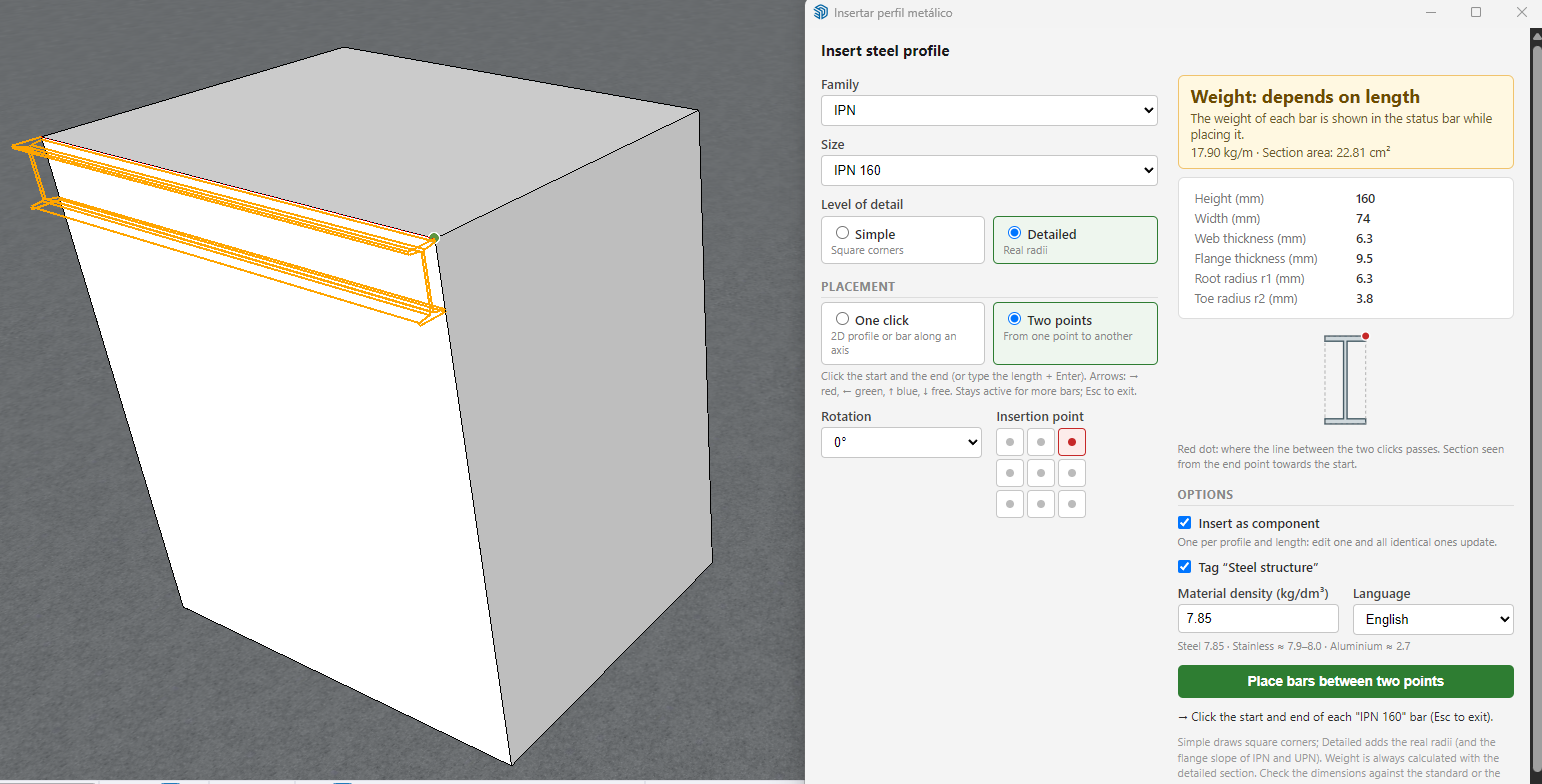
- Two points: click the start and the end and the bar orients itself, or type the length + Enter. Arrow keys lock the axis. The tool stays active so you can place several bars in a row.
- Edit bars already inserted: select one or more bars and change the profile, size, rotation or length. Each bar is rebuilt in place; the selected anchor point stays fixed. Also with right-click > Edit profile.
- Insertion point (9 anchors) and rotation (0/90/180/270°).
- Real-time weight: kg/m, bar weight and section area. Editable density (steel 7.85 kg/dm³).
- Named components per profile and length (e.g. "IPE 200 L=3000"): edit one and all identical ones update. Weight, length and area are stored as attributes. Groups also available.
- Automatic "Steel structure" tag. The dialog remembers your last settings.
- Simple geometry (square corners) or detailed (real root radii and IPN/UPN flange slopes).
- English and Spanish interface (automatic or selectable).
- Toolbar: "Steel construction (DanLab)".
REQUIREMENTS
SketchUp 2017 or later.INSTALLATION
Window > Extension Manager > Install Extension > select the .rbz file.
Then: Extensions > Steel Profiles, or the toolbar button.
Upgrading from 2.0.x: the extension offers to remove the previous version automatically. Restart SketchUp afterwards.NOTE
Profile dimensions and weights are for drawing purposes. Always check them against the applicable standard or the manufacturer's data before using them in a real project.DATA
IPE, HEA, HEB and UPN 80–180 checked against commercial tables. IPN checked against DIN 1025-1 / EN 10365 (340, 360, 380, 450, 500 and 600 not seen directly). UPN 200–400 radii extrapolated. Calculated weights match the tables within 0.5 %.
HEM, UPE and L unequal angles use usual catalogue values (EN 10365, EN 10279, EN 10056-1); calculated weights match catalogue weights within 0.2 %.
Tubes, flat bars and solid bars are entered by the user (no table).
Dimensions are for drawing purposes: always verify against the standard or the manufacturer for real projects.LICENSE
Freeware, free for personal and commercial use. Please do not redistribute; share the link to this thread instead.CHANGES IN 2.2.1
- New: edit bars already inserted (profile, size, rotation and length).
- New profiles: HEM, UPE, L unequal angles, flat bars, round and square bars.
- Fixed: rectangular tubes could fail with "Could not create the tube hole".
- Toolbar renamed to "Steel construction (DanLab)".
- Published under the DanLab brand.
Feedback, bug reports and requests for new profiles are welcome!

Steel Profiles | SketchUcation
3D SketchUp Community for Design and Engineering Professionals.
(sketchucation.com)
-
Updated to v2.2.1 (available in the PluginStore):
- New: edit bars already inserted (profile, size, rotation and length).
- New profiles: HEM, UPE, L unequal angles, flat bars, round and square bars.
- Fixed: rectangular tubes could fail with "Could not create the tube hole".
- Toolbar renamed to "Steel construction (DanLab)".
- Published under the DanLab brand.
If you have 2.0.x installed, the new version offers to remove it automatically. Restart SketchUp afterwards.

Hello! It looks like you're interested in this conversation, but you don't have an account yet.
Getting fed up of having to scroll through the same posts each visit? When you register for an account, you'll always come back to exactly where you were before, and choose to be notified of new replies (either via email, or push notification). You'll also be able to save bookmarks and upvote posts to show your appreciation to other community members.
With your input, this post could be even better 💗
Register Login


Advertisement