[Plugin] Shadow Slice Pro 2.0 - Interior Shadow & Section Tool for SketchUp
-
Hi community,
I'm Nam Nguyen, an architect and the developer behind the Febhouse / ArchiDiagram ecosystem.
Today, I’m very excited to introduce a major update to one of our core tools: Shadow Slice 2.0.1.
 ️ The Classic SketchUp Problem:
If you’ve ever done interior shadow or energy analysis, you’ve likely hit a major limitation in SketchUp: the default Section Plane does not block sunlight. When you use a section cut to hide the roof, the sun shines directly into the interior as if the roof doesn't exist. This makes accurate natural lighting analysis nearly impossible. The Shadow Slice 2.0 Solution:
To completely solve this, Shadow Slice automates the light compensation process by creating a highly intelligent workspace:-
Smart Section Compensation: The plugin automatically regenerates the cut-away portion of your building. This regenerated part acts as a "ghost", invisible to your camera so you can see inside, but it still casts shadows and blocks sunlight accurately based on real-world physics.
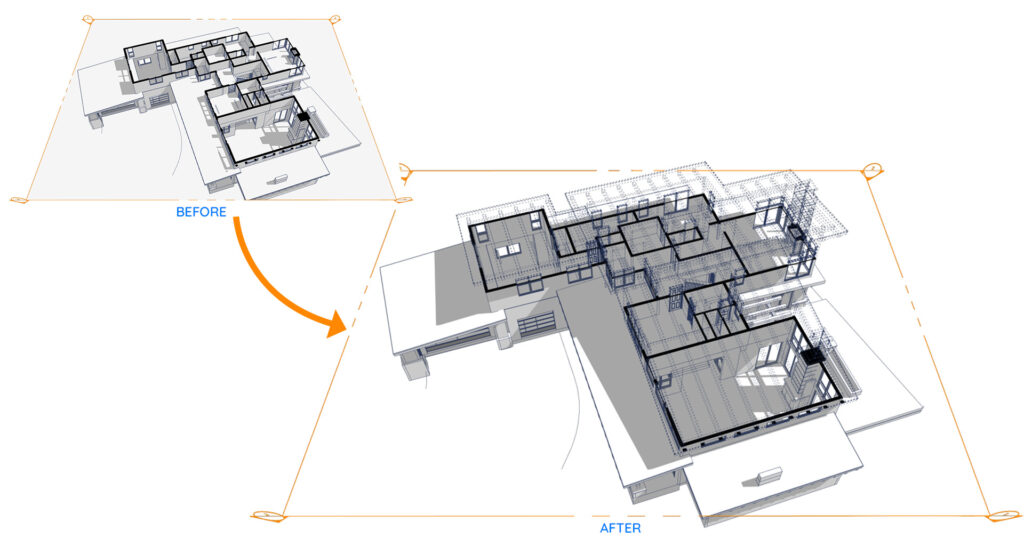
-
1-Click Interactive Slicing: Forget tedious setups. Now, you just click the “+ Add Slice Tool” on the dashboard, click directly on the Group/Component you want to cut, and you’re done!
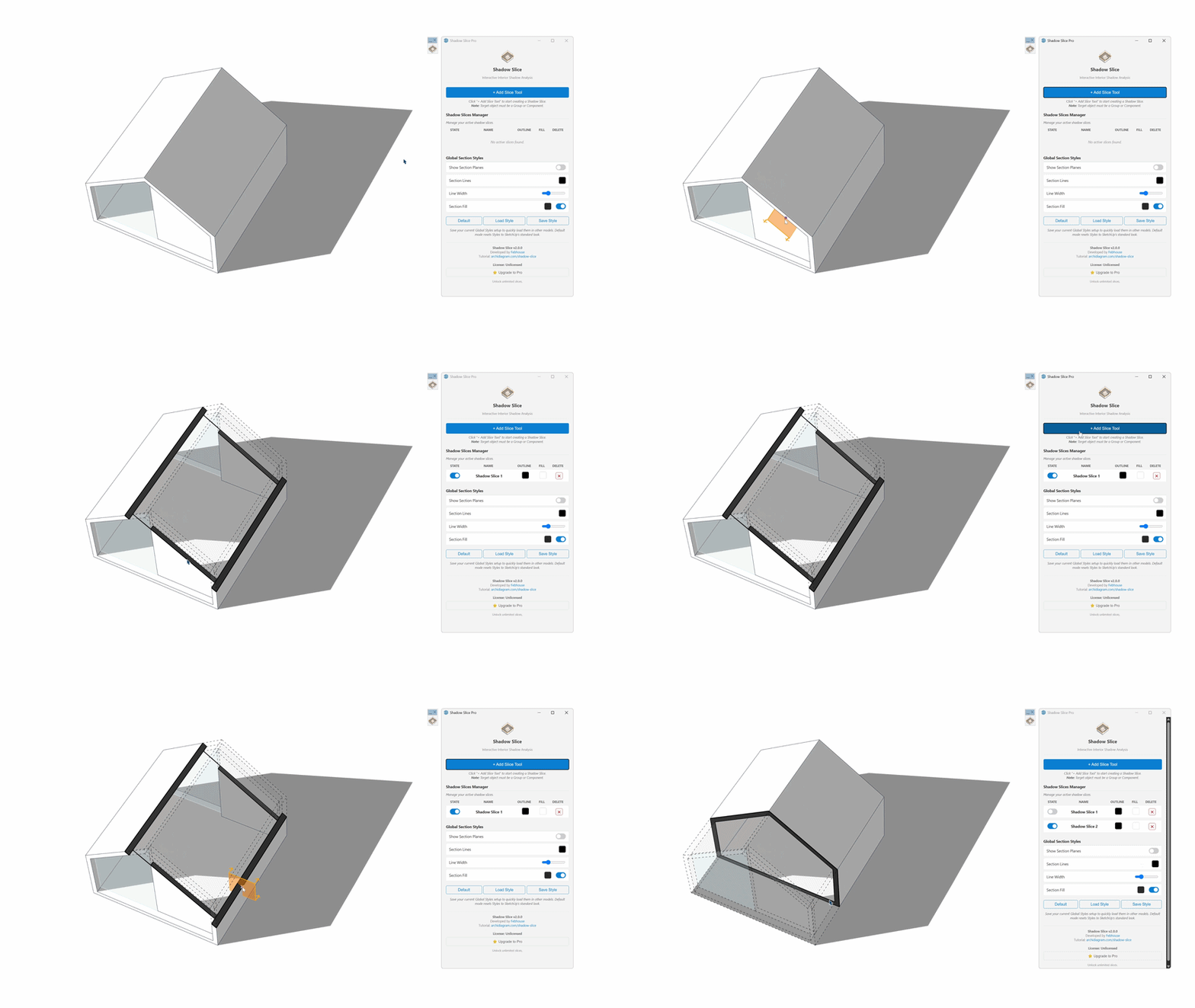
-
Centralized Dashboard: All your Shadow Slices are now managed visually within a single control panel. You can easily toggle visibility or change the color of your slices on the fly.
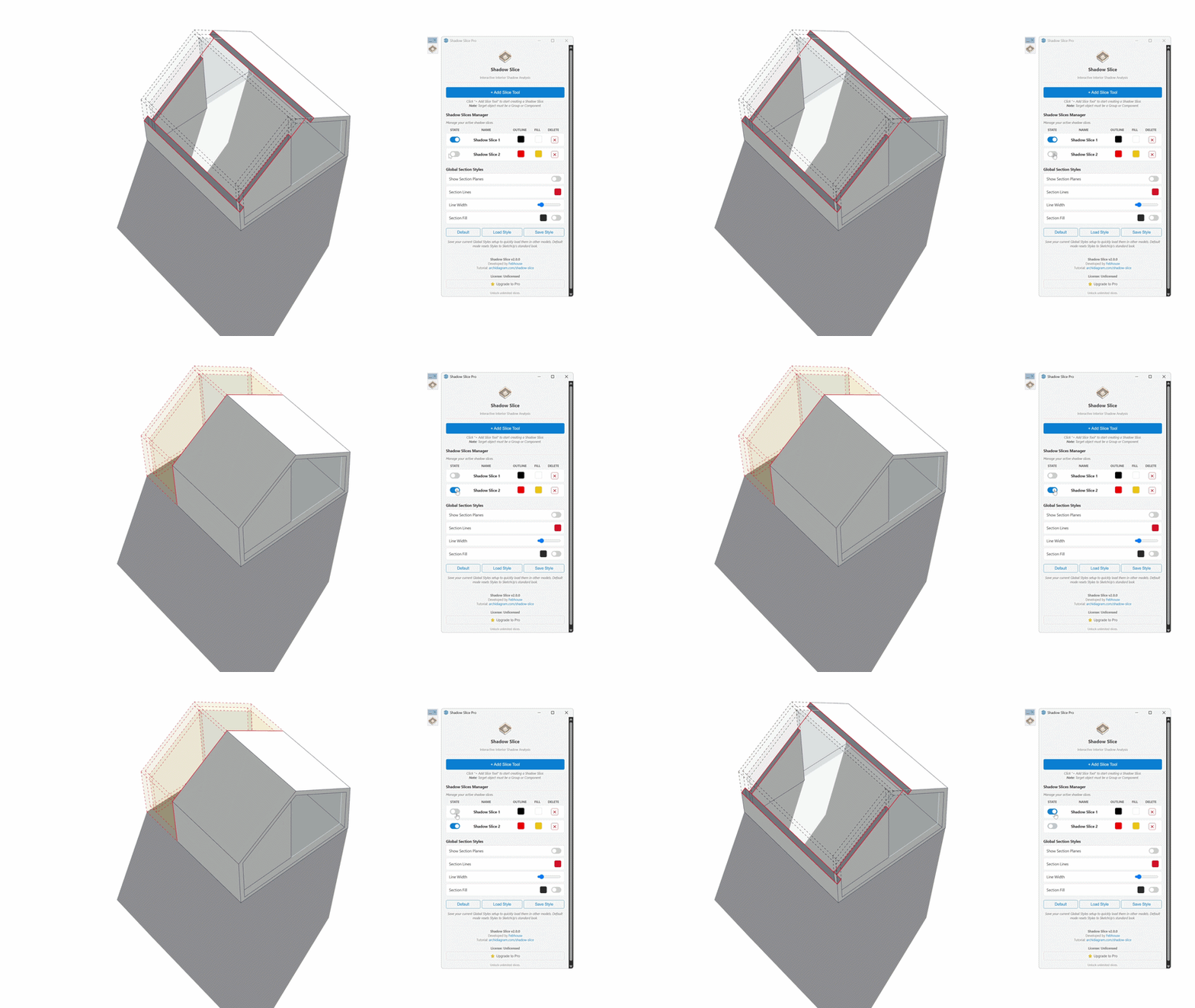
-
Smart Style ManagementMinimize manual setups and streamline your workflow, letting you focus entirely on your design ideas.
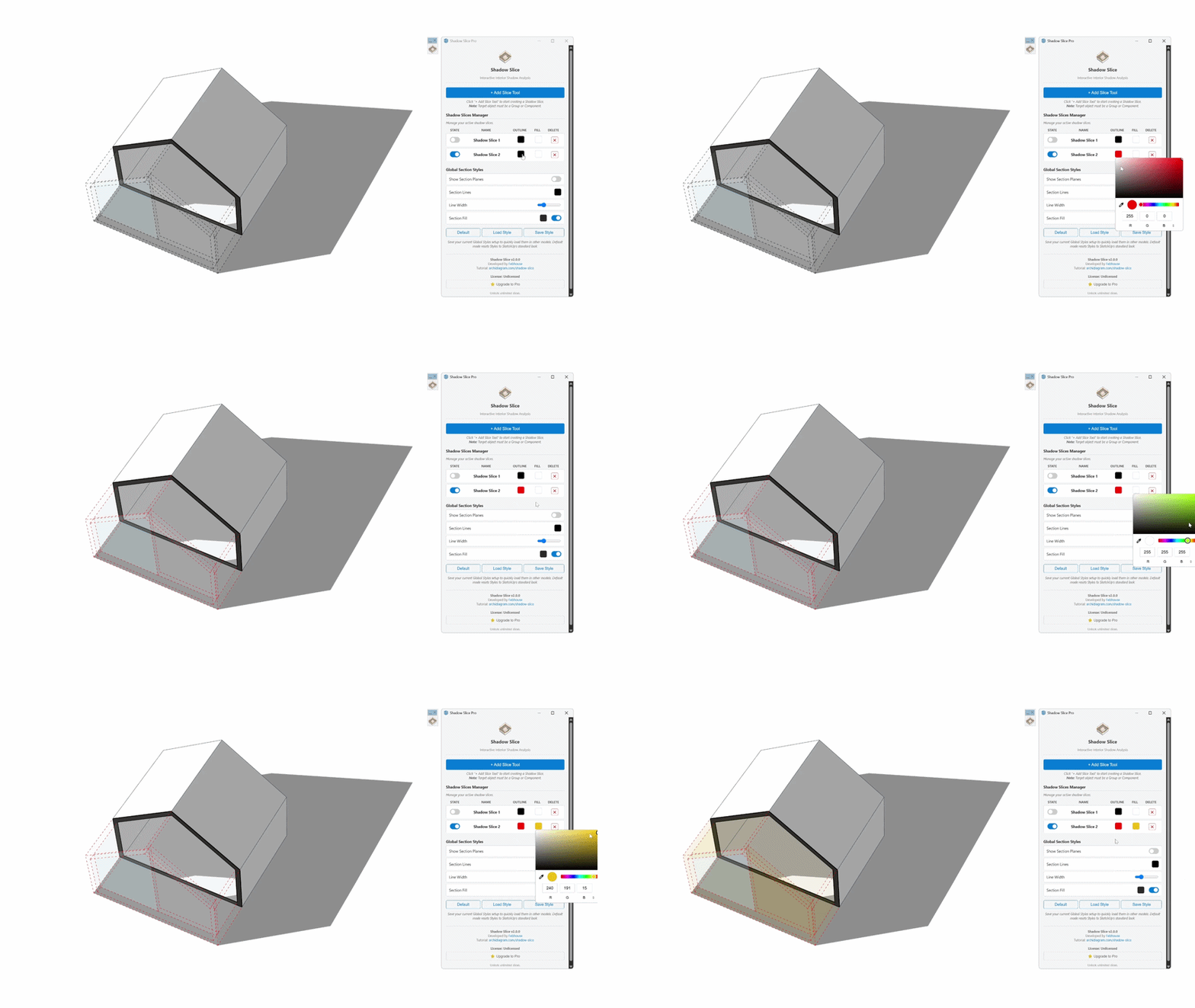
-
Non-Destructive Workflow: The tool is incredibly safe. Your original model remains completely untouched, ensuring your design process is never disrupted.
Download and try it now:
 Download on the Extension Store (SketchUcation):
 https://sketchucation.com/plugin/3126-febshadowslicepro
You can watch the detailed 2.0 workflow tutorial and download sample resources at the official website:
https://archidiagram.com/shadow-slice/If you find this tool helpful for your daily work, a review on the Extension Warehouse would be a massive motivation for me. Thank you so much for your support!
Best,
Nam Nguyen - Febhouse -
-
Update: It's Live!

Hi everyone, great news!
The official version of Shadow Slice 2.0.1 is now live on the SketchUcation ExtensionStore.
Enjoy the powerful Free version, and don't forget to take advantage of the 14-Day Free Trial for the Pro features. Let me know what you think!
Hello! It looks like you're interested in this conversation, but you don't have an account yet.
Getting fed up of having to scroll through the same posts each visit? When you register for an account, you'll always come back to exactly where you were before, and choose to be notified of new replies (either via email, or push notification). You'll also be able to save bookmarks and upvote posts to show your appreciation to other community members.
With your input, this post could be even better 💗
Register Login


Advertisement