sketchucation logo sketchucation
    • Login
    Oops, your profile's looking a bit empty! To help us tailor your experience, please fill in key details like your SketchUp version, skill level, operating system, and more. Update and save your info on your profile page today!
    ⚠️ Update | Sketchucation Tools 5.0.8 released with licensing improvements and bugfixes Download

    Parametric Modeling - development?

    Scheduled Pinned Locked Moved Extensions & Applications Discussions
    19 Posts 4 Posters 1.9k Views 4 Watching
    Loading More Posts
    • Oldest to Newest
    • Newest to Oldest
    • Most Votes
    Reply
    • Reply as topic
    Log in to reply
    This topic has been deleted. Only users with topic management privileges can see it.
    • samuel_tS
      samuel_t @Jorgensen
      last edited by

      @Jorgensen

      You can extract, the shape from a group or component already available in the model, a shape a priori created outside the Nodes Editor.
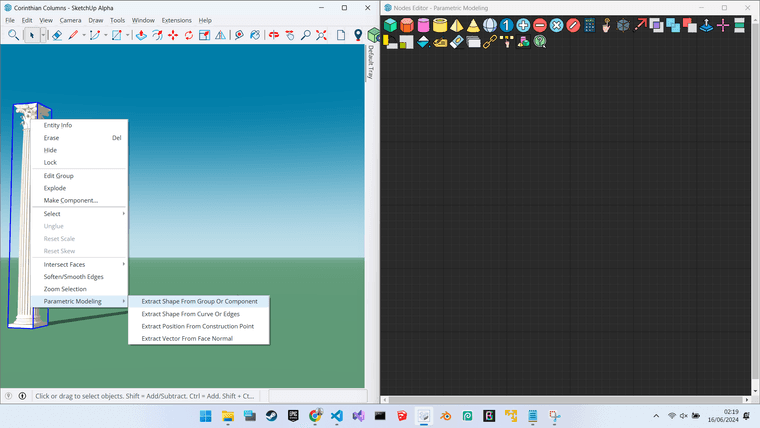
      1. SketchUp Parametric Modeling - Extract Shape.png

      Once imported into the Nodes Editor, this entity is represented by a “Draw shape” node, this entity is not as configurable as a pure parametric entity but you can still apply parametric operations to it, such as “Copy”, “Move”...
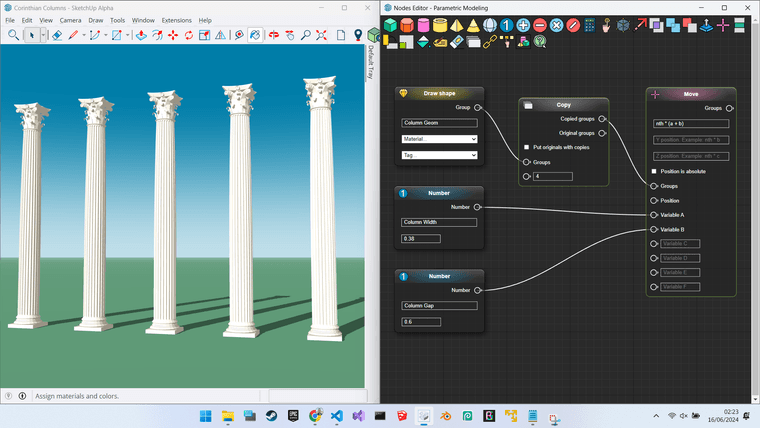
      2. SketchUp Parametric Modeling - Copy Shape.png

      I can explain the formula inside this “Move”, if needed.

      Note iterations can be slow if you use heavy shapes like those corinthian columns. I must optimize the performance of this plugin, at lost time :'D

      J 1 Reply Last reply
      Reply Quote 0
      • J
        Jorgensen @samuel_t
        last edited by

        Hi @samuel_t

        Thanks for getting back to me.
        Iv'e just tested and it works very fine 🙂

        Just a quick question - is it possible to copy paste a node?

        Jorgensen

        sketchup pro 2016 16.1.1449 64 bit | windows 10 pro | i7-3770k @3.5 GHz | 16gb ram | gtx 780 ti / gtx 980 ti | nvidia driver 368.39

        samuel_tS 1 Reply Last reply
        Reply Quote 1
        • samuel_tS
          samuel_t @Jorgensen
          last edited by samuel_t

          Hi @Jorgensen,

          The "Copy / Paste this node" feature is on my TODO list 😉

          J 2 Replies Last reply
          Reply Quote 0
          • J
            Jorgensen @samuel_t
            last edited by

            @samuel_t ah ok - Thanks 🙂

            sketchup pro 2016 16.1.1449 64 bit | windows 10 pro | i7-3770k @3.5 GHz | 16gb ram | gtx 780 ti / gtx 980 ti | nvidia driver 368.39

            1 Reply Last reply
            Reply Quote 1
            • J
              Jorgensen @samuel_t
              last edited by

              @samuel_t

              Hi Samuel

              Would it be possible to use nodes, to control materials, or don’t you have access to the materials?

              Jorgensen

              sketchup pro 2016 16.1.1449 64 bit | windows 10 pro | i7-3770k @3.5 GHz | 16gb ram | gtx 780 ti / gtx 980 ti | nvidia driver 368.39

              samuel_tS 1 Reply Last reply
              Reply Quote 0
              • samuel_tS
                samuel_t @Jorgensen
                last edited by samuel_t

                Hi @Jorgensen,

                What exactly do you mean by "to control materials"?

                In the Nodes Editor, it is possible to apply a material to the group resulting from a Draw pyramid node, for example.

                This material comes from the active model. If this parametric schema is then imported into another model which does not have this material, it is then substituted by a random color.

                J 1 Reply Last reply
                Reply Quote 0
                • J
                  Jorgensen @samuel_t
                  last edited by Jorgensen

                  Hi @samuel_t

                  MATERIAL NODE
                  What I meant was, if it is possible to handle material parameters like

                  • color
                  • opacity
                  • image source (path)
                  • image size x
                  • image size y

                  The use for this would be, creating a material, and two or more bitmap nodes, this way is fast to change and test different material settings, eg. by switching between the two bitmap nodes.

                  SLIDER NODE
                  A slider node for fast and easy way to change values, and seem them change without having to think about a number - just watching the result.

                  COMPONENTS
                  Would it possible to use components instead of groups? it would be very usefull to copy components around, and when you edit one, you edit all.
                  It might allready be possible, and I have just overlooked it.

                  An example - a simple hotel - I created one component, use nodes to construct the hotel and BAM. It could hotel rooms, as components, that can be copied around.
                  Then it's easy to add details and update the whole project in one operation.

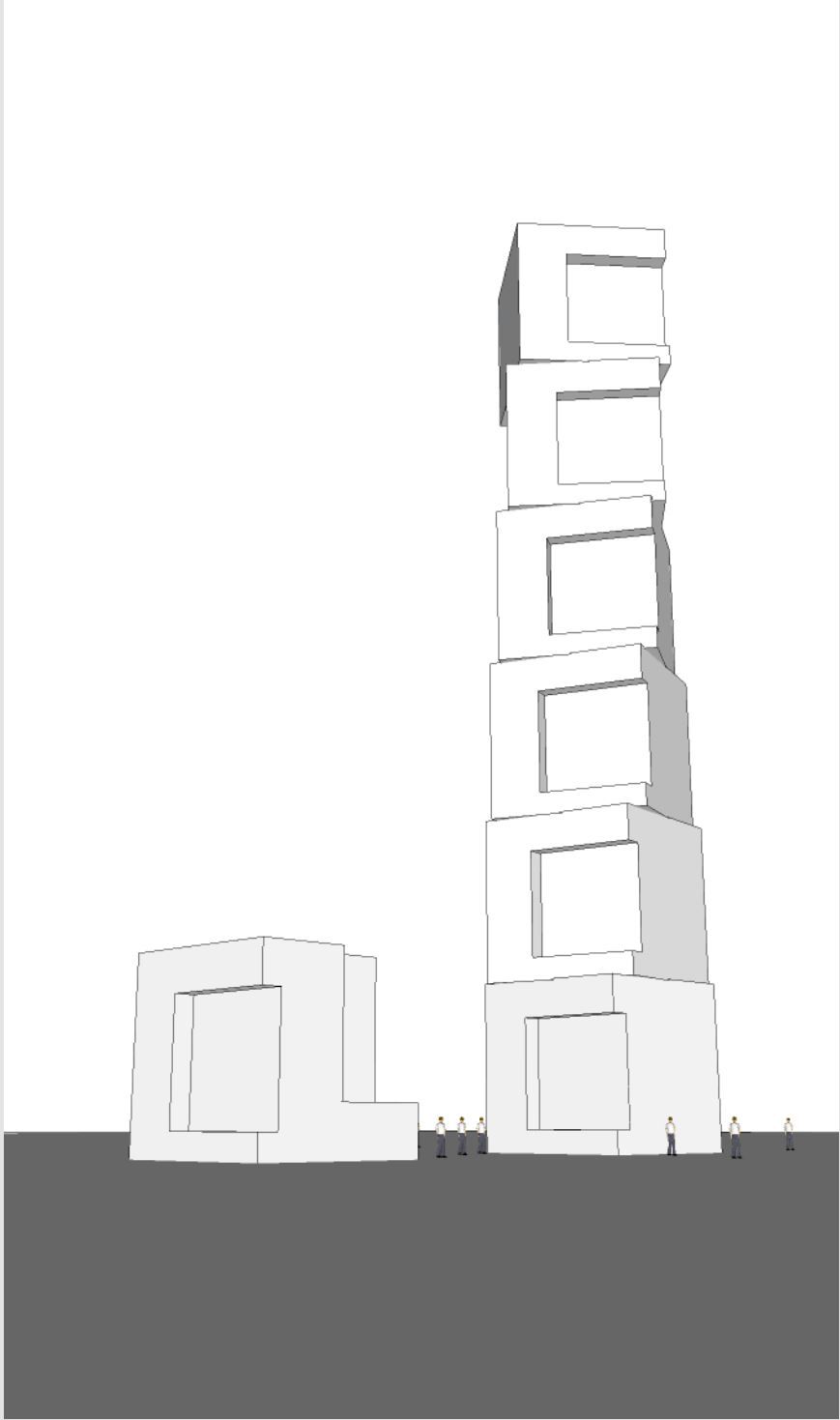
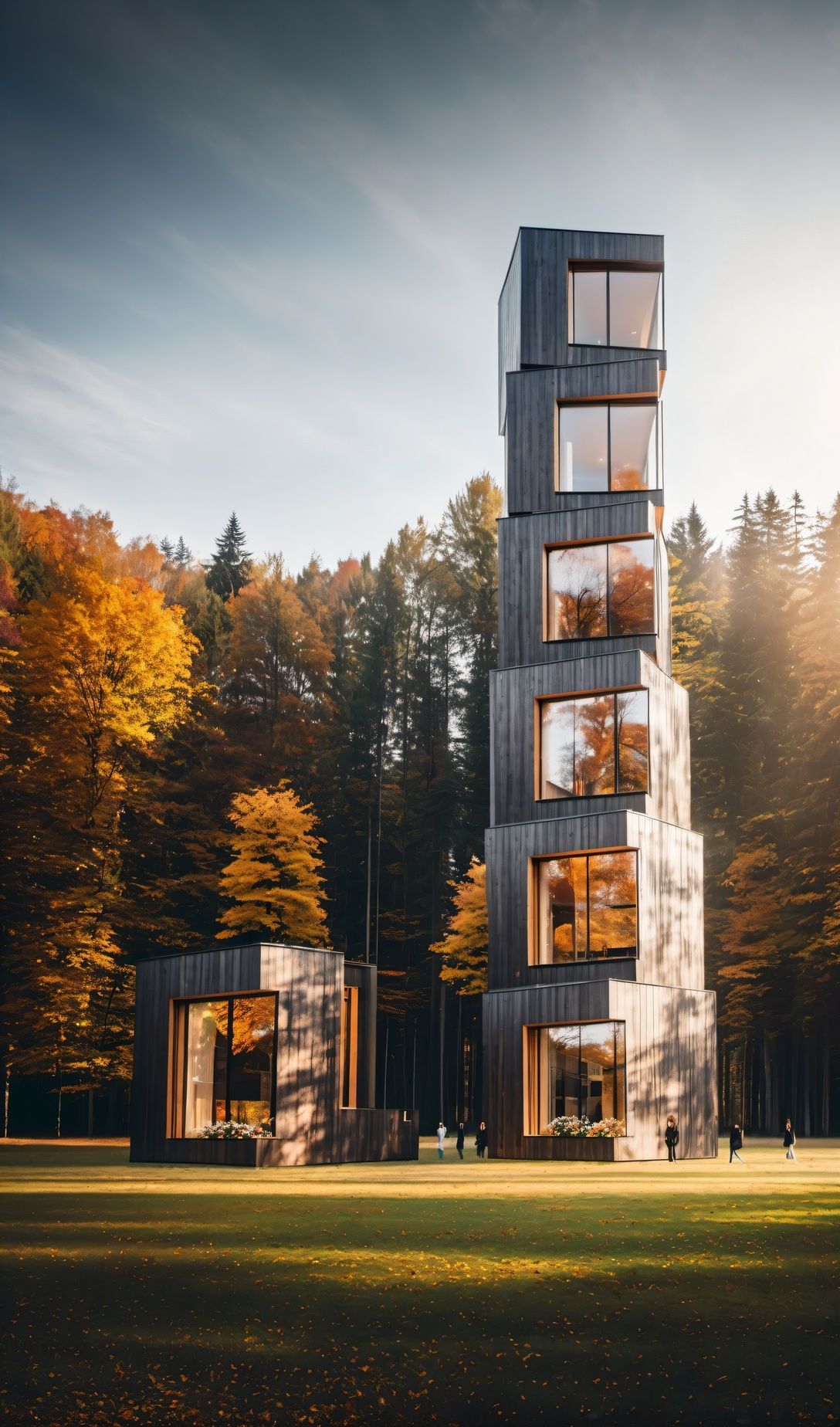
                  In the example I created a component, the single one on the left. I then used Node editor to copy the component, but they become groups, and when I change the first component - nothing happens - of cource.

                  Could be interresting 🙂
                  Jorgensen

                  10.JPG 20.jpg

                  sketchup pro 2016 16.1.1449 64 bit | windows 10 pro | i7-3770k @3.5 GHz | 16gb ram | gtx 780 ti / gtx 980 ti | nvidia driver 368.39

                  J 1 Reply Last reply
                  Reply Quote 1
                  • J
                    Jorgensen @Jorgensen
                    last edited by

                    @samuel_t components? 😊

                    sketchup pro 2016 16.1.1449 64 bit | windows 10 pro | i7-3770k @3.5 GHz | 16gb ram | gtx 780 ti / gtx 980 ti | nvidia driver 368.39

                    J 1 Reply Last reply
                    Reply Quote 0
                    • J
                      Jorgensen @Jorgensen
                      last edited by

                      @samuel_t bump 🙂

                      sketchup pro 2016 16.1.1449 64 bit | windows 10 pro | i7-3770k @3.5 GHz | 16gb ram | gtx 780 ti / gtx 980 ti | nvidia driver 368.39

                      1 Reply Last reply
                      Reply Quote 0
                      • J
                        Jorgensen
                        last edited by

                        I hope that you, or others, pickup and continue to develop this plugin / feature - as I think is has a huge potential 🙂

                        sketchup pro 2016 16.1.1449 64 bit | windows 10 pro | i7-3770k @3.5 GHz | 16gb ram | gtx 780 ti / gtx 980 ti | nvidia driver 368.39

                        1 Reply Last reply
                        Reply Quote 0
                        • L
                          L i am
                          last edited by

                          I am having a play with it, not got my head around it yet, but my initial thoughts are it looks quite powerful

                          1 Reply Last reply
                          Reply Quote 0
                          • L
                            L i am
                            last edited by L i am

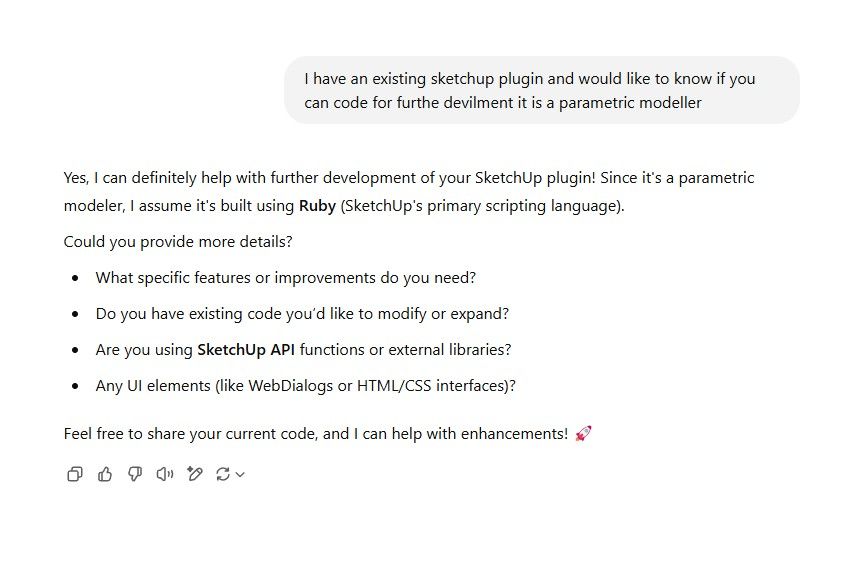
                            I do not know much about AI but what about asking AI to work on it. Please note the short conversation I had with Ruby.png AI

                            Amazing

                            1 Reply Last reply
                            Reply Quote 0
                            • L
                              L i am
                              last edited by

                              and this oneruby2.jpg

                              1 Reply Last reply
                              Reply Quote 0
                              • samuel_tS
                                samuel_t
                                last edited by

                                @Jorgensen, @L-i-am Thanks for your interest in this plugin 🙂 I haven't abandoned it... I just have too many projects in progress 😓

                                1 Reply Last reply
                                Reply Quote 1

                                Hello! It looks like you're interested in this conversation, but you don't have an account yet.

                                Getting fed up of having to scroll through the same posts each visit? When you register for an account, you'll always come back to exactly where you were before, and choose to be notified of new replies (either via email, or push notification). You'll also be able to save bookmarks and upvote posts to show your appreciation to other community members.

                                With your input, this post could be even better 💗

                                Register Login
                                • 1 / 1
                                • First post
                                  Last post
                                Buy SketchPlus
                                Buy SUbD
                                Buy WrapR
                                Buy eBook
                                Buy Modelur
                                Buy Vertex Tools
                                Buy SketchCuisine
                                Buy FormFonts

                                Advertisement