Texture coordinate on positioning overlay
-
Requesting a feature to show texture UV coordinate while on "texture positioning" overlay screen.
Currently, if you pick a material/texture and paint onto a surface, you have NO CLUE where on earth Sketchup decide to place it on. Example:
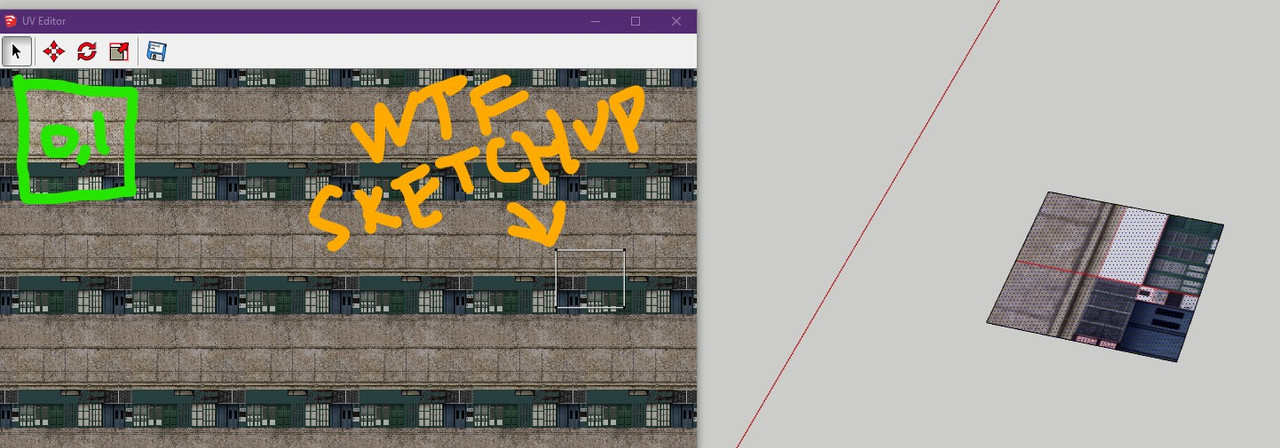
What is that? [-1,5]?! Why is it so far away?
Why Sketchup don't paint surfaces with [0,1] tile as priority?I'm using the free "UV Editor" plugin, it is just for showing where the geometry landed, not actually able to position editing with it. Navigating it's viewport also is very troublesome, so it is best to leave it zoomed to [0,1] and for checking if your geometry landed in the area.
If it didn't landed within [0,1], I had to try moving around hopefully it's "nearby", which the overlay is very unhelpful because there is no distinction where you are actually located at. It might as well you are at [-69,9000] coordinate.....
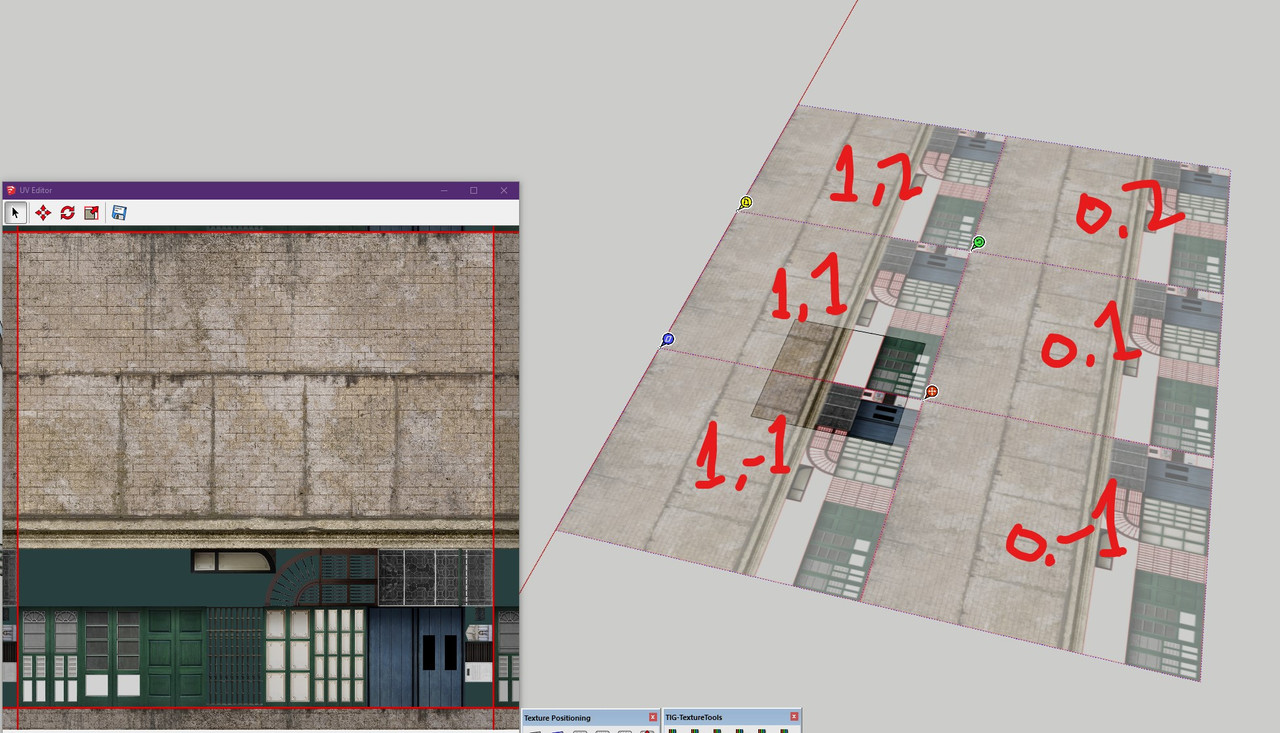
EXAMPLE IDEA:
A) showing coordinate on tile corner
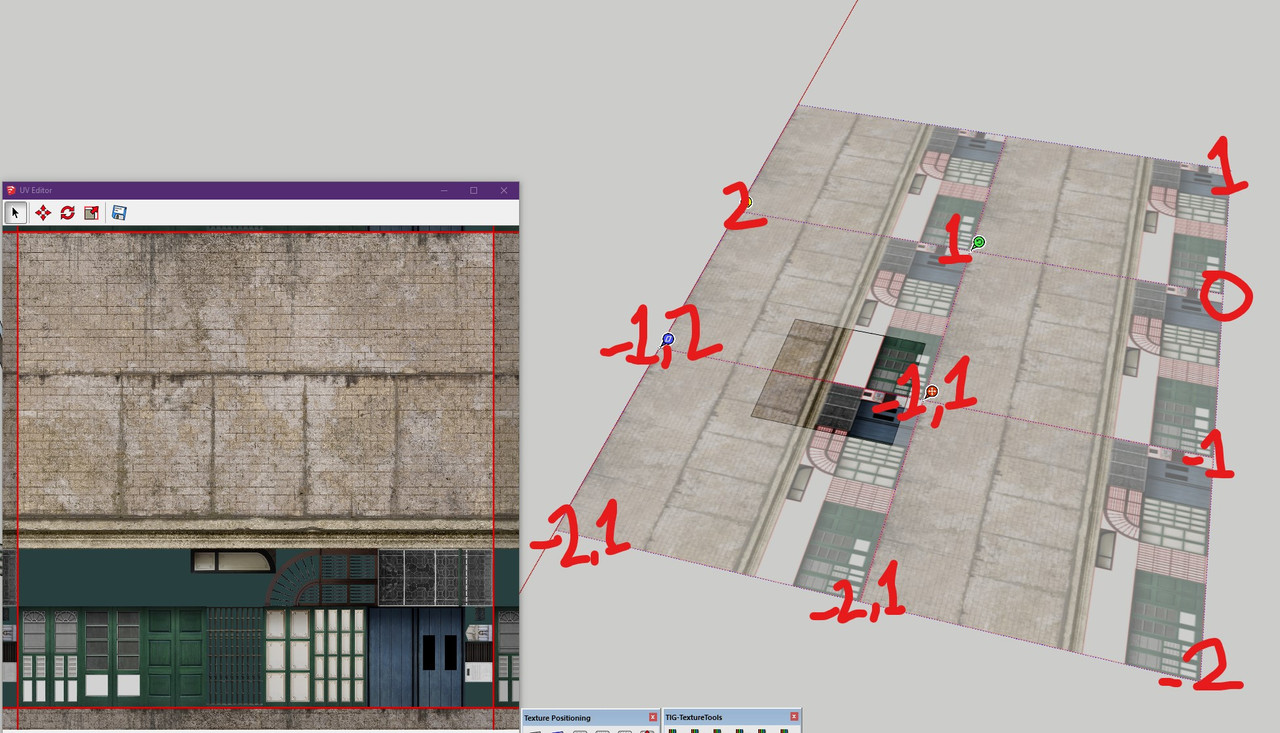
B) showing coordinate on tile middle
Hello! It looks like you're interested in this conversation, but you don't have an account yet.
Getting fed up of having to scroll through the same posts each visit? When you register for an account, you'll always come back to exactly where you were before, and choose to be notified of new replies (either via email, or push notification). You'll also be able to save bookmarks and upvote posts to show your appreciation to other community members.
With your input, this post could be even better 💗
Register Login


Advertisement