Blank/empty popup windows fredo6 extensions
-
Hello,
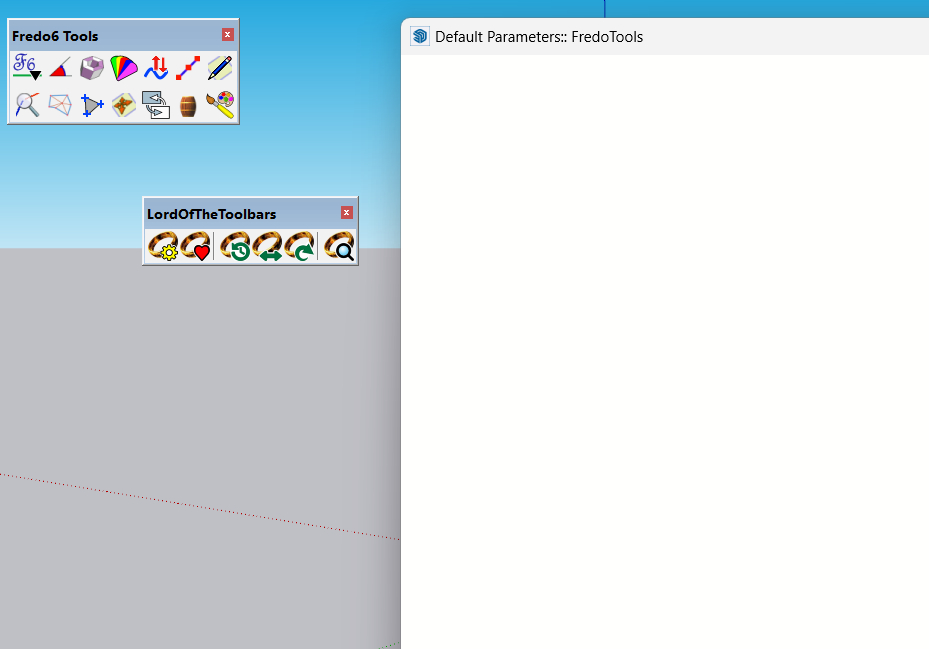
Since last week all popup windows with options/info of fredo6 extensions/plugins are blank or empty.
What is wrong?Info:
Fredo6 Plugins Information on 2023-10-06 13:16:21 +0200- Platform: x64-mswin64_140 - Ruby: 2.7.1
- Sketchup: 21.0.339
- LibFredo6: v14.2a
- LibFredo6 Binary loaded
- Sketchucation ExtensionStore: 4.3.1
- SCFLicense: v6.1a - 72
- Fredo6 Plugins
LordOfTheToolbars v2.5a
FredoTools v4.3a
JointPushPull v4.7a
TopoShaper v2.6a - SCFLicense directory present
Signature File: 2023-09-03 16:01:33 +0200
Curviloft: 2023-09-03 16:15:44 +0200
FredoScale: 2023-09-03 16:01:49 +0200
RoundCorner: 2023-09-03 16:14:21 +0200
-
Could you open the Ruby console before calling the dialog box, in case there are errors shown.
Also,
- what happens if you slightly resize the dialog?
- Does it happen for all dialog boxes?

Hello! It looks like you're interested in this conversation, but you don't have an account yet.
Getting fed up of having to scroll through the same posts each visit? When you register for an account, you'll always come back to exactly where you were before, and choose to be notified of new replies (either via email, or push notification). You'll also be able to save bookmarks and upvote posts to show your appreciation to other community members.
With your input, this post could be even better 💗
Register Login


Advertisement