Anyone Upgrading to 2020?
-
Yes. That's how I usually use it. I have keyboard shortcuts set up for the ones I use so it's quick easy to flip a component or a selection set. (I don't use groups so haven't bothered to make keyboard shortcuts for flipping along group axes.
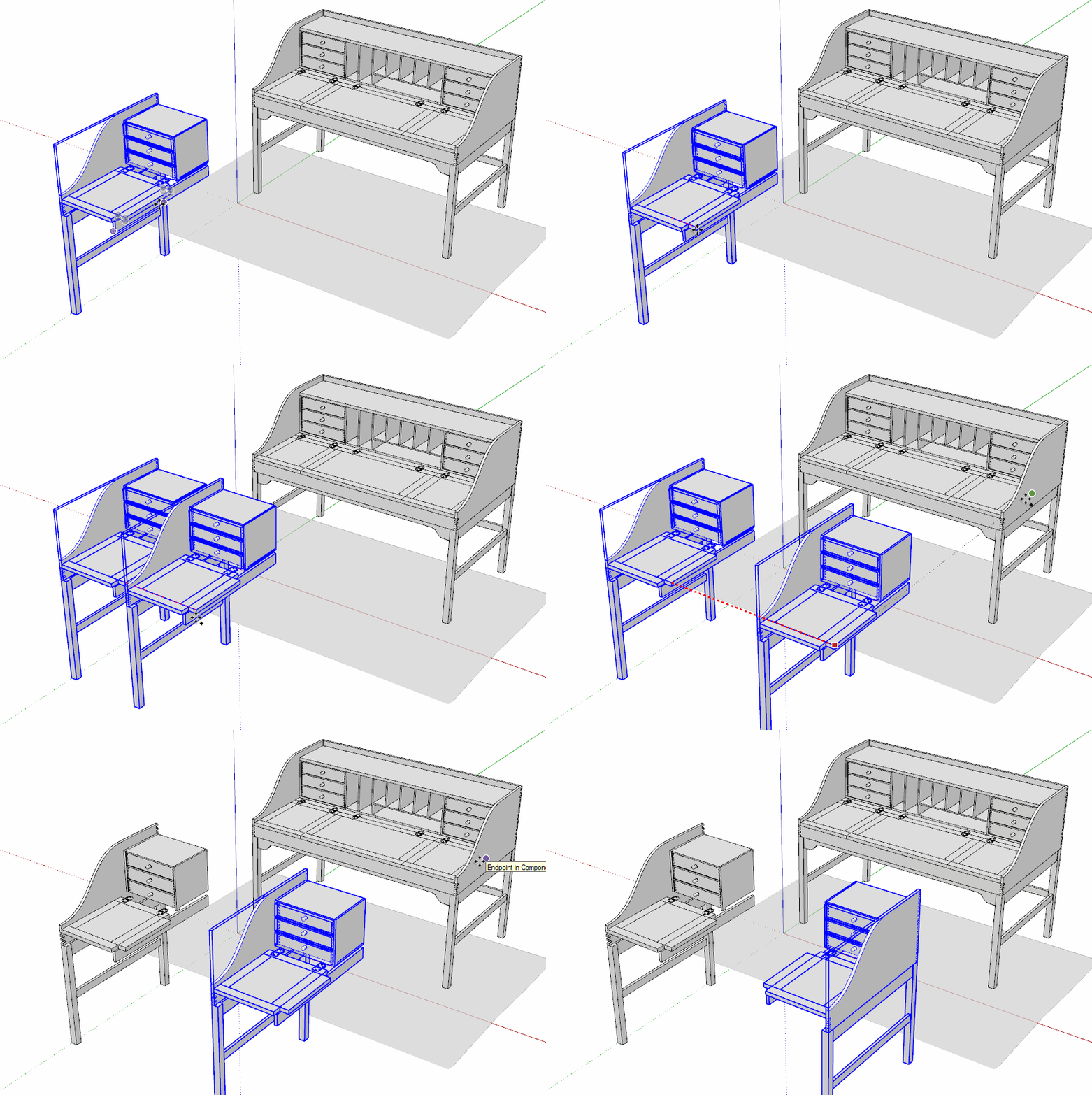
Click on the picture. -
@pixero said:
Is it possible to have the flip along command flip a copy and not the original?
I've started to do this:
[]Group the element I want to mirror.
[]CRTL-C
[]Paste in Place (I have a shorcut key set up for this which is "Z")
[]Flip along (red or green)
[*]Move into place. -
I haven't had the courage to look too close for a few years (worried how different it would be)....I have a running copy of 2016-pro. It allows me to do some file exporting to a rendering engine I use. I retired some time ago from any serious modeling so this is all play but I keep busy with it. Lumion keeps me signed on to a pro version I received years ago. They have a lot of integrity and it seems that money is not their absolute primary focus. They continue to honor the license agreement we made.
I decided to go have a look around at the state of Sketchup things. I was here just as Trimble took over...seems like last century.
What I have found is Sketchup has been basically gutted...there is a long list starting with no mesh from GE......etc...etc....yes I know this is old news.It was also a shock to see what it would cost a person (a bit shameful) to get it all back....lol....not a chance for an old retiree.
So will I update to 2020.......ROFL!
-
So... .it begins.
I was informed that as of 9/15/2020, my Lisence of 2019 will no longer be valid, so it's off to 2020 I go. (Im still dithering between learning REVIT or Blender!
 )
)Anyway, so 2020 is loading as we speak.
Query: All of my millions of plugins (of which I use about 12) are up to date for 2019. Do I havce to thru the whole tedious to-do of upgrading them or will they just glide right into function for Version 2020?
-
@david_h said:
So... .it begins.
I was informed that as of 9/15/2020, my Lisence of 2019 will no longer be valid,
I think you misunderstood what you were told about your license. The 2019 license won't stop being valid for SketchUp 2019. It will continue to work for that version. As of the beginning of November you won't be able to purchase a Classic SketchUp license for SketchUp 2020 or for future versions. And you won't be able to renew your Maintenance and Support like you used to.
There was another e-mail sent out recently offering those who have current Maintenance and Support accounts a discount on the first twelve months of the Subscription license. If you want to stick with SU2019 instead of updating to SU2020, you can certainly do that.
@david_h said:
Query: All of my millions of plugins (of which I use about 12) are up to date for 2019. Do I havce to thru the whole tedious to-do of upgrading them or will they just glide right into function for Version 2020?
Extensions and plugins are installed for the version so SU2020 won't have your extensions installed. The best practice is to install them fresh. If you use the Sketchucation Extension Store to install extensions from here, you can let it automatically install the latest versions from your bundle.
If you know that your extensions are up to date, you could copy them from SU2019 to SU2020. There may be some that still need to updated and there are some extensions out there that have to be installed, not just copied and pasted. You could cross that bridge when/if you get there.
Your profile doesn't indicate which operating system you are using. If you are using Windows, make certain you install SU2020 correctly. That is, right click on the downloaded installer and choose Run as administrator. If I'm too late and you've installed it already, find the installer again, right click on it and choose Run as administrator and then choose Repair.
-
thanks Dave. If I can, I'll keep using 19 but I will need to reinstall 2020 as Administrator.
D
I was so happy with Version 7.

-
I forget if you use LO but if you do, I think you'll find a number of features, especially in 2020.2 that would make switching worth your time.
-
As to your millions of plugins, now would be a good time to do some housekeeping and only install the ones you use.
With the Sketchucation tool and the Extension warehouse it is pretty easy to install them as you need them, that way you don't have all those unused ones slowing down your startup time and clogging your context menu. Or go through their respective auto install methods and remove the ones you know you don't use.
Both tools keep track of your extensions and let you know when there is an update and help you auto install on a different machine etc -
Just keep using 2019 all you want. When there's something worthwhile then subscribe. I can use 2020 but choose 2019. What I can't figure out if I can still get another year of M&S Classic. I think they are saying that because my arbitrary renewal date is late, I am being penalized and cannot. Then again might I renew early? I don't know.
-
thanks for the responses.






Advertisement