Starting CADVRter beta powerful 3D/CAD/VR conversion
-

CADVRteris a simple, affordable, fast, powerful and stand-alone 3D/CAD/VR Converter.
We created CADVRter for users of other CAD Applications.
For example a Sketchup user who received a SolidWorks model to be included in his SKP model, or a user who needs to convert a STEP model to USDZ ready for the VR.We thought about lowest possible learning curve.
We wanted to make it easy to work on it while using your 3D application.
And the result is CADVRter.The following video shows CADVRter in action.
The beta is ready on Windows and Mac.
The total cost is $49/Year and you have all your CAD concerns solved. This price includes support and continuous update to the latest version.
Ready to learn more? Please check the following link
-
I don't see support for importing and exporting Revit files?
And no .max format support either? (3DS is not really a native 3ds max format anymore since it's quite old and limited.) -
Subscription only?! No, thanks!

-
Great and valid feedback.
Here is the list of the currently supported formats.
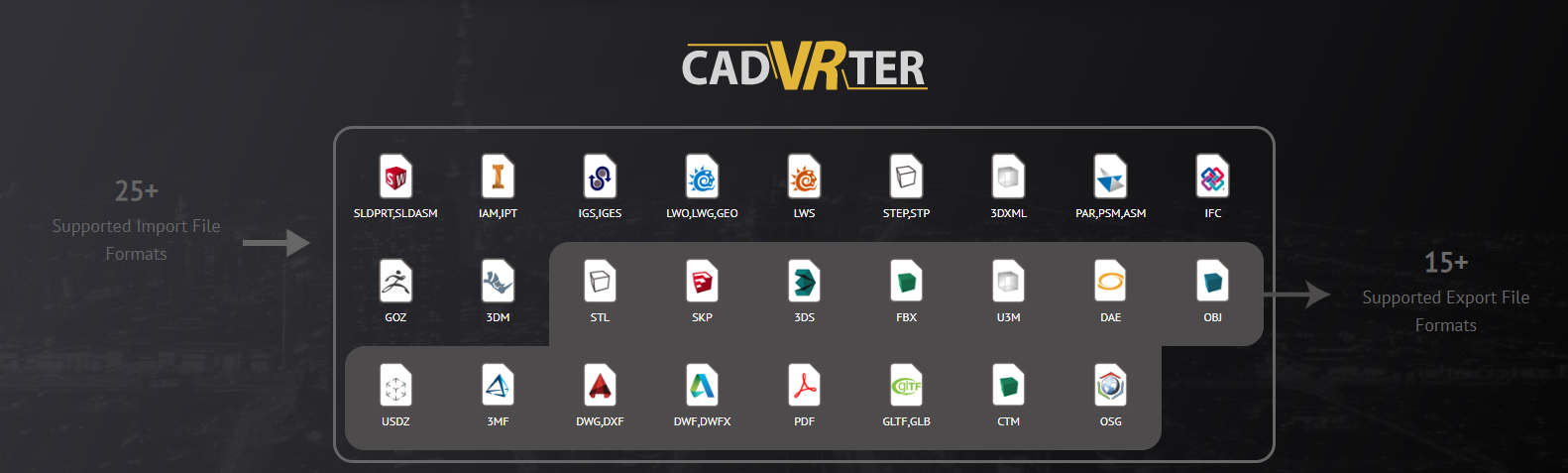
Our plan is simple, we believe we started with good selection of file formats.
and we priced the plugin at the lowest possible point, our hope is to be able to keep it at this price, and to add support for more file formats.Revit is easy to add, needs just few more users

Now regarding subscription based model.
This is a conversion tool, it does not keep your files, stop subscription and activate it only when you need it.It does conversion on your local machine, no upload or risk.
This licensing model makes it easier to support users. All users are on the latest version of the plugin, no one misses fixes or updates.
We do not want to tell users they can not read SolidWorks 2020 files for example because the license they have is for an old version.
-
@ashraf said:
We do not want to tell users they can not read SolidWorks 2020 files for example because the license they have is for an old version.
But we have SolidWorks 2018 and you tell me to pay for reading 2020 files! But I agree - it is easy for You! I'm frightening how all software vendors are so worried abut me and want to decide what I need - and they always decide I need constant subscription and endless updates!
-
As a software developer and at the same time a software user, I understand the two points, if we create something only good for us as developers, users will buy from another vendor, on the other hand if we do not have revenue we can not allocate resources to update, support, and add more formats.
We really are trying our best to make this Win/Win and provide users with the best offer we can.
CADVRter gives access to a large number of formats, with texture support (for most of formats) , supports exporting to USDZ, GLTF, FBX optimized for VR.
Do you think $49/year is expensive?
-
@ashraf said:
Do you think $49/year is expensive?
Compare to what? Where is the perpetual licence and upgrade price? See - we don't have a choice!
With more than 20 years as a CAD user I can tell you BUYING is my insurance to survive when things go bad - I can't afford subscription in my part of the world! -
Compared to other tools and plugins available today.
Your input is of high value and I promise to discuss it and try to find a path.
If you have few minutes now get a trial and tell me as a software how does it feel, do you like the user experience.
-
ashraf, we desperately need rock-solid skp->fbx converter with 'combine by material' option , (smoothing groups and textures position is must too of course).
Is it doable? -
@rv1974 said:
ashraf, we desperately need rock-solid skp->fbx converter with 'combine by material' option , (smoothing groups and textures position is must too of course).
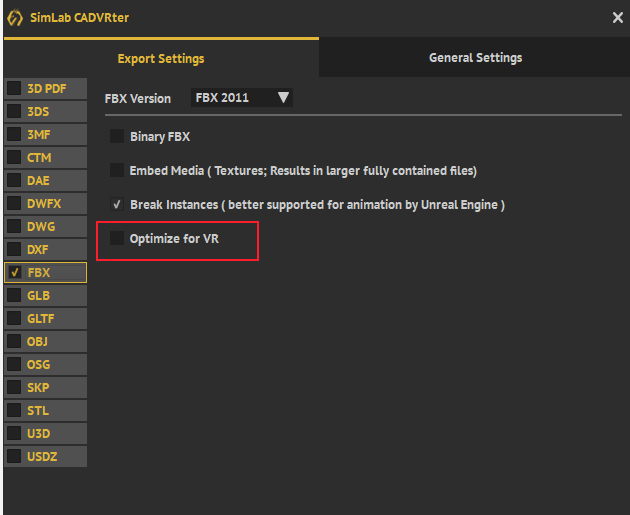
Is it doable?This is already included you need to check the optimize for VR option in the FBX output settings.
As shown in the following image
-
@rv1974 said:
Well I have bad results
40mb skp was converted to 800kb fbx (almost empty, some cameras and a couple of faces).
I could PM some examples, would you like to try?Of course, this will be of great value for us.
Please send us the SKP and inform us if you were testing on Windows or Mac. -
For some reason I could never get good results with any of SimLab converters (incl. Cadverter).
The main problem is it does not keep original orientation of faces.
When I import those fbx files (made of skp) into Max tons of faces are flipped.
I could PM some examples, would you like to try? -
I would be more interested in a good working SKP to 3DSmax file linking... The only solution i know is Mirza Link Manager, but it combines by material and doesn't support Instances...
-
I PM-ed you. Thanks in advance, Ashraf.
-
@numerobis said:
I would be more interested in a good working SKP to 3DSmax file linking... The only solution i know is Mirza Link Manager, but it combines by material and doesn't support Instances...
0 support there. He never answers. But the main issue is his Link Manager just freezes on more or less serious files. 'Combine by material' is the most valuable thing ever. If you need instances then open original skp in max. The problem is Max does not 'understands' skp hierarchy- only lowest level of instances will be kept.
-
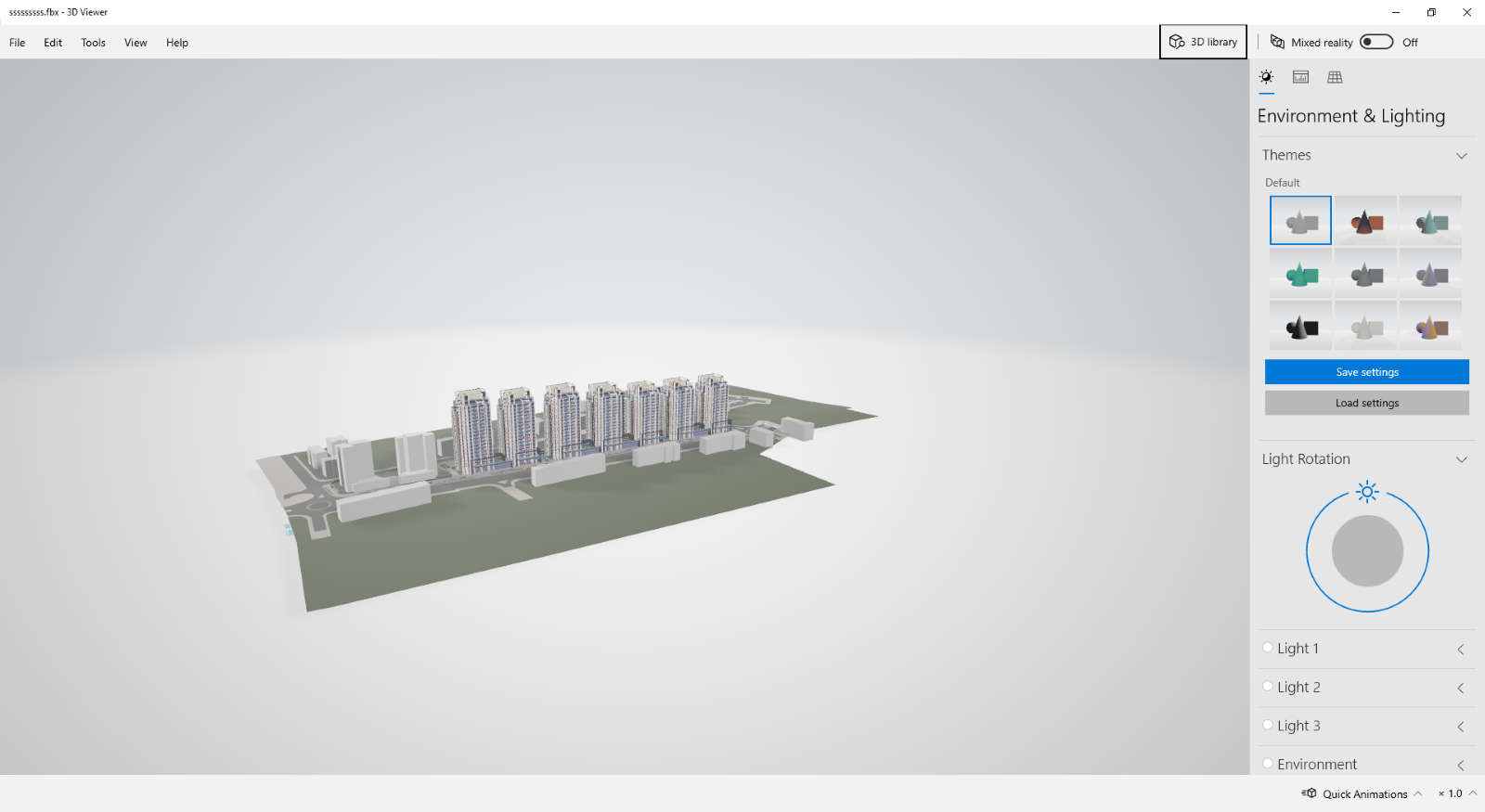
I tested the model.
It worked with merging, took few minutes I will review more though it is a large modelHere is the result in Microosft Viewer
Following is result in SimLab VR Viewer
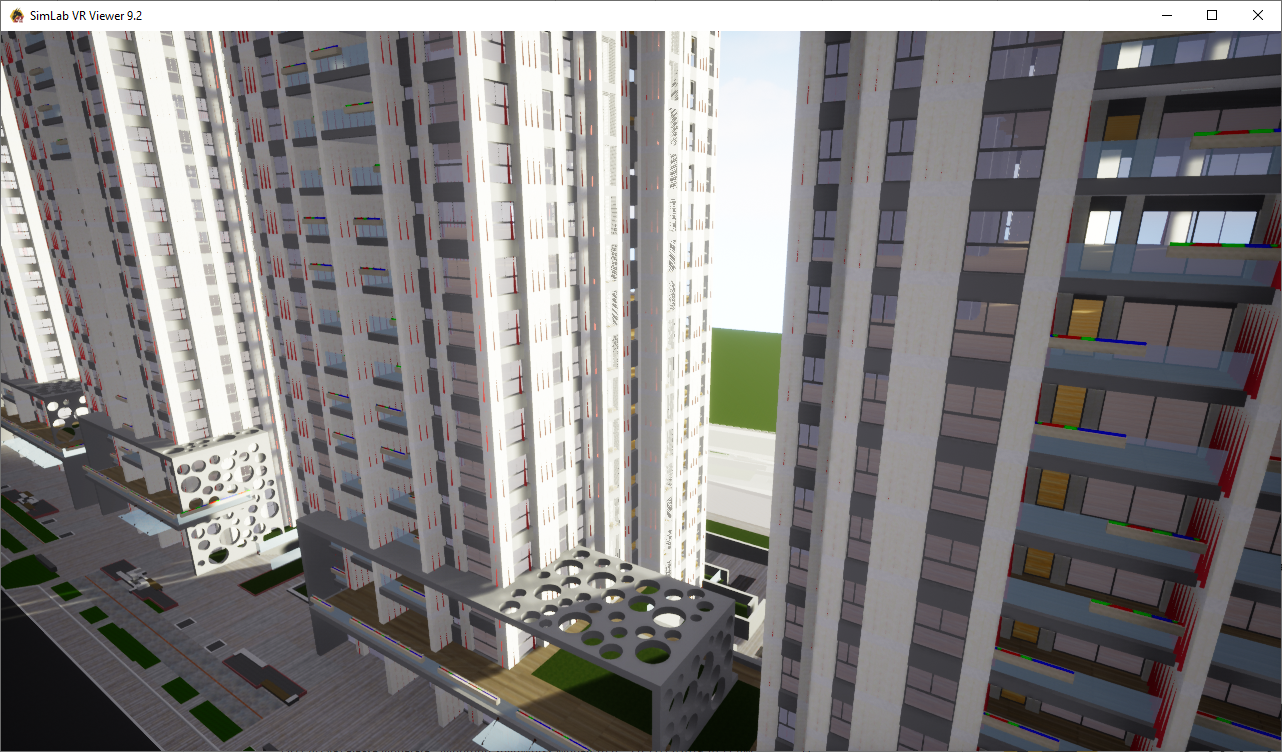
Will instigate speed more on Monday.
-
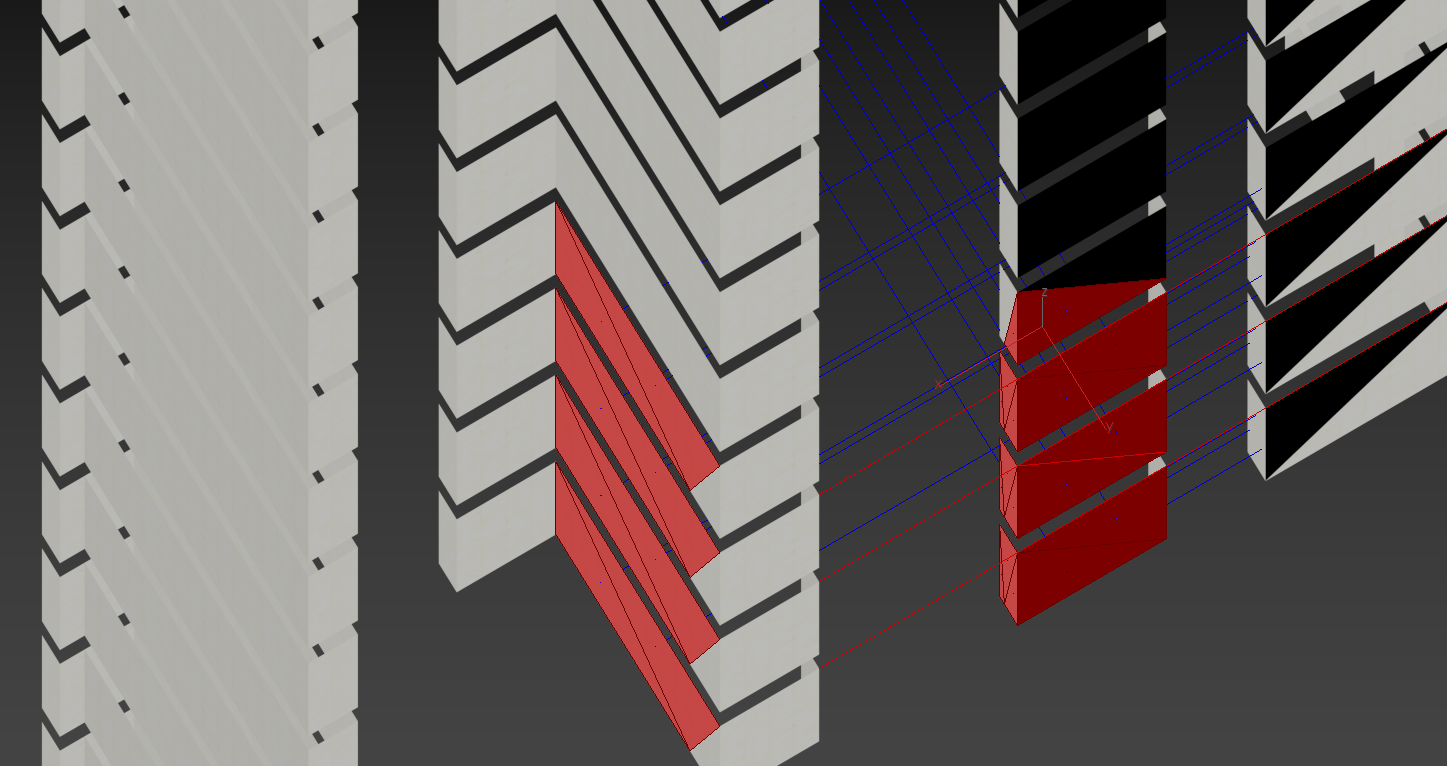
- I re-checked fbx model both in Max 2017 and 2020. Normals are messed up everywhere.
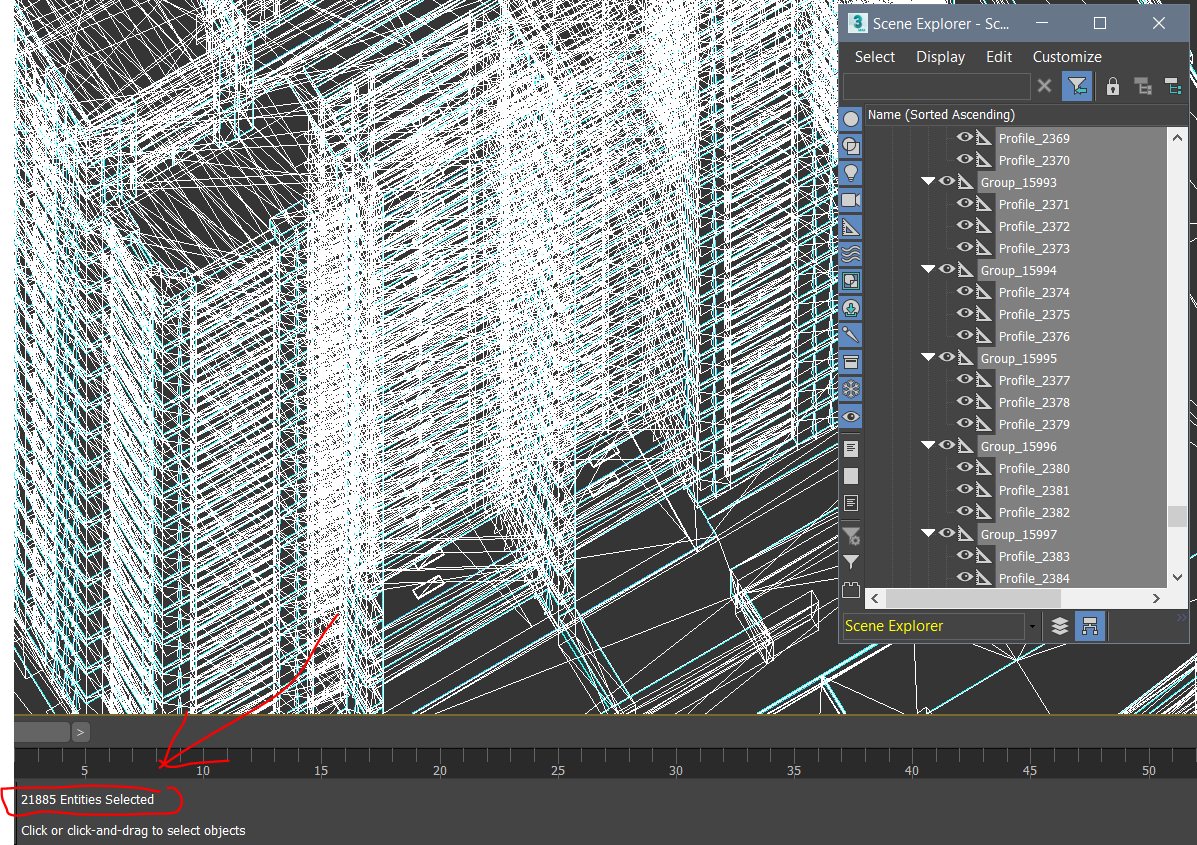
Microsoft viewer does not indicates normals' direction (Maybe you've got Max installed by mistake?) There's a tiny chance that it's Max importer that spoils your fbx but I guess is not the case. - I expected to get an fbx containing approx. 50 meshes only (by the number of materials in file). I received almost 30K objects instead (mainly junk groups). Their creation must be blocked.
If you combine by material all those groups have no meaning!
3.Everything is badly triangulated.
- I need object naming by its material name. Is it possible?
Thank you for attention
- I re-checked fbx model both in Max 2017 and 2020. Normals are messed up everywhere.
-
@rv1974 said:
- I re-checked fbx model both in Max 2017 and 2020. Normals are messed up everywhere.
Microsoft viewer does not indicates normals' direction (Maybe you've got Max installed by mistake?) There's a tiny chance that it's Max importer that spoils your fbx but I guess is not the case. - I expected to get an fbx containing approx. 50 meshes only (by the number of materials in file). I received almost 30K objects instead (mainly junk groups). Their creation must be blocked.
If you combine by material all those groups have no meaning!
3.Everything is badly triangulated. - I need object naming by its material name. Is it possible?
Thank you for attention
Thank for for the great input, most of those are easy to fix issues, hopefully we will be able to address them during the beta period, if you see CADVRter of value to you and you are interested in speeding things up you can communicate our suppor@simlab-soft.com
We will do our best to make this an essential tool that simplifies workflow. This being one of many many use cases that will be simplified.
- I re-checked fbx model both in Max 2017 and 2020. Normals are messed up everywhere.
-
I contacted supporT
Thank you -
In addition to challenges I mentioned above:
5. 'combine by material' is not OK yet- there are still multiple meshes with the same material. The goal is one material=one mesh (meanwhile there are 60 materials and 140 meshes)
6. Insanely over-complicated hierarchy of fbx I've got (mentioned in p.2) leads to heavy lags
inside Max. It takes lots of efforts to delete all those helpers manually.I'd seriously check the possibility to develop SimLab Skp-Max Link Manager (I mean a Max plugin, able to to deal with heavy geometry). It'd have a good potential



Advertisement