How to Model Rubbish
-
You didnt create rubish pilou... Thats a city. Godzilla needs a meaner look. You'll get there with some work.
-
It's a city of rubish compressed!


-
@rich o brien said:
...Or even Thom's Bitmap to Height...
...which is what I tried - and it worked quite well even.
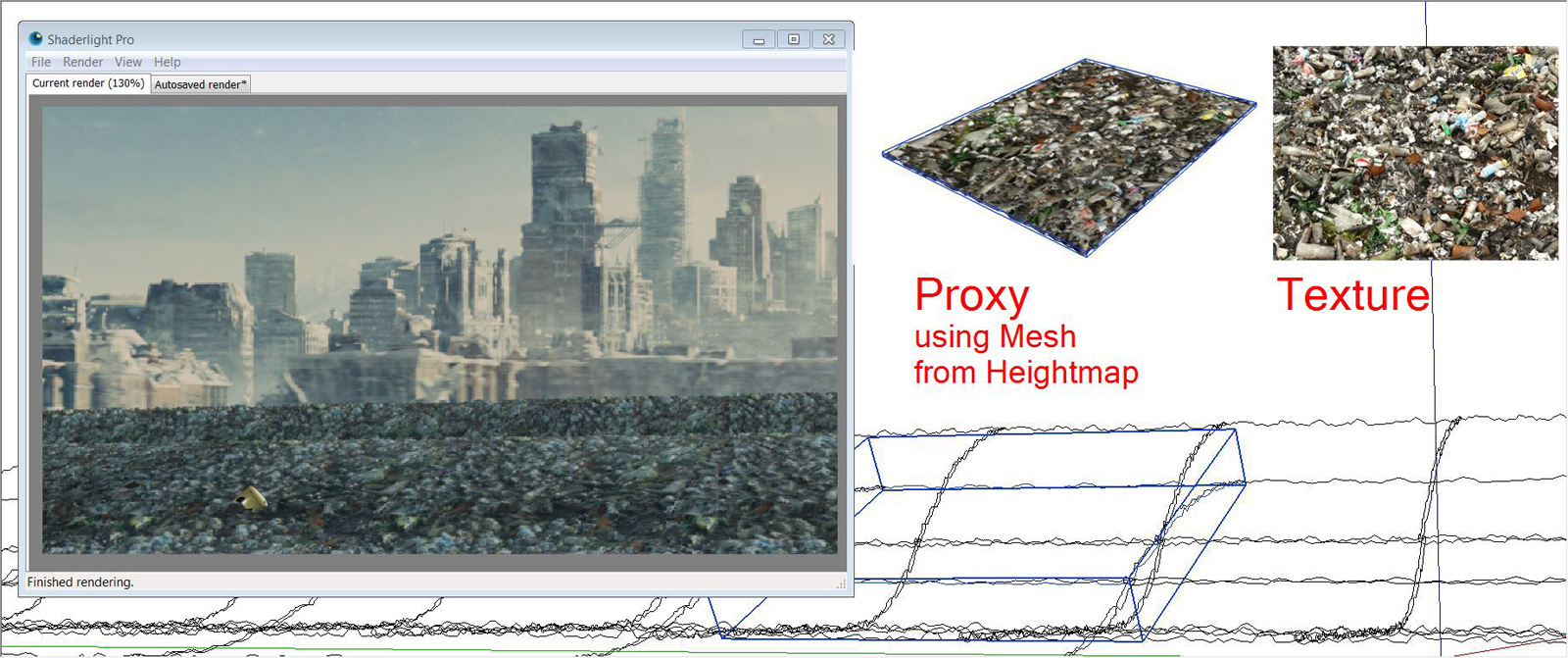
With Bitmap to Height I made some proxys which could be replaced then within the renderer (similar to scatter which I don´t have so far however).
This way is good for detailed views and should be complemented by scattered detail-rubbish additionally where needed.
In any case - all the methods mentioned here are useful in combination...I would like to see any picture impression, which visuall result is striven by Bulbangs?
-
Thank you to all who responded. You've all helped immensely with your suggestions. Here is the first pass of the render. Still have a few adjustments to make but the client expressed satisfaction with the output.
-
-
-
Oops thought it attached
 my bad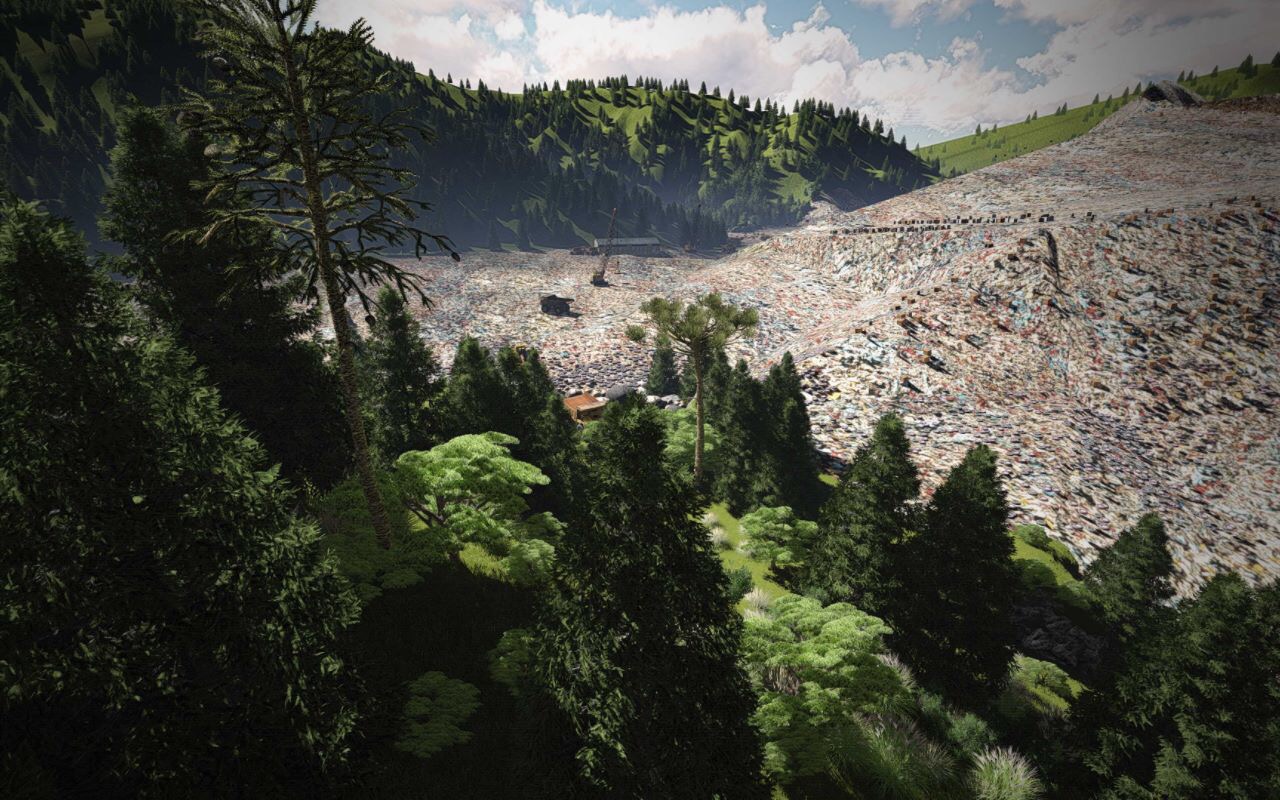
-
 wow - a great and "terrible" scene at the same time.
How did you proceed now? -
Modeled the huge pile using sand box and textured it with a map. I then used skatter to add thousands of objects to litter the surface to create the top layer trash.
-
Create rubbish? There are a few of my earliest models....

Seriously, it's going to be the textures that solve your problem. I did a model of a recycling metals company and I found some very useful (free) textures at textures.com. I suggest you check there.






Hello! It looks like you're interested in this conversation, but you don't have an account yet.
Getting fed up of having to scroll through the same posts each visit? When you register for an account, you'll always come back to exactly where you were before, and choose to be notified of new replies (either via email, or push notification). You'll also be able to save bookmarks and upvote posts to show your appreciation to other community members.
With your input, this post could be even better 💗
Register Login


Advertisement