Medeek Wall Plugin
-
The current todo list in no particular order:
-
Interior Trim (Crown Molding, Baseboards, Chair Rail, Wainscot)
-
Garage Doors
-
Update door casing for interior walls
-
Gypsum wrap for interior wall openings and end walls
-
Exterior Cladding Corner Option (Lap and Miter)
-
Wall Split Tool
-
Wall Join Tool
-
Gable / Shed Wall Tool
-
Add Glulam Beams to Window and Door Header Options
-
Implement Wall Groups (currently you can assign a group letter or number but it is not active)
-
-
Congratulations! Though this is not the end of your work, obviously, it's a huge milestone. You should be very pleased! Thank you!
-
@pbacot said:
Congratulations! Though this is not the end of your work, obviously, it's a huge milestone. You should be very pleased! Thank you!
A quick glance at the Truss Plugin's changelog:
Medeek Design Inc. - Medeek Truss Plugin Changelog
Medeek Design Inc. - Medeek Truss Plugin Changelog
(design.medeek.com)
and it soon becomes apparent that this is only the beginning.
-
Ladies and Gentleman, I give you... The Medeek Wall Plugin

Version 0.7.2 - 05.25.2018
Please do not use the plugin in its current state for any production work. I am afraid that you may loose data given the potential for bug splats and other issues with the plugin being so newly minted.
Please keep your ruby console open while using the plugin and feel free to cut and paste any issues to me via email. As much explanation regarding any errors would also be helpful.
To be honest I don't feel like I've tested the plugin out nearly enough especially while using metric templates however the pressure to release the plugin now, rather than later was quite overwhelming.
Tomorrow I will begin addressing bugs and also I will begin work on the new todo list.
-
Had an interesting request for Simpson Strong-Walls to be added to the plugin this morning. I may entertain this possibility seeing as it probably would not be too hard to add this functionality.
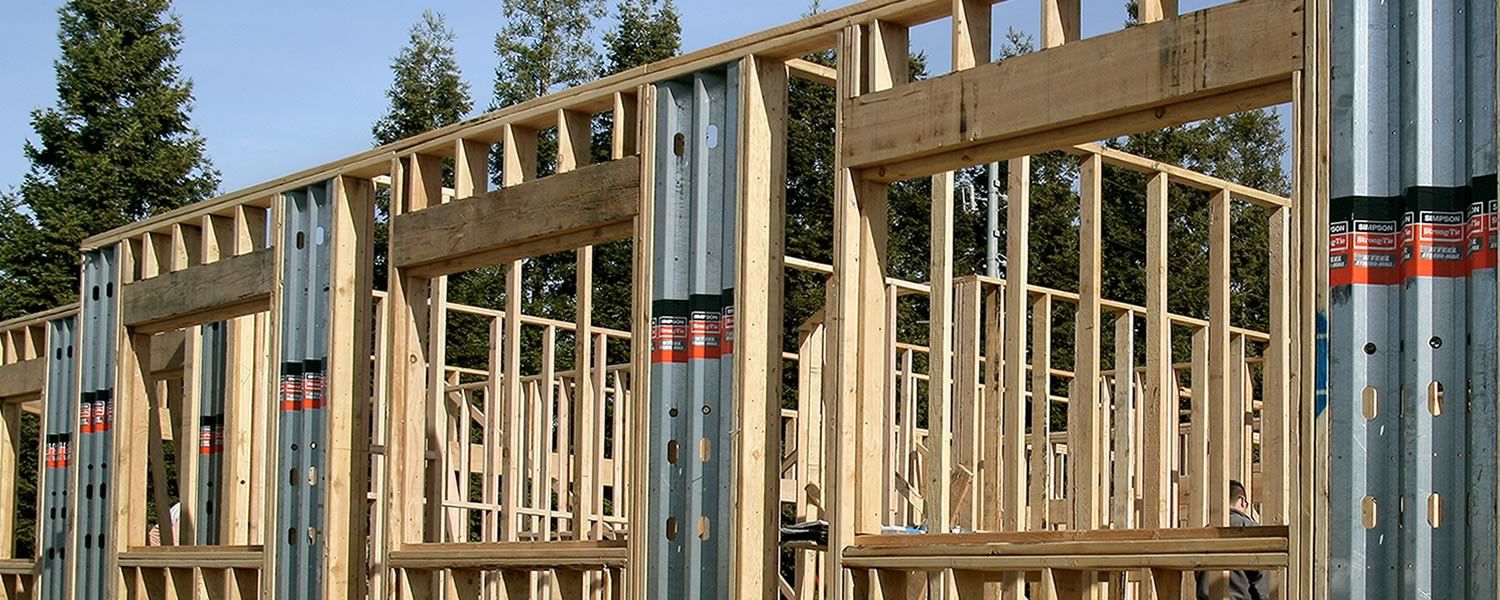
The addition of elements within the wall other than windows and doors actually is something I've been meaning to give some additional consideration to. Right off the top the two items I can think of that are similar to windows and doors (at least logistically or from a coding standpoint) are "in wall" columns and posts and specialized panels such as Simpson wood or steel strong-walls or Simpson Moment Frames. In fact, all of these can be essentially treated as door like openings with their own special set of parameters so the wall geometry creation algorithms are already in place to add these elements in.
What other "in wall" elements am I missing here?
With regards to walls and beams, I've often seen situations where the beam is dropped below the floor joists above and is set in a a "beam pocket":
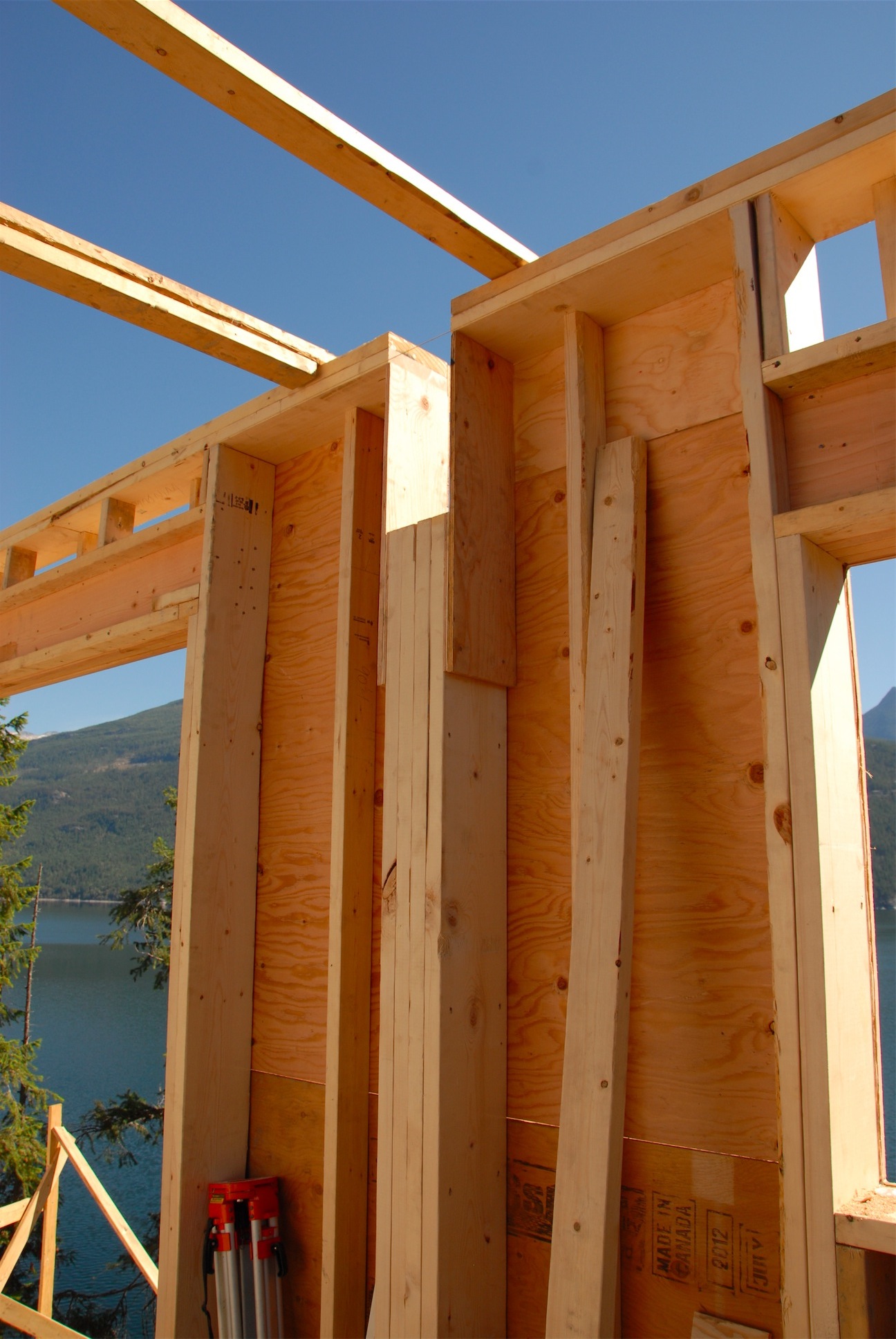
In the situation shown above I probably would have carried the king studs next to the column all the way to the bottom plate but I think the idea his clear. Some inwall columns are the full height of the wall with the beam resting the on the top plates and some are similar to the situation shown, both must be made available.
-
Lets start with the columns:
I will need a new Wall Column Toolbar with the following icons and functions:
- Draw Column
- Move Column
- Edit Column
- Delete Column
The possible parameters for the column will be:
Column Name: Set by Plugin, not user definable (COLUMN1, COLUMN2, COLUMN3 etc...)
Column Location: Distance from origin of Wall
Column Size: (2) 2x6, (3) 2x6, 4x6, 6x6, 6x8 6x12, LSL3.5x7.25 etc...
Column Height: Measured from base of wall (default would be FULL which would make it the same height as the studs in the wall. A height less than the wall height would create a beam pocket arrangement with two king studs next to the column.
Beam Pocket King Studs: This option only applies in the situation where there is a beam pocket, NONE, 1, 2, 3.
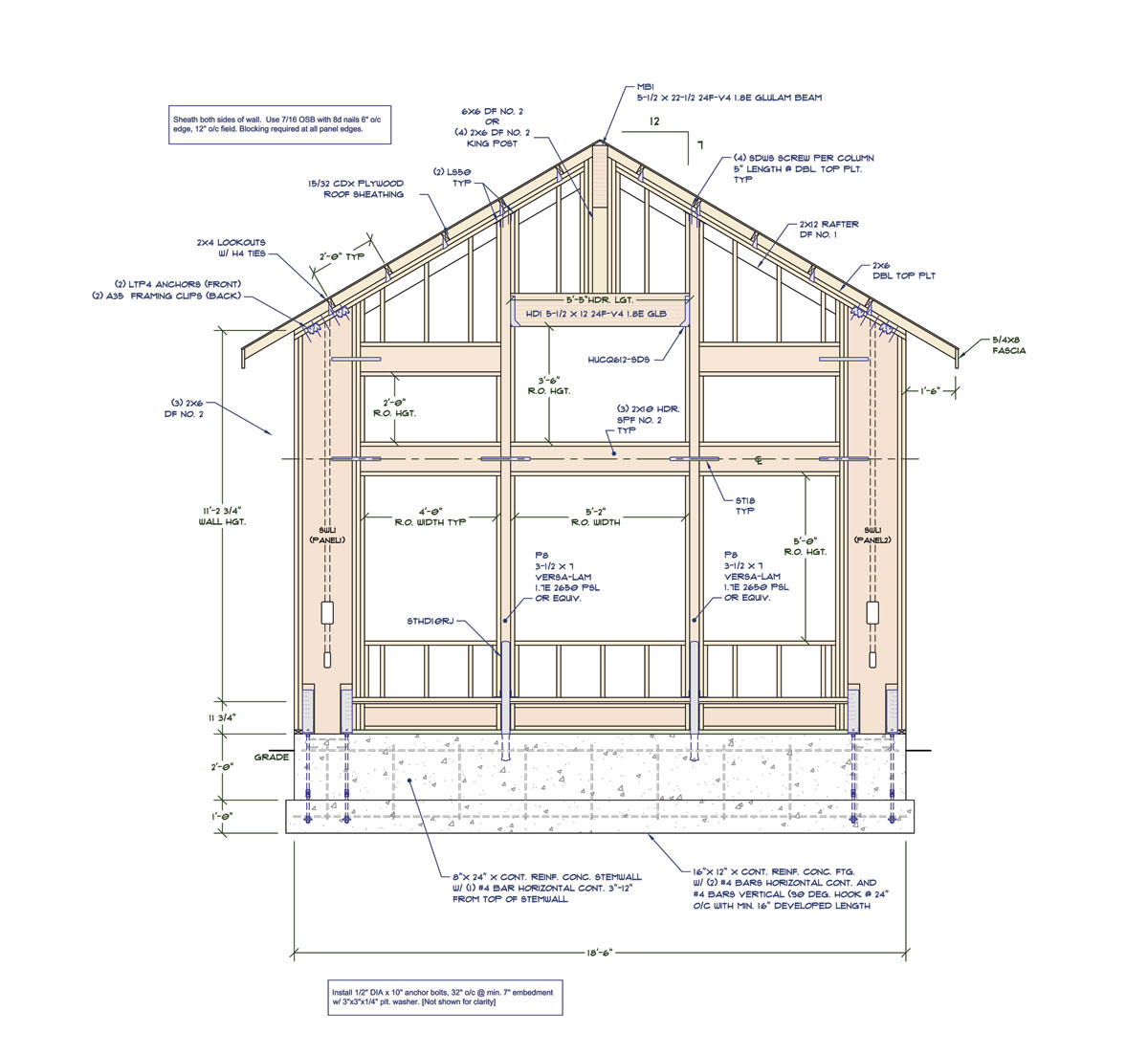
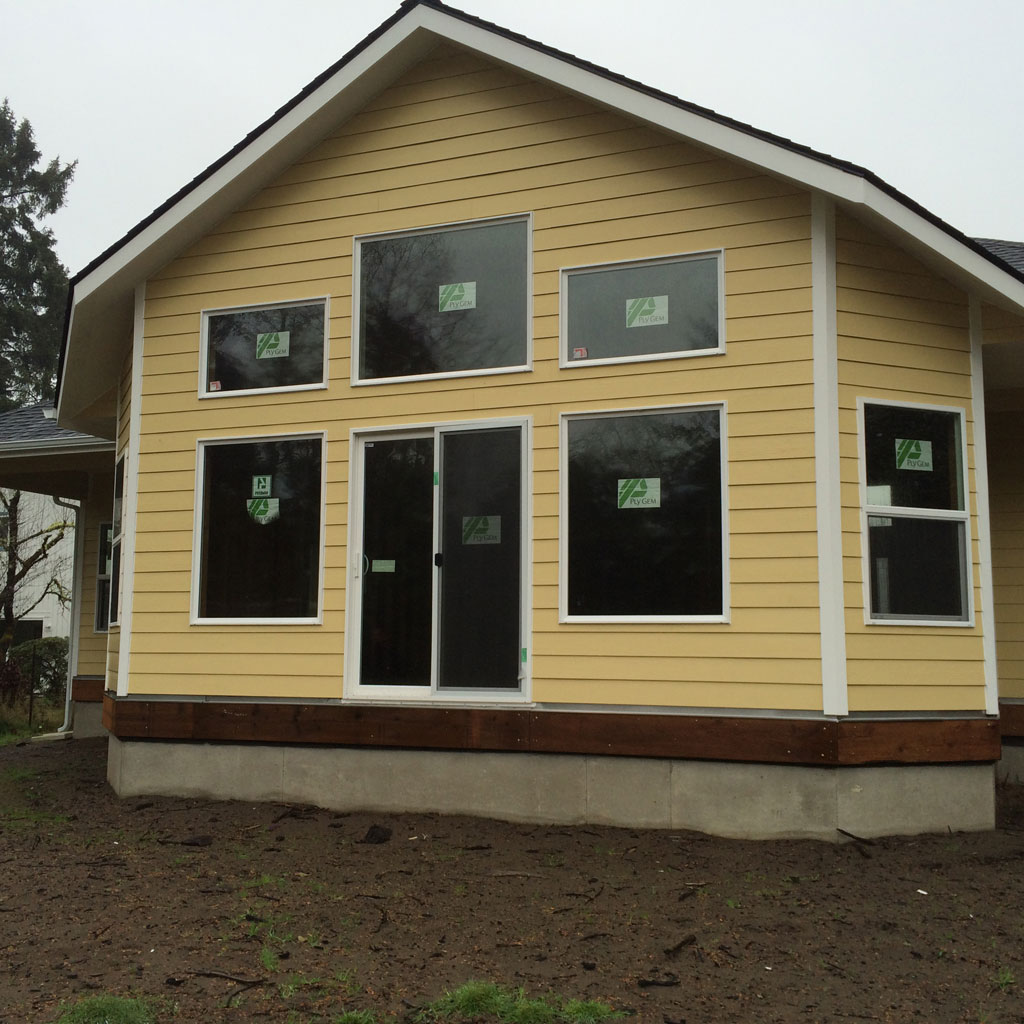
Vertical Offset (Bottom): Allow the column to project below the bottom plate so that it can bear more directly on foundation below, see window wall below. Default value would be zero which would frame it flush with the bottom of the rest of the wall studs.Here is a window wall I detailed out a couple of year ago, notice the PSL column running the full height of the wall. One could argue they are not columns but actually the king studs next to the windows, I agree that is a bit of a grey area. Also notice the use of the Simpson Wood Strong-Walls, cut to suite for the raked wall and the beam pocket for the central glulam beam that bear on the window header. Note that this detail is not complete since a number of callouts are missing, probably a screen shot about halfway through the detailing.
It would be nice if the wall plugin were capable of handling a window wall such as this, with stacked windows, columns, beam pockets (that can interact with windows and doors below) and Simpson Strong-Walls.
-
@unknownuser said:
Had an interesting request for Simpson Strong-Walls to be added to the plugin this morning
+1
-
Version 0.7.3 - 05.27.2018
- Fixed a bug which limited window height to only 48 inches.
-
Toolbar Menus and Icons for the upcoming Columns and Simpson Strong-Wall modules:
With the Strong-Walls the plan is to offer both the steel and the wood varieties.
I'm creating separate toolbars that way if you don't need or require specific components in your wall such as Simpson Strong-Walls, then you can easily turn off this toolbar and unclutter your workspace.
-
I've been looking at various details of wall construction this morning and possible permutations are a bit daunting to the say the least.
Specifically with regards to exterior walls I've seen some details showing a layer of foam insulation between the gypsum and the framing or where shearwalls come into play a layer of OSB or Plywood beneath the standard gypsum layer (double shearwall).
I am thinking about adding in the option to be able to add one additional layer of sheathing to the wall on its interior. This sheathing will be able to be set to OSB, PLY or Insulation.
-
Two things I should state before further testing:
1.) Please click on the global settings, visit each tab, familiarize yourself with the various options, turn on layers, materials etc... I have had a number of questions about why the plugin does not keep the materials assigned to it. Realize that any manual edits to the wall assembly (group) will be eliminated once you make any modifications to the wall with the plugin, it has to rebuild the entire assembly from scratch in order to capture any changes made to it, otherwise it cannot be fully parametric and editable. The downside to being fully parametric is that the plugin has full control of the assembly. If you need manual edits to live with a wall then you have to place that geometry outside of the wall assembly group, if you place them inside they will be erased on a rebuild. There may be some workaround for this in the future but I haven't quite got that far yet.
Each wall assembly (group) has a fairly extensive library of attributes that are essentially a database for the wall panel. Every aspect of the wall assembly is defined by a parameter in this database. The wall panel can be rebuilt from scratch just from this dataset. The 3D model generated by the plugin is simply a geometric manifestation of the dataset stored in the attribute library.
2.) If you have a specific bug to report, please if possible, include any error codes generated within the ruby console. Without these codes I am running blind and merely guessing in some cases. Some of the issues I've seen today I am unable to duplicate on my machine so I can't fully address them. The error codes are critical to my debugging process and ultimately correcting any issues that may exist. Of course this may not apply to functional types issues involving UI behavior or specific feature requests, I do recognize that.
-
Version 0.7.4 - 05.29.2018
- Fixed a bug with the wall polyline tool so that the wall line will snap to the X or Y axis.
- Added ZIP Systems(c) 7/16" and 1/2" wall sheathing materials to the sheathing tab of the global settings.
- Added the Z Height option to the wall creation tools. The Z height parameter and option to enable this feature are found in the walls tab of the global settings.
- Created icons and added toolbars for the Simpson Strong-Wall module and the Columns module, both of which are still under construction.
-
I really like Huber Engineeered Woods various sheathing products.
I've added in the sheathing material option for their 7/16 and 1/2 sheathing products:
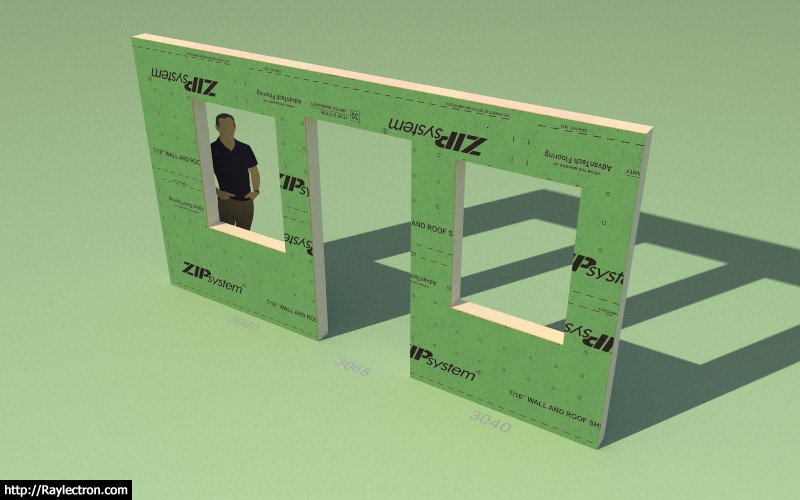
The exterior face has the branded face as shown and the rest of the group (solid) is the OSB texture.
This will be rolled into the next release, version 0.7.4.
Densglass will be included in Version 0.7.5:
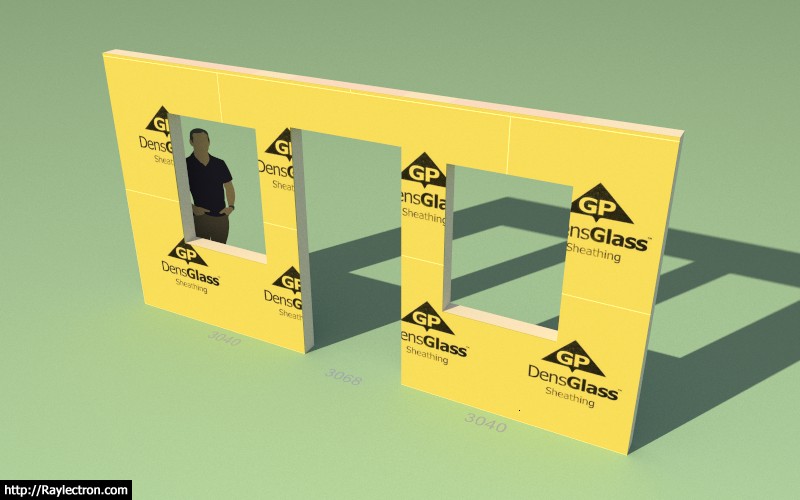
This sheathing product is more commonly used on commercial projects.
-
Just when I think I'm starting to figure this thing out it gets a little more complicated.
Take for instance the wall below with the exterior stone wainscoting:

Typically we see stone or brick with a siding or stucco product above it.
So instead of a single type of cladding and cladding thickness on the wall we might have two different types on the same wall panel.
The brick or stone might be up to the windows or even somewhere mid height as shown below:
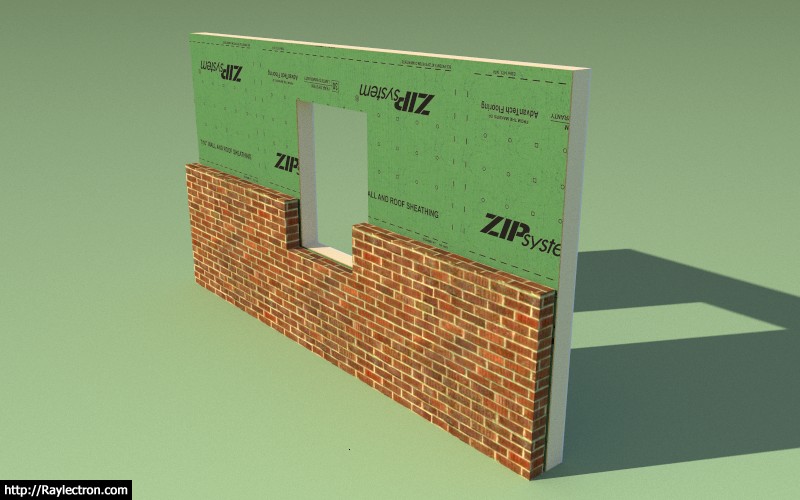
Any thoughts on this type of construction, preferences or further complicating factors?
I think I basically need to allow for more complicated cladding scenarios.
With brick you often see a rowlock course at the transition:
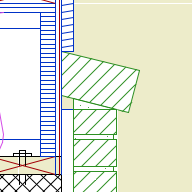
-
Here is a good example of a stucco structure with a cultured stone wainscot:

Notice the stucco trim just above the wainscoting and then the ledge of stone that projects beyond the wainscoting just below it.
The additional parameters for a two cladding exterior system (wainscoting) would be:
Exterior Wall Wainscoting: YES/NO
Wainscoting Thickness: in./mm
Wainscoting Air Gap: in./mm
Wainscoting Corners: Flush/Lap/Miter/Return
Wainscoting Material: Brick/Culture Stone etc...Wainscoting Height: in./mm
Wainscoting Ledge/Trim: YES/NO
Ledge Height: in./mm
Ledge Depth: in./mmAlso in the Trim Tab another couple of parameters for the Exterior Trim option above the wainscoting:
Wainscoting Trim: YES/NO
Wainscoting Trim Width: in./mmAlso notice how the stucco trim around the window and doors meets the wainscoting trim and terminates there.
Why can't you designers and architects keep things simple, I'm going to have to jump through some hoops to code all of this.

-
I've already rolled out two revisions since the initial beta release. Please download, uninstall the older version of the plugin and then install the most current version.
I've seen some issues with corrupt installations where a newer version is installed on an older version. You need to uninstall the plugin first before upgrading, that is the safe bet.
Also please check the changelog so you are aware of the updates, even though I do post each update on the board:
Medeek Design Inc. - Medeek Wall Plugin Changelog
Medeek Design Inc. - Medeek Wall Plugin Changelog
(design.medeek.com)
I am still noticing a lot of people sending in comments that they are unable to get materials applied when they have not enabled the auto material assignment in the materials tab of the global settings.
I think what I am going to do is have the plugin set this particular setting to "ON" as the initial default behavior rather than "OFF". I will make this change live with the next release.
-
Is the current version in the download at:
-
@bob james said:
Is the current version in the download at:
Correct. Version 0.7.4
I will probably roll another rev. tonight once I wrap up the the work on the tee intersection algorithm.
-
When you delete walls the cutouts on the the top plates are left as you can see in the image below, but a rebuild of the wall will heal those unnecessary cutouts:
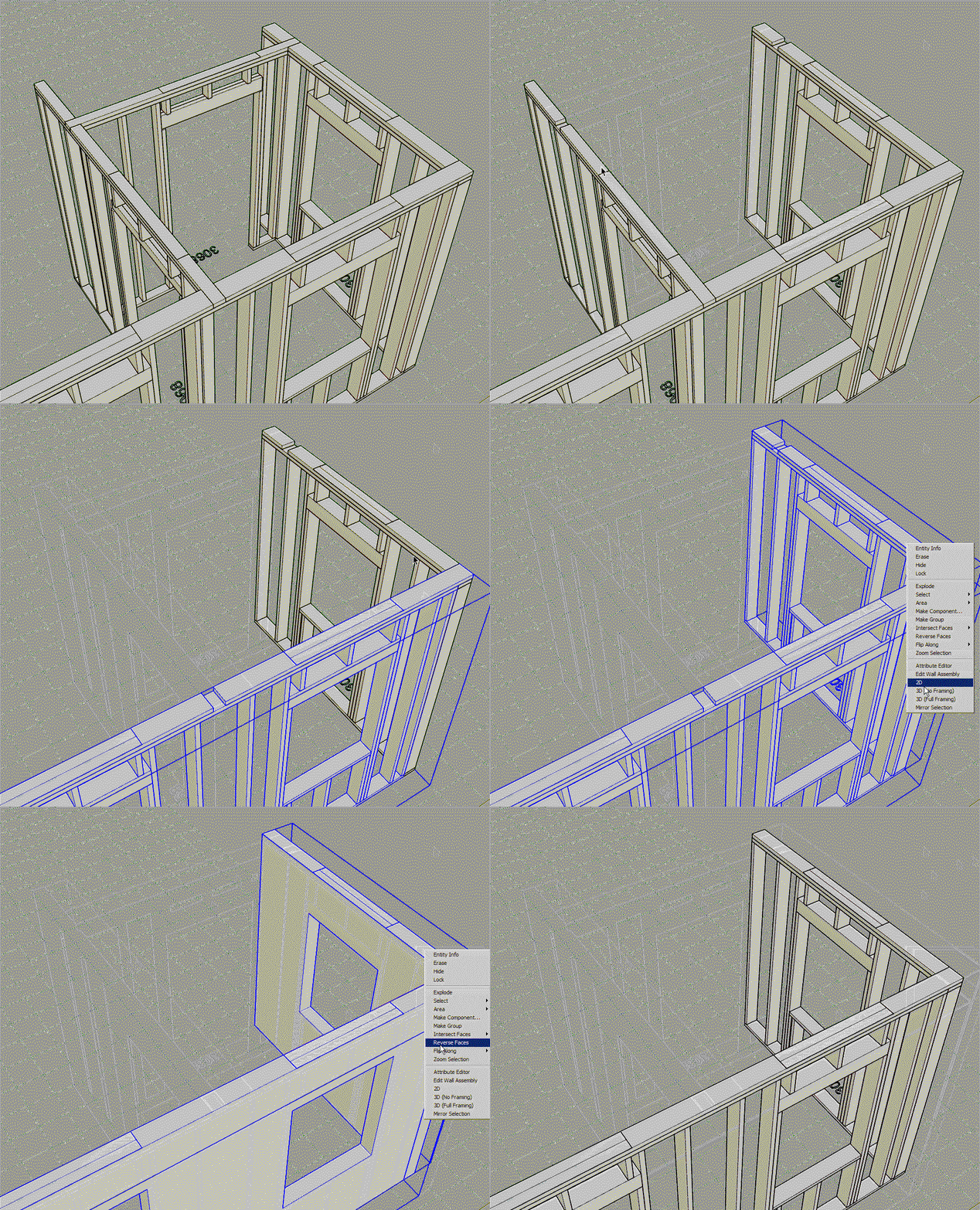
Please keep sending in your bugs and feature requests. I am going to keep working on this plugin full time as long as the SU community continues to support me in this endeavor.
My goal is to have a robust, flexible and full featured architectural design tool that a lot of the SU designers and even DIY'ers can quickly pick up and use.
I am trying to figure out some sort of way that I could offer this at a drastically reduced price or even free so that anyone could take advantage of it but at the same time maintaining enough revenue so that I can keep developing it full time. Perhaps these two goals/objectives are mutually exclusive.
-
The tee intersection algorithm has been revamped and is now properly cutting out top plates when walls intersect at these intersections:
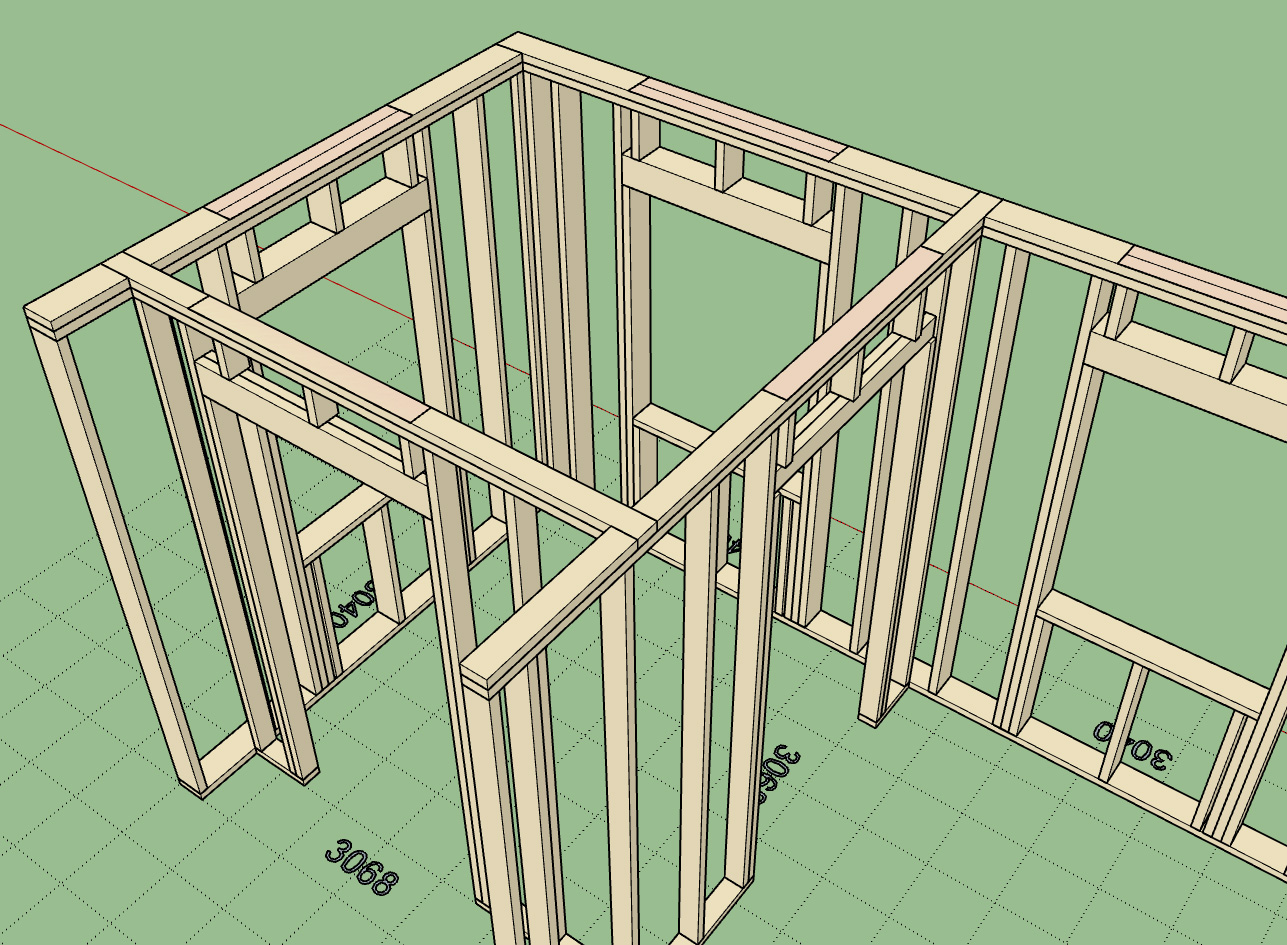
When a wall gets rebuilt (ie. edited, moved, opening added, or switched between modes) the tee intersection algorithm is run and any intersecting walls will be detected (any walls that are touching the wall in question and have a "tee corner" configuration at that end).
What this means is that if you manually move an intersecting wall and slide it along the main wall and then rebuild the main wall the top plate will automatically update with the correct cut out as shown above.
This update will be rolled into rev. 0.7.5.






Advertisement